Printing
Photographs from a Wireless Communication Device
Performing
Infrared
Communication
You
can
print
photos in your mobile phone or
PDA.
When
printing
through infrared communication, also refer to the manual
of
your
mobile phone or
PDA.
1
Turn
on
the printer.
2 Load the paper.
See
"Loading Paper"
on
page 20.
3 Set the print setting.
See
"Setting
the
Page
Size, Media Type, and Layout When Printing from a
Mobile Phone or a
PDA"
on
page 51.
4 Start Infrared Communication.
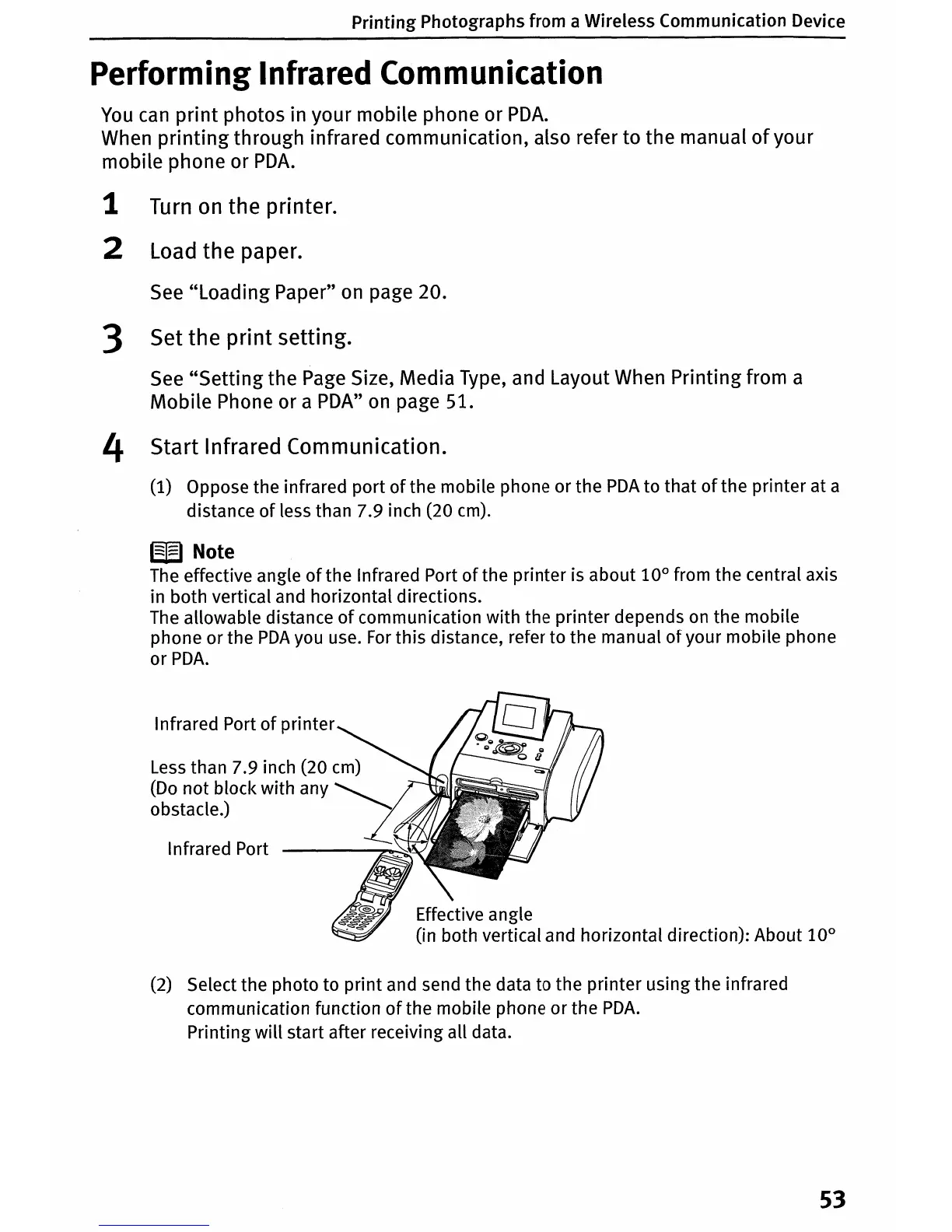
(1) Oppose
the
infrared
port
of
the
mobile phone
or
the
PDA
to
that
of
the
printer
at a
distance
of
less than 7.9 inch (20 cm).
W
Note
The effective angle
of
the
Infrared Port
of
the
printer
is
about
10°
from
the
central axis
in
both
vertical and horizontal directions.
The allowable distance
of
communication
with
the
printer
depends on
the
mobile
phone
or
the
PDA
you use.
For
this
distance, refer
to
the
manual
of
your mobile phone
or
PDA.
Infrared Port
of
printer
Less than 7.9 inch (20 cm)
(Do
not
block
with
any
~
obstacle.)
Infrared Port
Effective angle
(in both vertical and horizontal direction): About
10°
(2) Select
the
photo
to
print
and send
the
data to
the
printer
using
the
infrared
communication function
of
the mobile phone
or
the
PDA.
Printing
will
start after receiving
all
data.
53












 To Next Page