. Preparation When Using the Printer
Changing
the
Print"Settings
This section explains the
print
settings you
can
set from the
LCD
and the buttons
you should use to set them.
•
To
Change Print
Setting
This section describes the steps to change the
print
settings u'sing the Effects
setting
as
an
example.
For
information
on
each
item, see "Print Setting Items"
on
page 25.
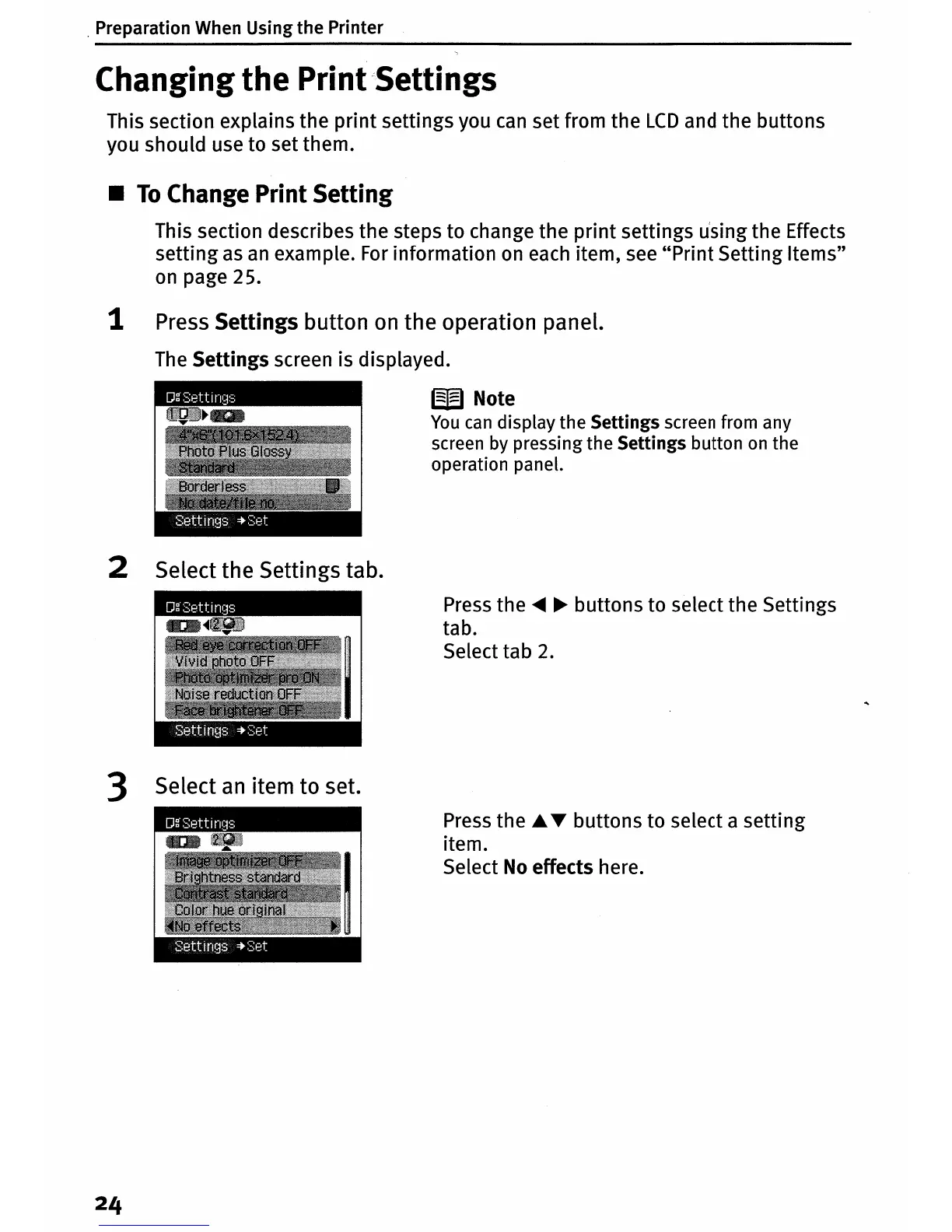
1 Press Settings button
on
the operation panel.
The
Settings screen is displayed.
W Note
You
can
display the Settings screen from any
screen by pressing the Settings button
on
the
operation panel.
2 Select the Settings tab.
Press
the
.....
~
buttons to select the Settings
tab.
Select tab
2.
3 Select
an
item to set.
Press
the ...T buttons to select a setting
item.
Select
No
effects here.












 To Next Page