Preparation When Using the Printer
•
Removing
a
Memory
Card
W
Note
If
you use the printer connected to your computer, follow the instructions for removal
of
the memory card from the computer.
For
the procedure, refer
to
the User's Guide.
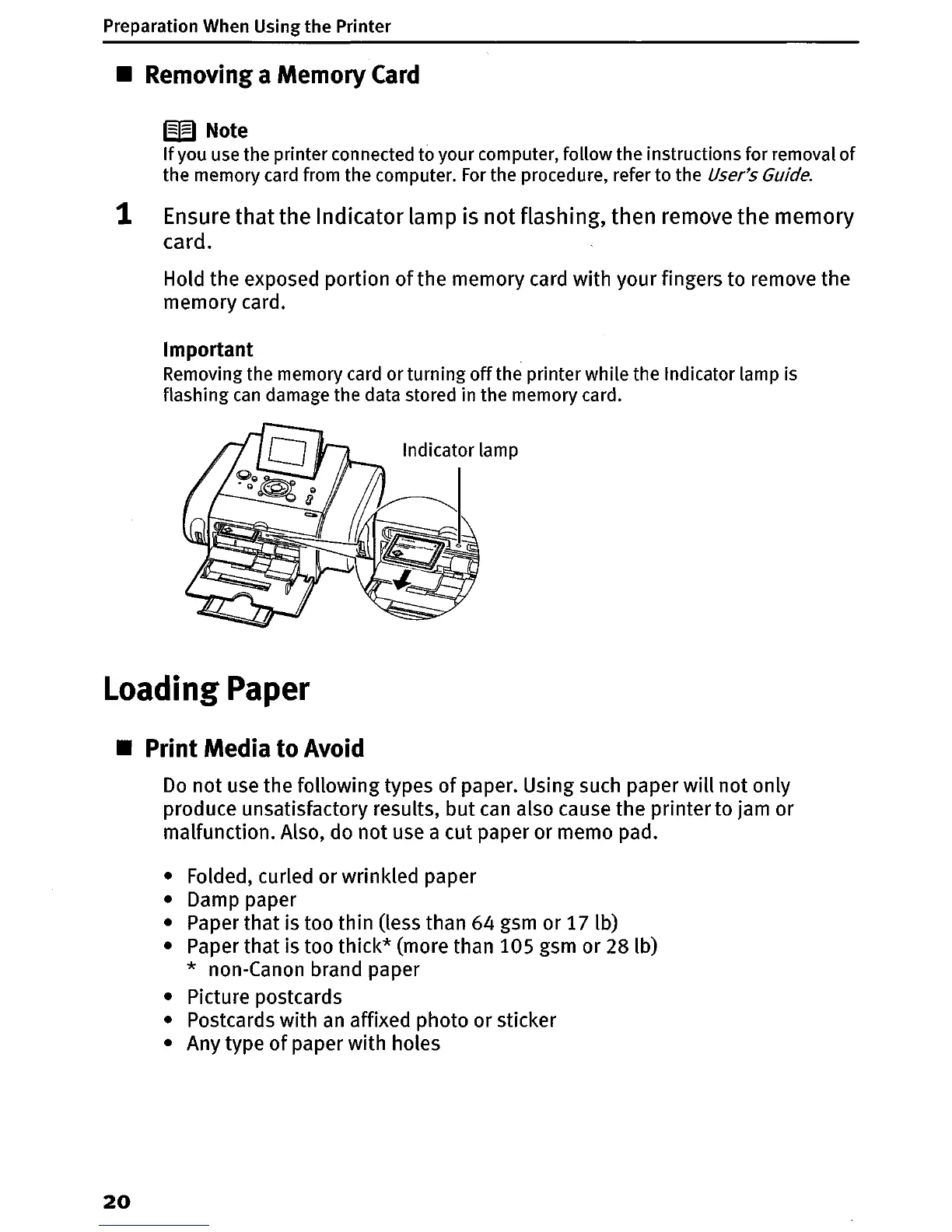
1 Ensure
that
the Indicator lamp is not flashing, then remove the memory
card.
Hold the exposed portion
of
the memory card with your fingers to remove the
memory card.
Important
Removing the memory card or turning
off
the printer while the Indicator lamp is
flashing
can
damage the data stored in the memory card.
Indicator lamp
Loading
Paper
•
Print
Media
to
Avoid
Do
not use the following types
of
paper. Using such paper
will
not only
produce unsatisfactory results,
but
can
also cause the printer to jam or
malfunction. Also, do
not
use a cut paper or memo pad.
• Folded, curled or wrinkled paper
• Damp paper
• Paper
that
is too thin (less than 64 gsm or 171b)
• Paper
that
is too
thick*
(more than 105 gsm or 28 lb)
* non-Canon brand paper
• Picture postcards
• Postcards with
an
affixed photo or sticker
• Any type
of
paper with holes
20















 To Next Page