Easy
Setup Instructions
Installing
an
Ink
Tank
Caution
•
For
safety reasons, store
an
Ink Tank out
of
the reach
of
small children.
•
Do
not
drop or shake
an
InkTank
as
this may cause the
ink
to
leak out and stain your
clothes and hands.
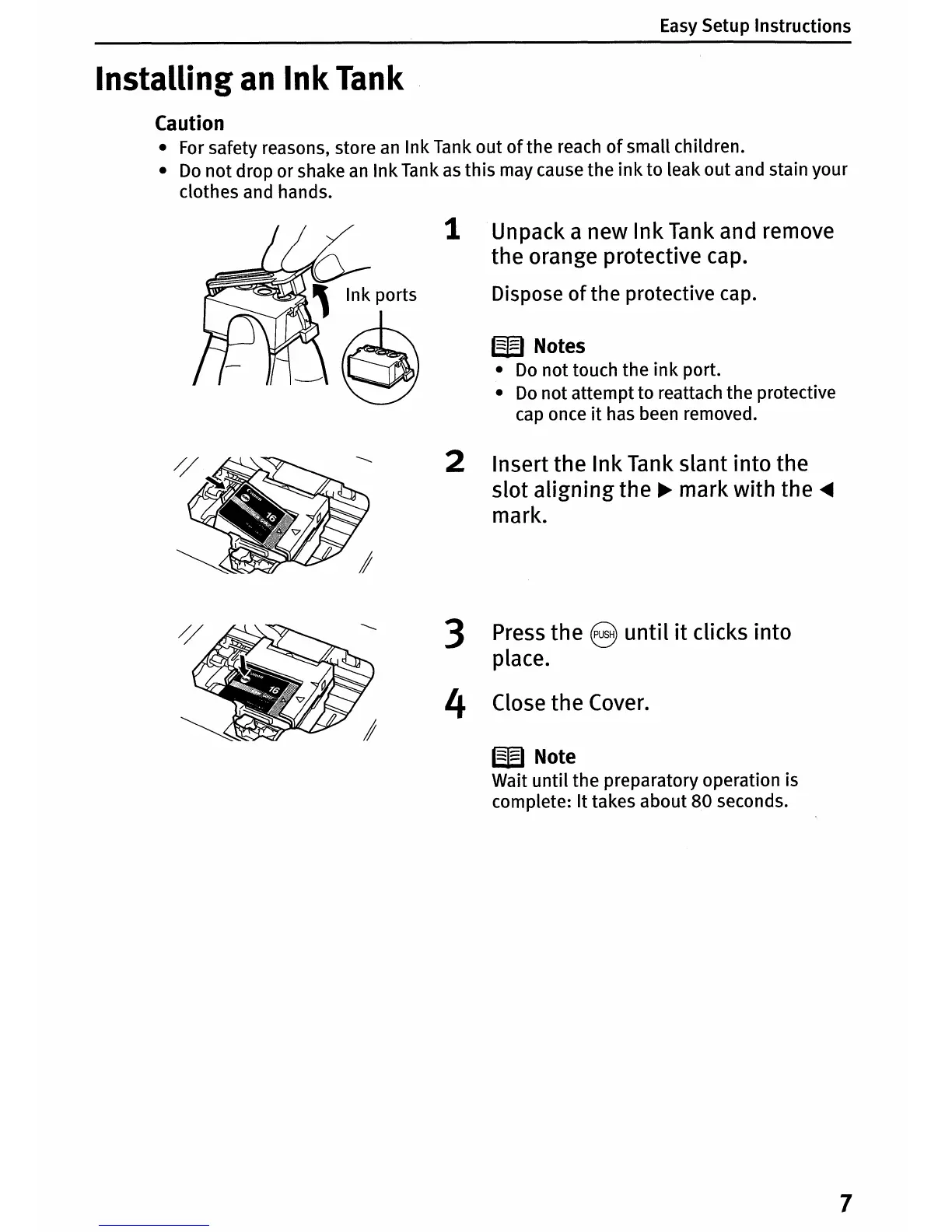
1 Unpack a new Ink Tank and remove
the orange protective cap.
Dispose
of
the protective cap.
W Notes
•
Do
not
touch the
ink
port.
•
Do
not attemptto reattach the protective
cap once
it
has been removed.
2 Insert the Ink Tank slant into the
slot aligning the
~
mark with the
~
mark.
3 Press the 8
until
it
clicks into
place.
4 Close the Cover.
W Note
Wait
until
the preparatory operation is
complete: It takes about 80 seconds.
7















 To Next Page