Easy
Setup Instructions
4 Select the display language.
(1)
Press
the'"
T buttons to select the language you want to display
on
the
LCD.
(2)
Press the
OK
button.
W Note
If
you accidentally changed the languages,
see
"Language selection"
on
page 44 to
select your language.
Installing
the
Print
Head
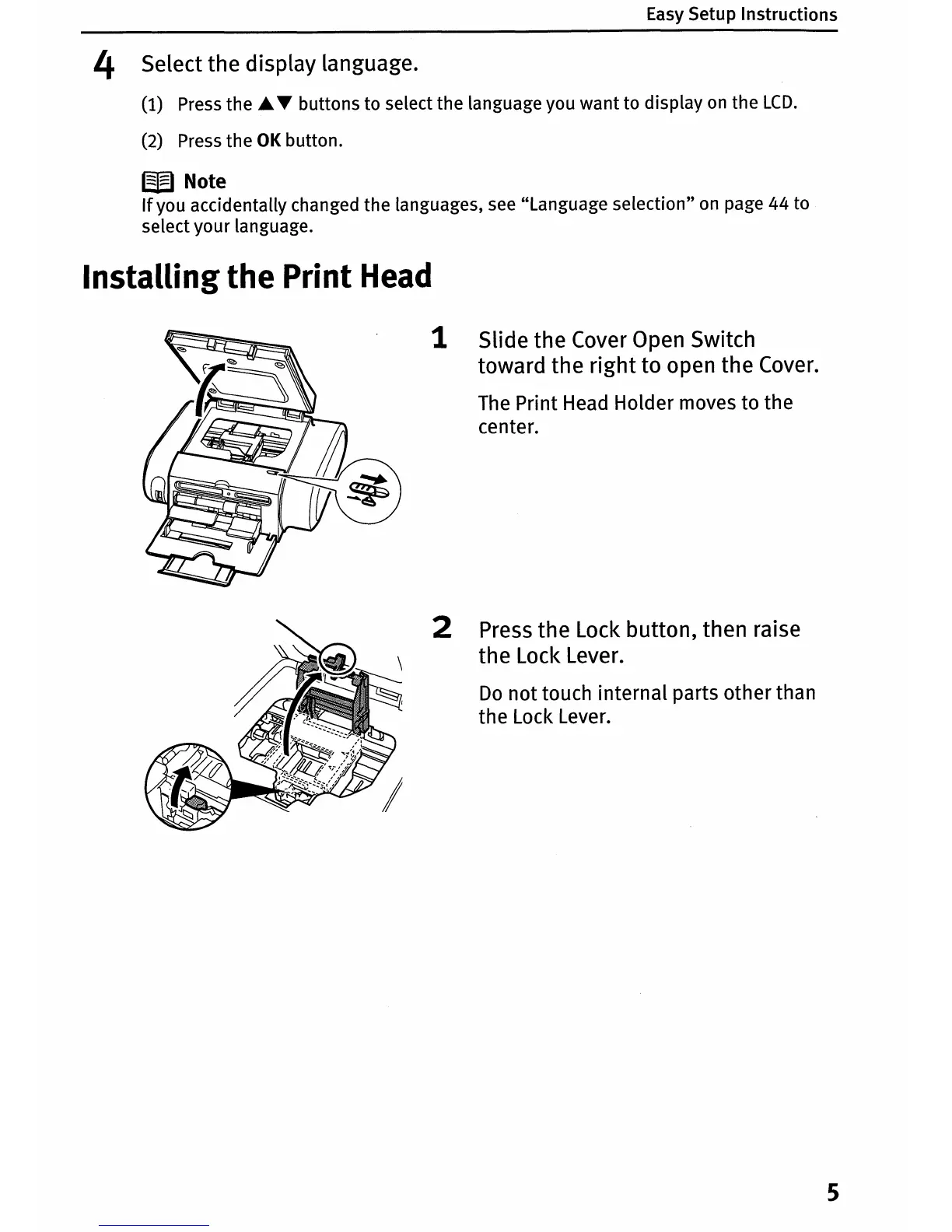
1 Slide the Cover Open Switch
toward the right to open the Cover.
The Print Head Holder moves to the
center.
2 Press the Lock button, then raise
the Lock Lever.
Do
not
touch internal parts other than
the Lock Lever.
5















 To Next Page