Preparation When Using the Printer
•
Loading
the
Print
Media
W Note
Refer to "Media
Types
for
Card
Direct Printing"
on
page 23.
1
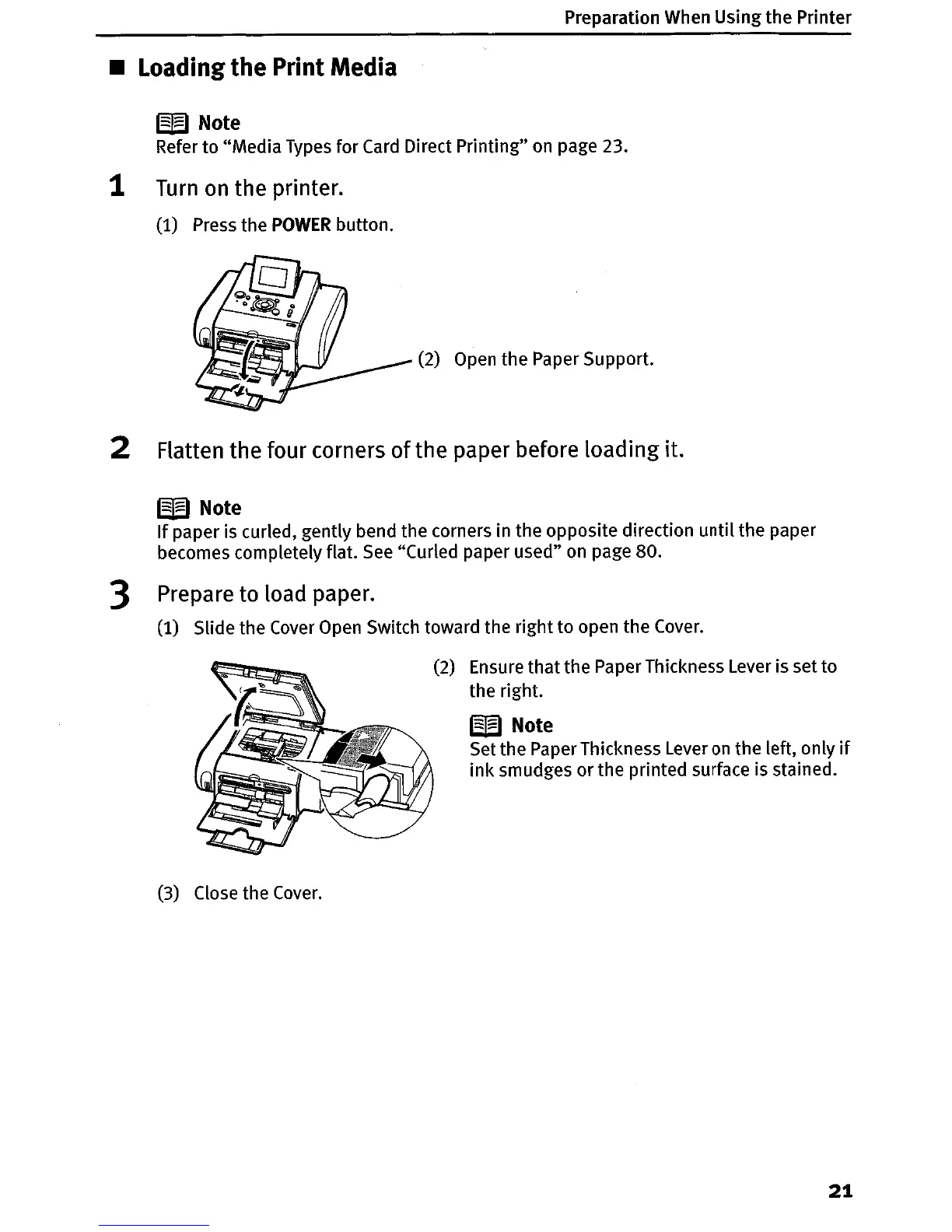
Turn
on
the printer.
(1) Press the
POWER
button.
(2)
Open
the Paper Support.
2 Flatten the four corners
of
the paper before loading it.
W Note
Ifpaper is curled, gently bend the corners in the opposite direction until the paper
becomes completely flat.
See
"Curled paper used"
on
page 80.
3 Prepare to load paper.
(1) Slide the
Cover
Open
Switch toward the right to open the
Cover.
(2) Ensure that the Paper Thickness Lever is set to
the right.
W Note
Set the Paper Thickness Lever
on
the left,
on
Iy
if
ink smudges or the printed surface is stained.
(3) Close the
Cover.
21












 To Next Page