Appendix
Caution
You
may cause injury or damage the printer
if
you ignore any
of
these safety precautions.
Choosing a location
Do
not install
the
printer
in a location
that
is unstable or subject
to
excessive vibration.
Do
not install
the
printer
in locations that are very humid
or
dusty,
in
direct sunlight,
outdoors, or
dose
to a heating source.
To
avoid the risk
of
fire or electric shocks, install the printer
in
a location with
an
ambient
temperature range
of
5°C
to
35°C (41°F to 95°F) and humidity
of
10%
to 90% (condensation
free).
Do
not place the
printer
on
a
thick
rug or carpet.
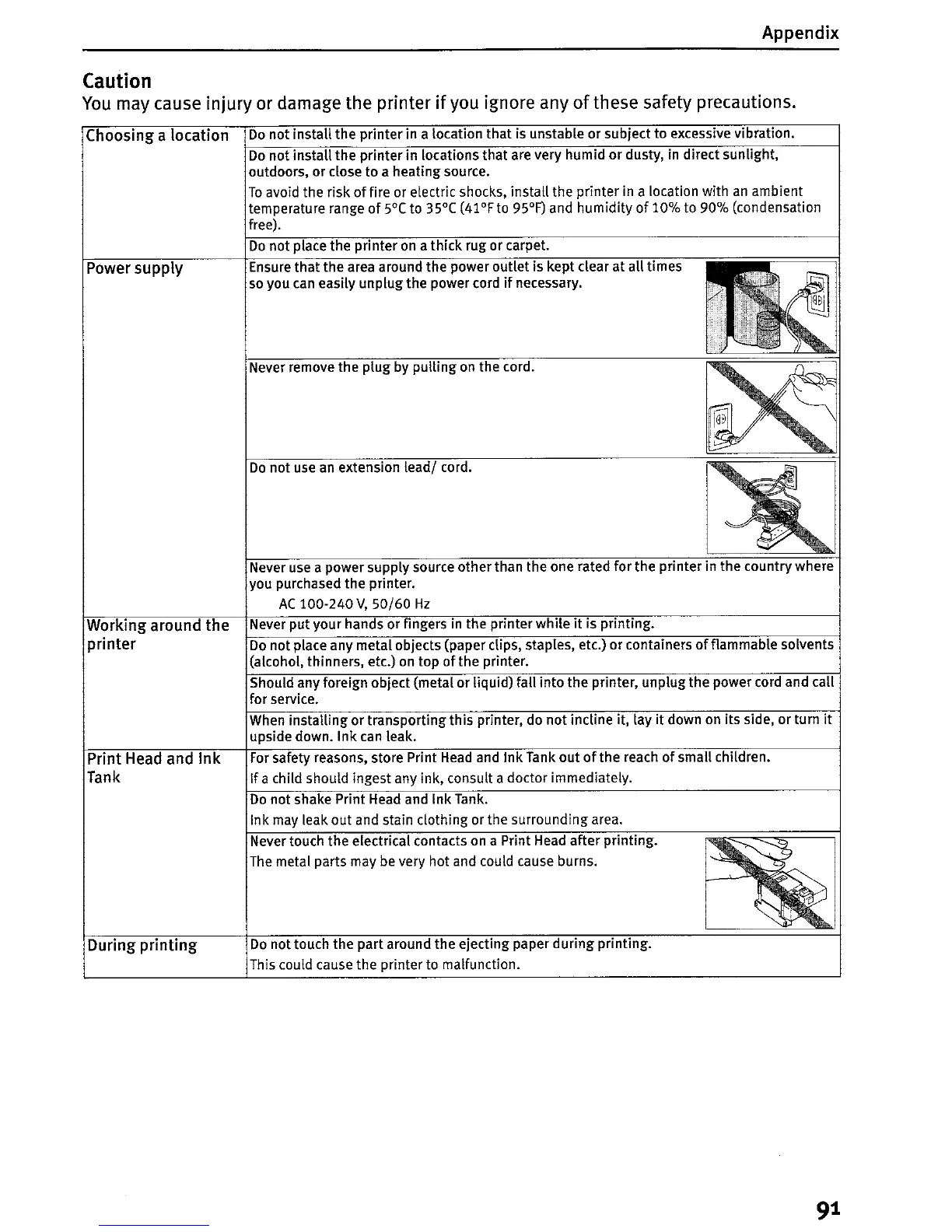
Power supply Ensure
that
the area around the power outlet is kept clear
at
all
times
so
you
can
easily unplugthe power cord
if
necessary.
Never remove the plug by
pulling
on
the cord.
Do
not use
an
extension
lead/
cord.
Working around the
printer
Print Head and Ink
Tank
During
printing
Never use a power supply source other than the one rated for the printer in the country where
you purchased the printer.
AC
100-240
V,
50/60
Hz
Never
put
your hands or fingers in the printer
while
it
is printing.
Do
not
place any metal objects (paper clips, staples, etc.)
or
containers
of
flammable solvents
(alcohol, thinners, etc.) on top of the printer.
Should any foreign object (metal or liquid) fall
into
the
printer, unplugthe power cord and call
for service.
When installing or transporting
this
printer, do not incline it, lay
it
down
on
its
Side,
or
turn
it
upSide down.
Ink
can leak.
For
safety reasons, store Print
Head
and Ink Tank out
of
the reach
of
small children.
If
a child should ingest any ink, consult a doctor immediately.
Do
not shake Print Head and Ink Tank.
Ink may leak out and stain clothing or the surrounding area.
Never touch the electrical contacts on a Print Head after printing.
The
metal parts may be very hot and could cause burns.
Do
not touch the part around the ejecting paper
during
printing.
This could cause the printer to malfunction.
9
1















 To Next Page