13
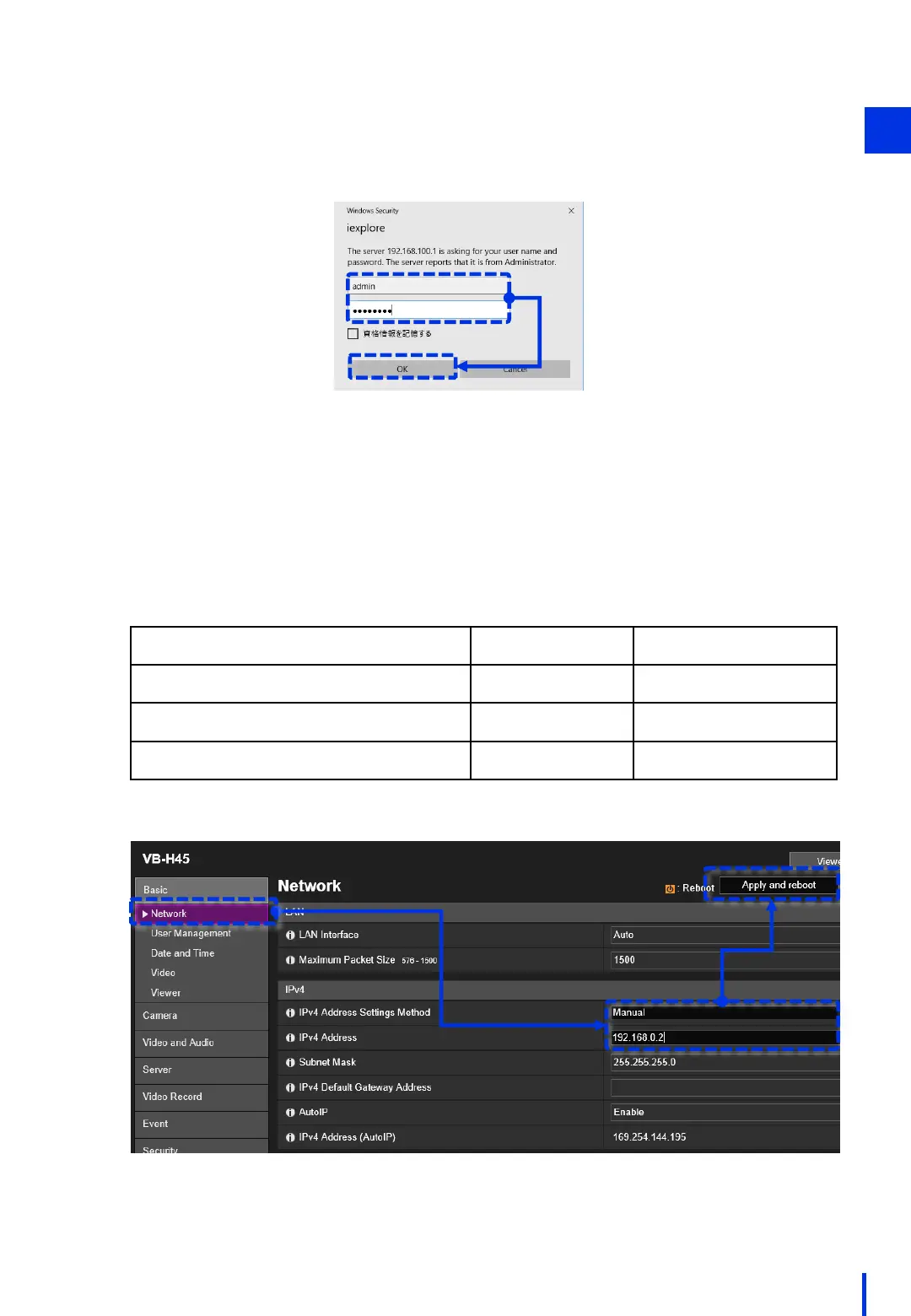
In the [Basic] > [Network] menu, change the [IPv4 Address Settings Method] to
[Manual].
Then, change [IPv4 Address] to "192.168.0.2" (*), and click [Apply and reboot].
* Although the IP address can be changed to a value that is appropriate for the
environment (192.168.0.xx: xx=1 to 254), be careful to avoid using the same IP
address as any other device on the network. In particular, do not use the following
default IP addresses of the related devices.
3
1
Network Device
IP Address Subnet Mask
Image processing controller (IPC427E)
192.168.0.100 255.255.255.0
Collaborative robot (COBOTTA)
192.168.0.1 255.255.255.0
Optional camera (N10-W02)
192.168.0.90 255.255.255.0
After the camera reboots, enter the administrator name and password
in the dialog box that appears, and then click [OK].



 To Next Page