10 • GETTING STARTED Customer Service: 888-269-7477
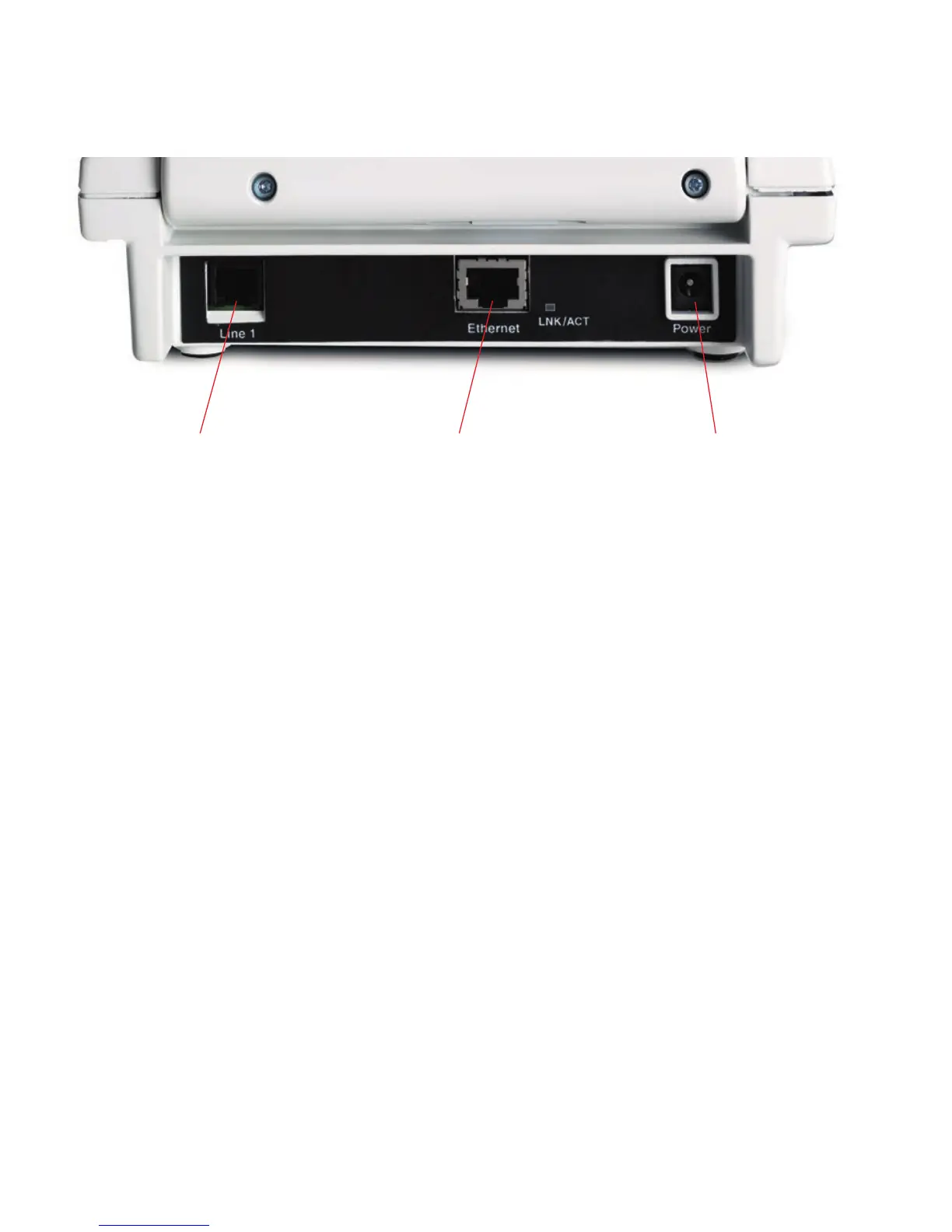
Back (top) edge view of CapTel 840 PLUS
Features
1. Telephone Line
Plug the telephone cord here (RJ11 jack). The phone line
must be analog. DSL service with an appropriate filter is also
supported. CapTel does not work with a PBX system unless
an analog port is available.
2. Ethernet Jack
This jack is not used with standard CapTel 840 PLUS.
3. Power Jack
Plug AC power adapter here. Use only the AC power adapter
that came with your CapTel phone.
1 2 3



 To Next Page