66 • USING THE ANSWERING MACHINE Customer Service: 888-269-7477
Caption External Answering Machine Messages
Your CapTel 840 PLUS can also show captions of messages that callers leave
on your external voice answering machine. External answering machines are
separate devices that you connect to the telephone line along with your CapTel
phone. See page 102 for instructions for sharing a telephone line with CapTel.
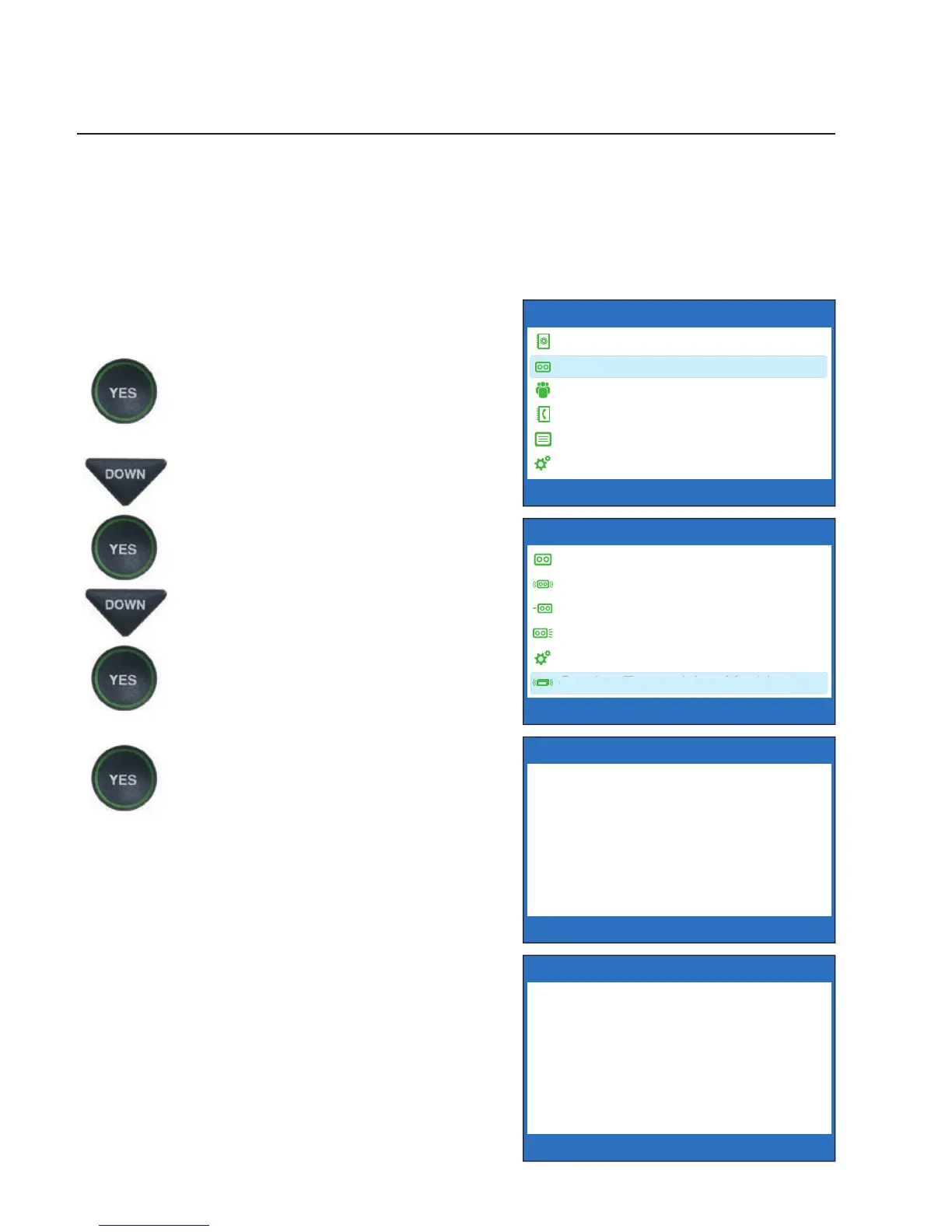
To get captions of your external answering
machine messages:
1. With the handset hung up,
press the YES button to see
Options.
2. Press the DOWN button until
Answering Machine is
highlighted. Press the YES
button to select.
3. Press the DOWN button
repeatedly until Caption
External Ans. Machine is
highlighted. Press the YES
button to accept.
4. The display shows that CapTel
is ready to caption messages.
Press the YES button to accept.
5. Lift the CapTel handset, and
place it next to your answering
machine speaker. Make sure
the mouth-piece of the
handset is next to the speaker
of your answering machine.
While you do this, your CapTel
connects to the captioning
service.
OPTIONS
Dial from Phone Book
Answering Machine
Call History
Edit Phone Book
Conversations
Settings
Press YES to select or press NO to exit Options
?
CAPTION EXTERNAL ANS MACHINE
Caption External
Answering Machine
Messages
Press YES to accept or NO to exit
Place Handset
Mouthpiece Next To
Answering Machine
Speaker
ANSWERING MACHINE
Answering Machine On/Off
Play Messages
Clear All Messages
Greeting Message
Answering Machine Settings
Caption External Ans Machine
Press YES to select or press NO to exit



 To Next Page