98 • SETTINGS Customer Service: 888-269-7477
Using VCO to call a TTY User
VCO stands for Voice Carry Over, a service common in traditional relay
services in which callers speak for themselves and read typed responses. If
you dial 711 to call a TTY user through Relay, your CapTel phone will
automatically convert to VCO mode. This allows the Relay Operator to type
messages directly to your CapTel display screen.
When placing a call through Relay, tell the Relay Operator that you want to
use VCO. Then, everything the TTY user types will appear as typed messages
on your display screen. You speak back to the TTY user via the Relay Operator
and through the CapTel handset, taking turns reading and speaking. When
the call is completed, press the Captions button to drop out of VCO mode.
You can also turn VCO mode on/off in the Captions Settings menu.
Updating Your CapTel Phone
Occasionally, changes are made to the CapTel 840 PLUS software. Your phone
can check whether new software is available and then perform an update as
needed over the telephone line. This process ensures you will always have
the latest technology for as long as you own your CapTel 840 PLUS.
To update your CapTel 840 PLUS software:
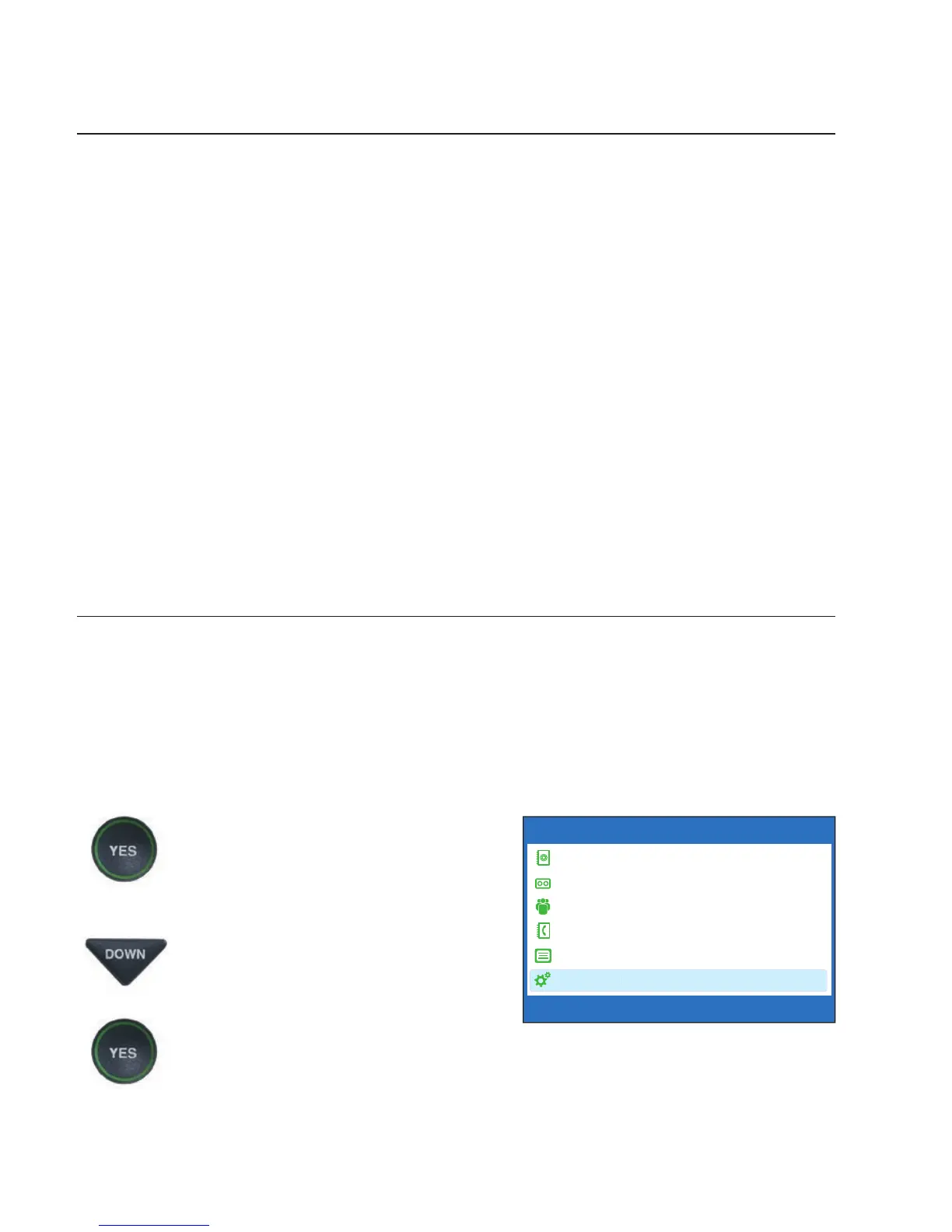
1. With the handset hung up,
press the YES button to see the
Options menu.
2. Press the DOWN arrow button
repeatedly until Settings is
highlighted.
Press the YES button to select.
OPTIONS
Dial from Phone Book
Answering Machine
Call History
Edit Phone Book
Conversations
Settings
Press YES to select or press NO to exit Options



 To Next Page