Reviewing Captions After Hanging Up
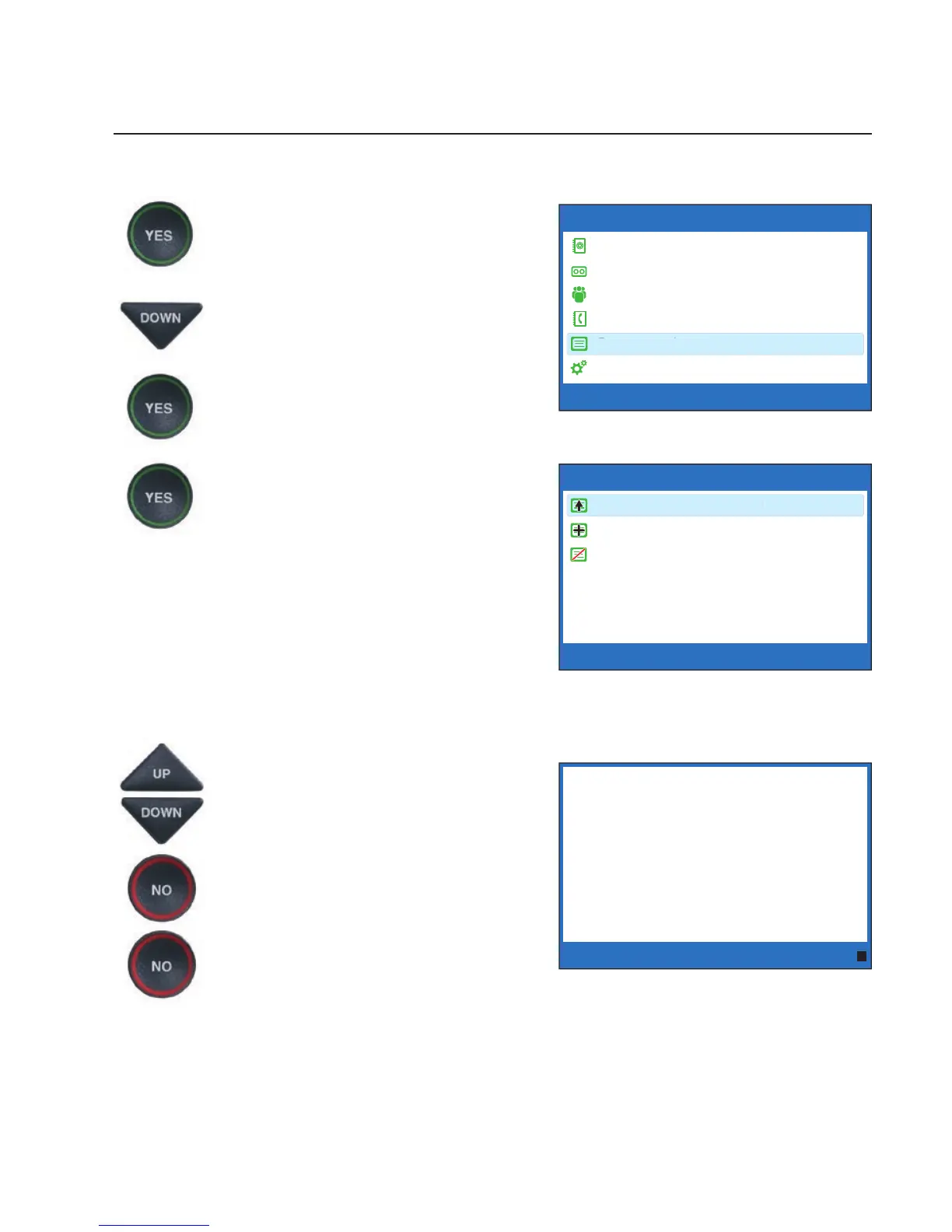
To review captions after your conversation is ended and the phone is hung up:
1. With the handset hung up,
press the YES button to see the
Options menu.
2. Press the DOWN arrow button
repeatedly until Conversations
is highlighted. Press the YES
button to select.
3. Check that Review
Conversations is highlighted.
Press the YES button to select.
You will see captions of your
conversations, with the most
recent call on the bottom of
the screen. Previous
conversations may appear
further up the display screen.
4. Press UP or DOWN arrow
button to scroll through the
saved conversations.
5. When you are done, press NO
to exit.
6. Press the NO button repeatedly
to exit out of the menu system.
NOTE: Your CapTel phone comes with the Save Conversations feature enabled,
letting you view conversation captions after you’ve hung up the phone. To turn off
this feature, please see page 36. If you turn off the Save Conversations feature,
all conversation captions will be erased every time you hang up the phone.
Customer Service: 888-269-7477 VIEWING CAPTIONS • 35
OPTIONS
Dial from Phone Book
Answering Machine
Call History
Edit Phone Book
Conversations
Settings
Press YES to select or press NO to exit Options
******** 5/14 11:16 AM ********
(CapTel CA# 1234) (F) Hi mom
how are you I am fi ne the weather is
so nice outside and I am getting the
garden ready what have you been up
to oh that is nice did you have fun oh
he’s fi ne he’s getting bigger mom
he grew another inch
Press NO to exit



 To Next Page