Customer Service: 888-269-7477 VIEWING CAPTIONS • 43
Setting How Captions
Scroll Across the Display Screen
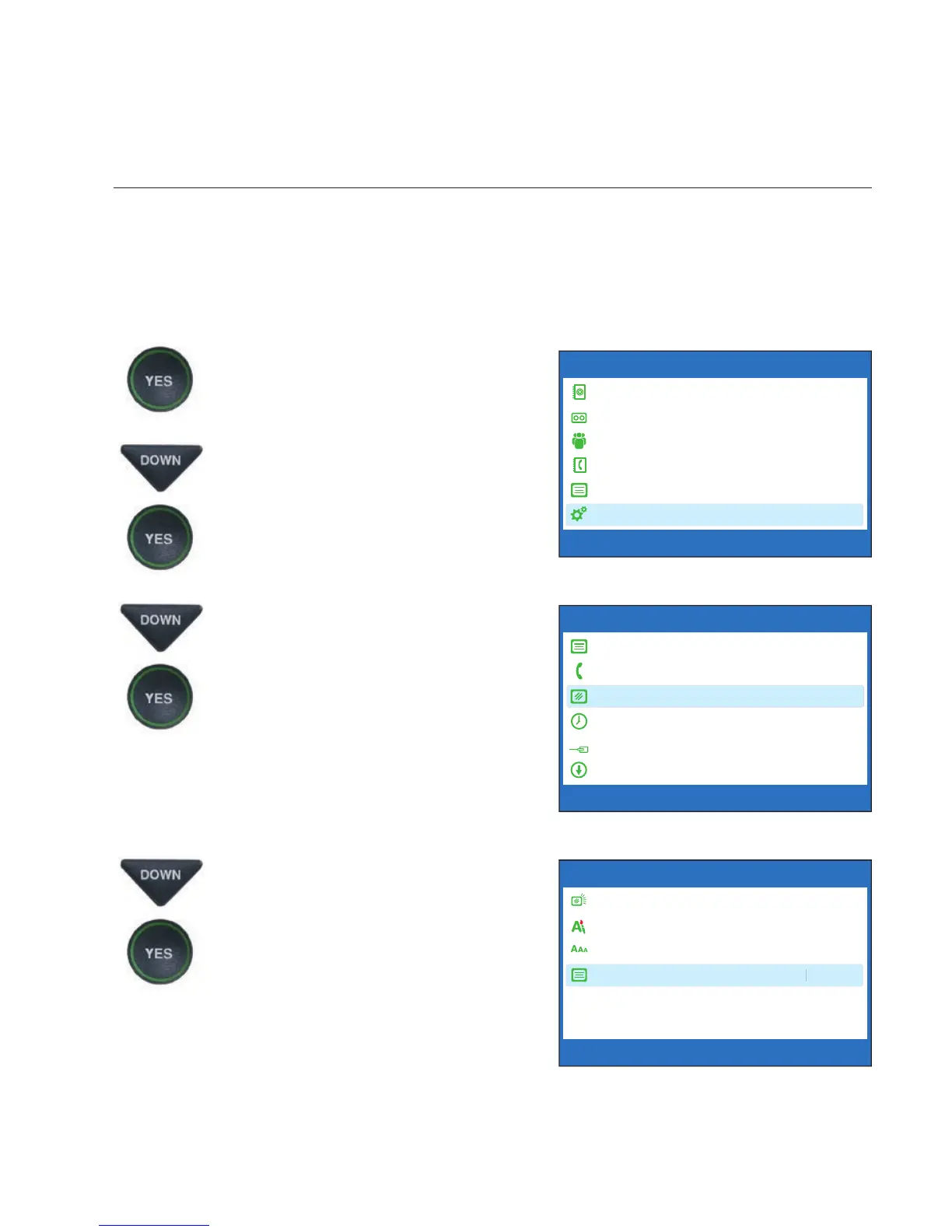
You can control how the captions appear on your display screen: either
appearing word-by-word as each word is captioned or by scrolling line-by-line
in a continuous movement. The default setting is word-by-word. To turn on
smooth scrolling:
1. With the handset hung up,
press the YES button to see the
Options menu.
2. Press the DOWN arrow button
repeatedly until Settings is
highlighted. Press the YES
button to select.
3. Press the DOWN arrow button
repeatedly until Display
Settings is highlighted. Press
the YES button to select.
4. Press the DOWN arrow button
repeatedly until Conversation
Smooth Scroll is highlighted.
Press the YES button to select.
OPTIONS
Dial from Phone Book
Answering Machine
Call History
Edit Phone Book
Conversations
Settings
Press YES to select or press NO to exit Options
?
DISPLAY SETTINGS
LCD Brightness
Set Conversation Colors
Set Conversation Font Size
Conversation Smooth Scroll
Press YES to select or press NO to exit



 To Next Page