Customer Service: 888-269-7477 GETTING STARTED • 13
STEP 3 – Select a Language
You can set
CapTel
840 PLUS for either English or Spanish language. The
CapTel
menu options and conversation captions will appear in whichever
language you select.
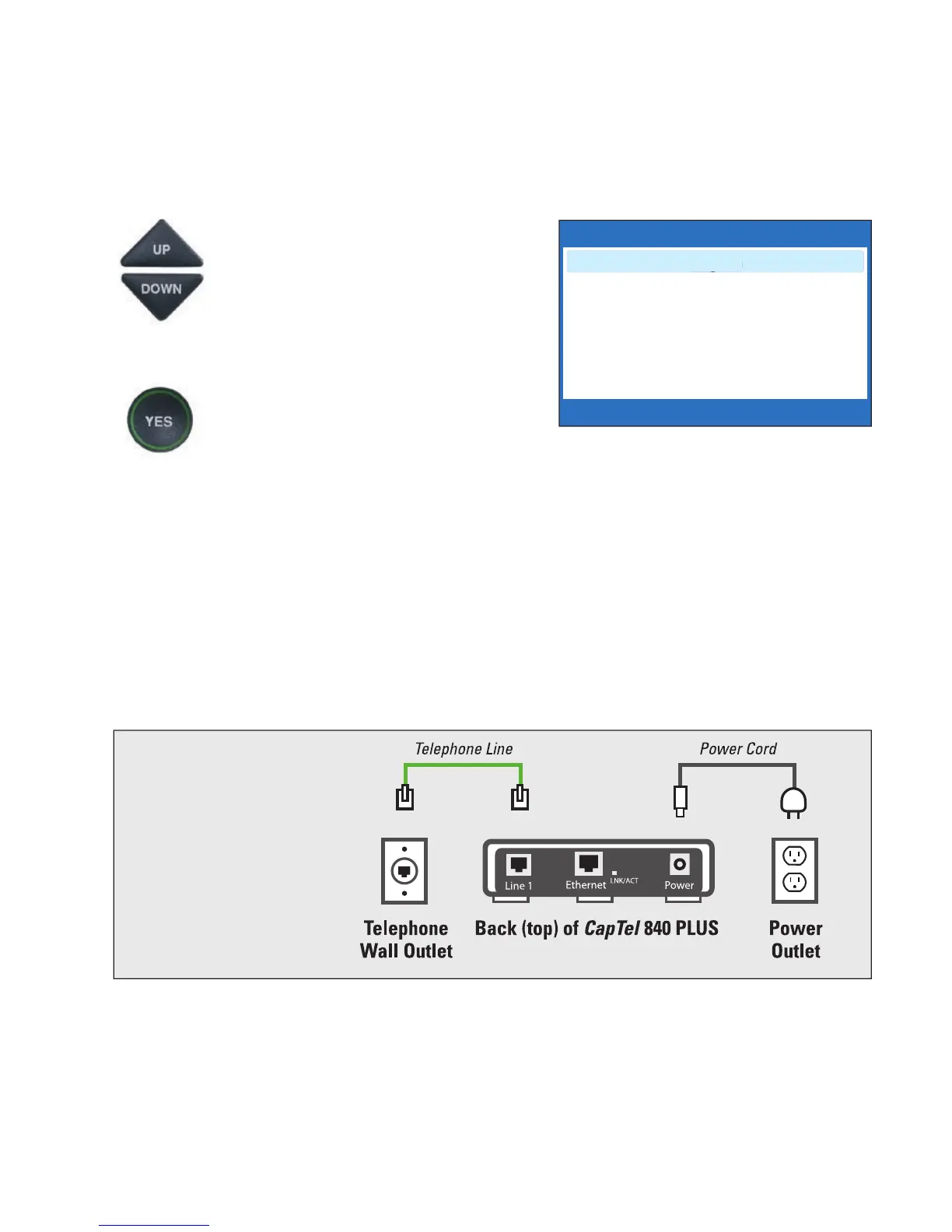
1. When the CapTel screen lights
up, select which language you
would like. Press the UP arrow
or DOWN arrow until the
language you want is highlighted.
2. Press the YES button to accept.
STEP 4 – Connect to your Telephone Service
1. Plug one end of the telephone cord into the telephone jack
labeled “Line 1” located on the back (top) edge of the CapTel 840
PLUS. (Use the telephone cord included with your new CapTel
840 PLUS phone.)
2. Plug the other end of the telephone cord into a telephone
wall outlet.
NOTE: To use CapTel at the same telephone wall jack as a signaler or life line
device, please see page 102 for special set up instructions.
WARNING: Be sure to use only
the power adapter that came
with your CapTel 840 PLUS.
Using any other power adapter
may damage your phone.
Please Select Language
English
Español
Press YES to Accept



 To Next Page