24 • MAKING AND ANSWERING CALLS Customer Service: 888-269-7477
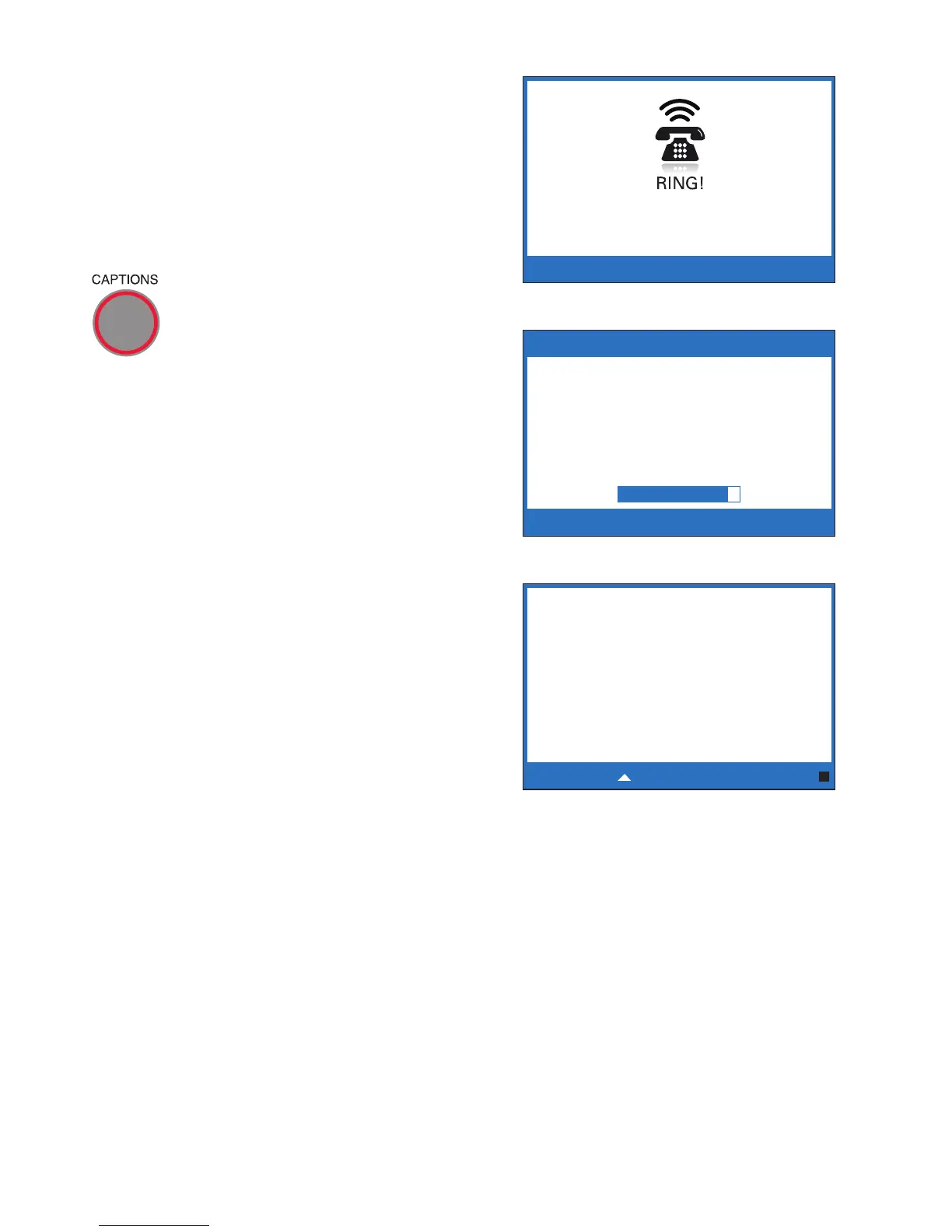
3. When your CapTel rings, the
display lights up and flashes
RING!.
NOTE: If you have Caller ID service, you will
see the name/phone number of the caller on
the CapTel display.
4. Pick up the handset. If the
caller is connected through the
Captioning Service, there is a
pause while the service connects
to your CapTel phone. The red
light around the CAPTIONS
button turns on and the display
reads Waiting for Captions.
During the pause, the person
calling you hears the recorded
message “Please hold, the
person you have called will
be with you shortly.” During this
message, the caller will not be
able to hear you speak.
5. Watch the display. You may
begin speaking as soon as you
see that the call has connected.
NOTE: If the call was not placed through the Captioning Service, the call will
not be captioned. You cannot turn on captions manually in the middle of a
call. The light around the CAPTIONS button will turn off when the receiver is
lifted. If you would like captions, ask the person to hang up and call you again
through the Captioning Service using the toll-free Voice Number (see page 1).
Once you hang up, the light around the CAPTIONS button will turn on again if
the default setting for captions is “On”.
******** 5/14 11:16 AM ********
(CapTel CA# C1234) (F) Hi
mom it’s Mary calling
Press to Review the Conversation
Waiting for Captions



 To Next Page