74 • USING THE PHONE BOOK Customer Service: 888-269-7477
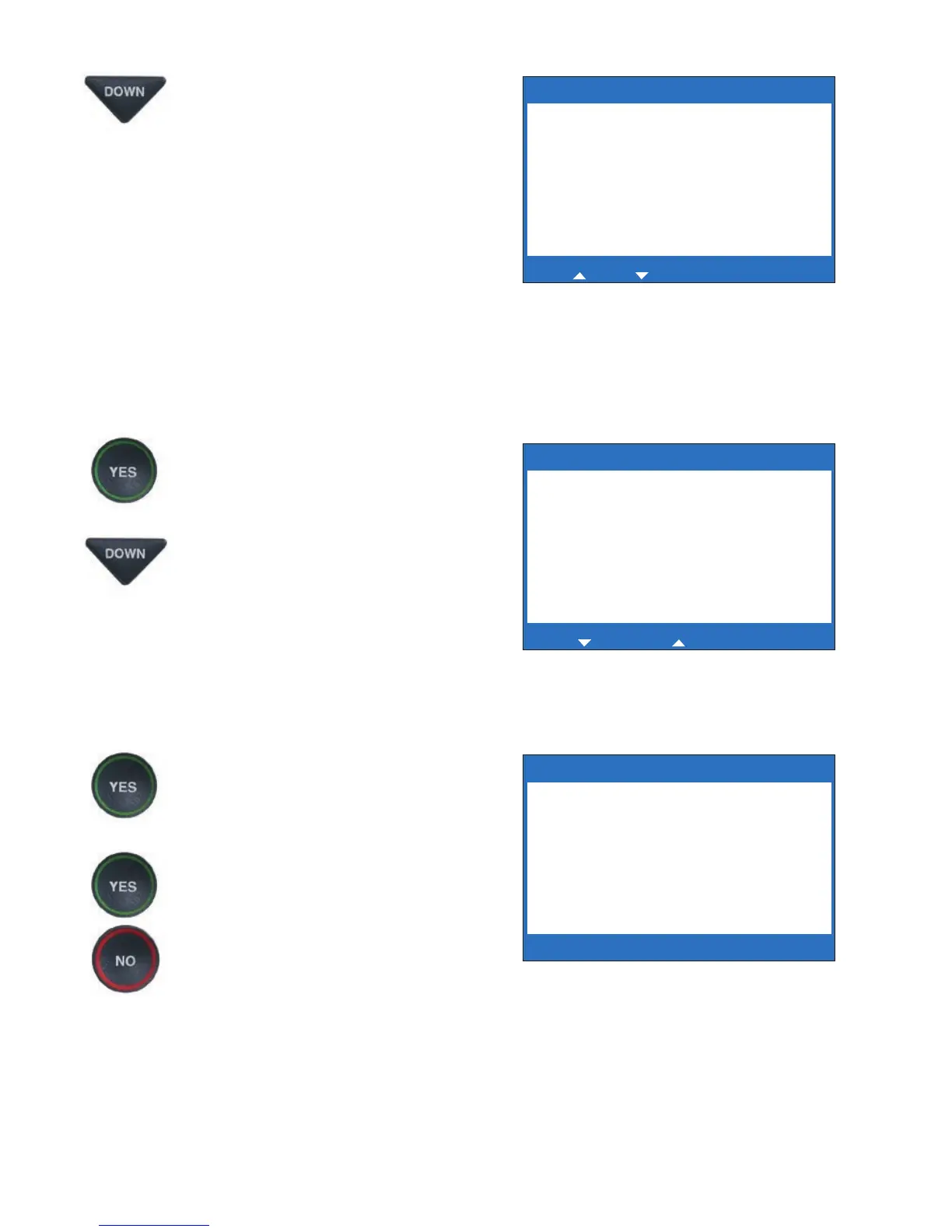
6. To edit the name, use the
DOWN arrow button as a
backspace to erase letters. You
can enter new/different letters
using the dialing pad. Look for
the letters listed on the
number keys to know which
number key to press. For some
letters, press the same number
key several times until the
correct letter appears on the
display screen.
7. When you are done editing the
name, press the YES button to
move to the Number.
To edit the phone number, use
the DOWN arrow button as a
backspace to erase numbers. You
can enter new/different numbers
using the dialing pad. Use the UP
arrow button to insert a 2-second
delay.
8. When you are done editing the
phone number, press the YES
button to save your changes.
9. Press the YES button to edit
more contacts in your Phone
Book, or press the NO button
repeatedly to exit the menu
system.
EDIT PHONE BOOK
Name: Mary at Home
Number: 555-1234_
Press YES to accept or NO to exit
for Backspace, for 2 second delay
Name: Mary at Home
Number: 777-4321
**Saved**
EDIT PHONE BOOK
Name: Mary at Home_
Number: 555-1234
Press YES to edit number or NO to exit
for Shift, for Backspace, # for Space



 To Next Page