CHAPTER 3 – INSTRUMENTS AND CONTROLS
3-44
GROUP 4
OPERATORS SEAT
Standard Seat
1
2
2
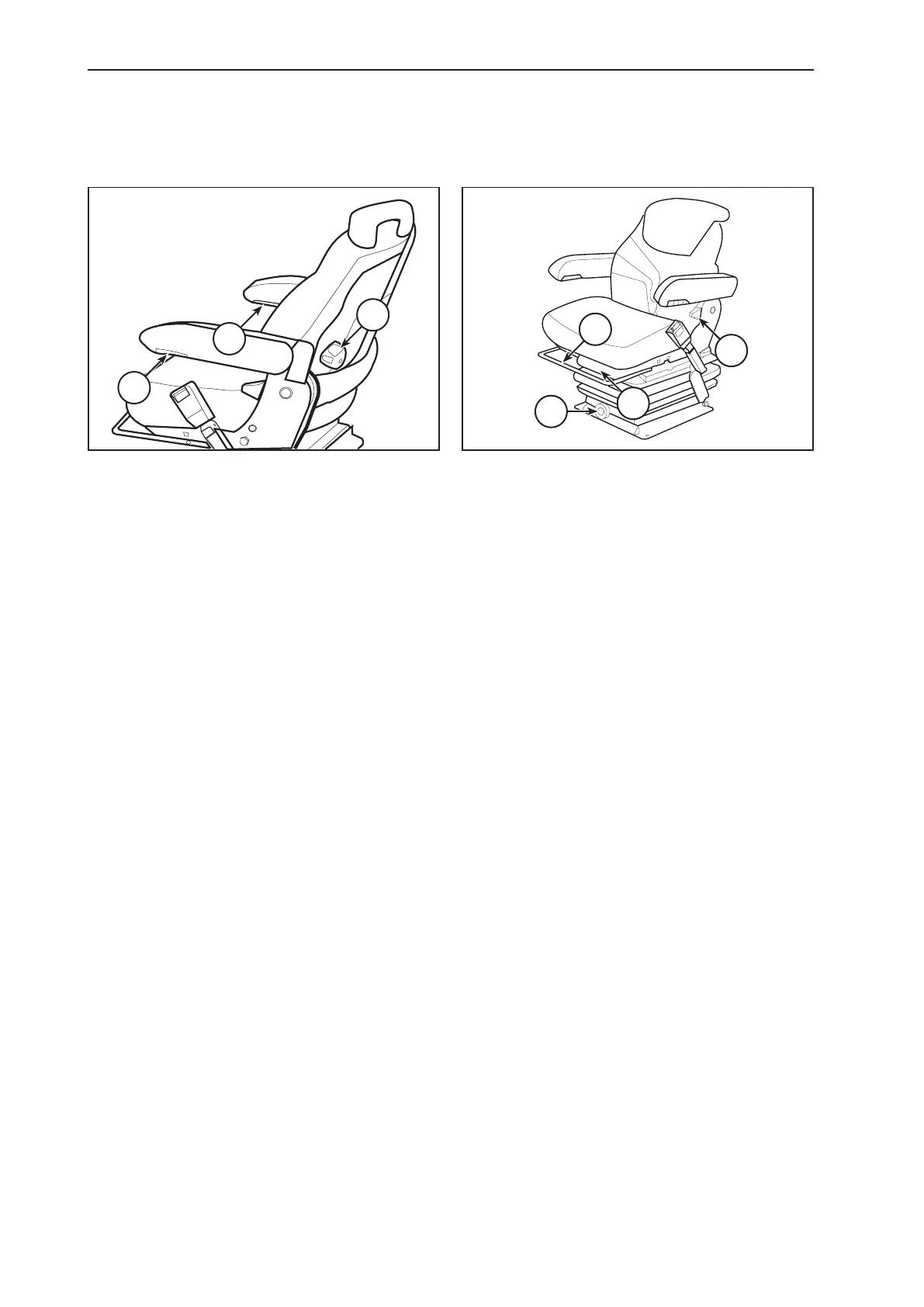
LUMBAR ADJUSTMENT KNOB1.
Turn the knob clockwise to increase the lumbar support,
turn the knob counterclockwise to decrease the lumbar
support.
ARMREST HEIGHT CONTROL ADJUSTMENT2.
Turn the knob to raise or lower the armrest to the desired
position.
NOTE: Each armrest will pivot to the up position.
3
4
5
6
RECLINER ADJUSTMENT HANDLE3.
Lift up on the handle, move the backrest to the desired po-
sition, release the handle to lock the backrest in position.
SLIDE ADJUSTMENT LEVER4.
Pull this lever up and adjust the seat forward or rearward
as required. Release the lever to lock the seat in position.
WEIGHT ADJUSTMENT KNOB5.
To adjust the seat for your weight you must pull the release
lever out of the knob, Use the release lever to turn the knob
clockwise to increase the weight resistance. Turn the knob
counterclockwise to decrease the weight resistance.
HEIGHT ADJUSTMENT6.
Lift the seat all the way up, drop the seat to the lowest
position. Lift the seat to the desired position. The seat will
lock into accepted positions.



 To Next Page