172
Connecting the Camera with a Smartphone
(Wireless Connection)
This section explains wireless mode operations and setting items.
1. Press [W] (Wireless).
This will display the wireless mode screen.
• Pressing [W] (Wireless) again will return to the screen that was displayed
before the wireless mode screen.
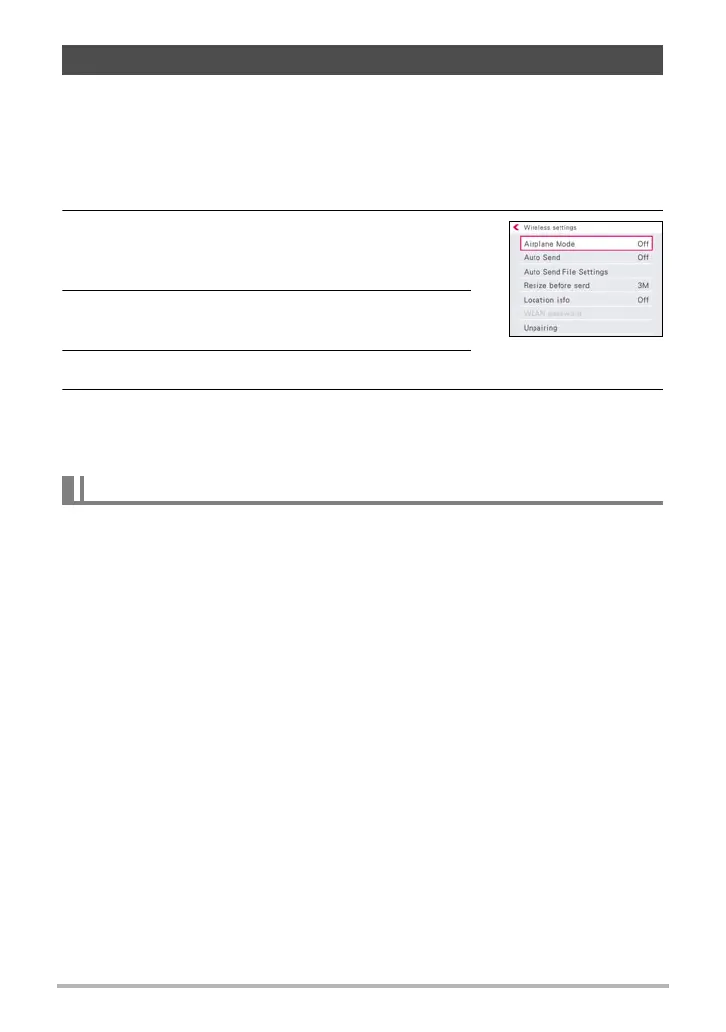
2. Use [8], [2], [4], and [6] “Wireless settings”
and then press [SET].
This will display the wireless setting screen.
3. Use [8] and [2] to select the item you want to
configure and then press [SET].
4. Change the setting of the selected item.
5. When the settings are the way you want, press [SET].
• Pressing [MENU] cancels the currently displayed settings and returns to the
wireless mode screen.
Wireless connection with the camera is disabled while “On” is selected for the
airplane mode setting. Enter the airplane mode to disable generation of radio waves
from the camera while in a medical facility, on an aircraft, etc.
Configuring Wireless Connection Settings
Entering the Camera’s Airplane Mode (Airplane Mode)
Item name: Airplane Mode



 To Next Page
 Loading...