The user can enable TPM (Trusted Platform Module) on X2000 to further enhance the
safety level. Please note, the startup time of X2000 will increase from 40 seconds to about
80 seconds. By default, the TPM will be disabled. This configuration is only available on the
gateway website.
From firmware 1.4, the user can run network debug tools Ping, Traceroute, TCP dump, and
NetCat on the gateway’s local console. From firmware 2.0.3, the user can run Speed Test
too. Speed Test will not work if the gateway has multiple uplinks, e.g. Ethernet and Wi-Fi
are connected at the same time. These debug tools will help on-site engineers to identify
network issues. S2000 only support Ping, Traceroute, NetCat and Deployment tool.
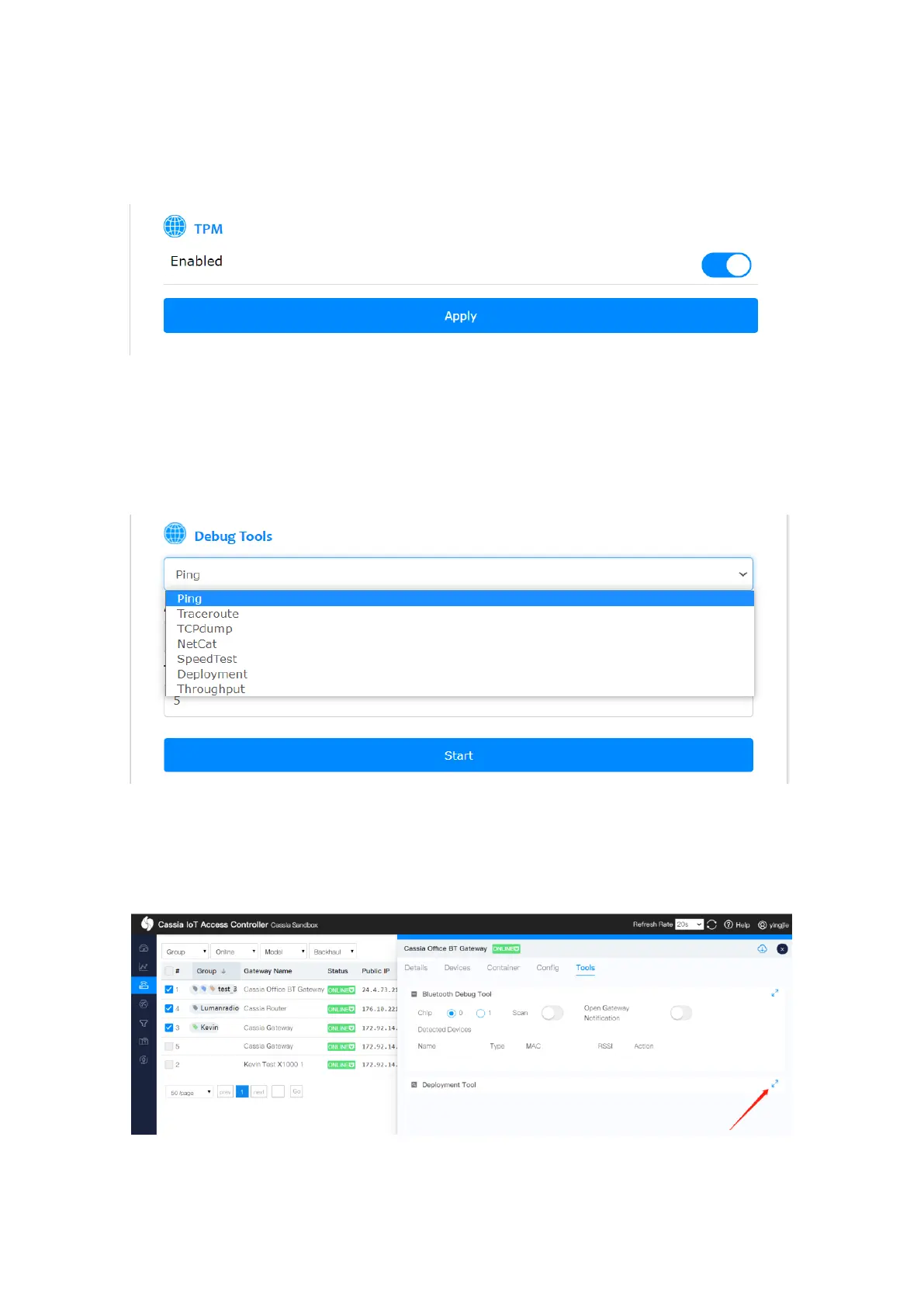
From firmware 2.1.0, the user can run the deployment tool by selecting “Deployment” in
the gateway’s local console, or run it from the AC console tools tab. Deployment tool can
help the user to assess the gateway and device’s Bluetooth performance during the
planning and deploying phase.
The customer can check the scan and connect performance in real-time, including RSSI, the
number of scanned packets, scan and connect duration, connection success and failure



 To Next Page