Getting started
PS11366AENAA01 TH1n - User Guide
16/115
This document is the property of Cassidian and should not be copied or circulated without permission.
Q
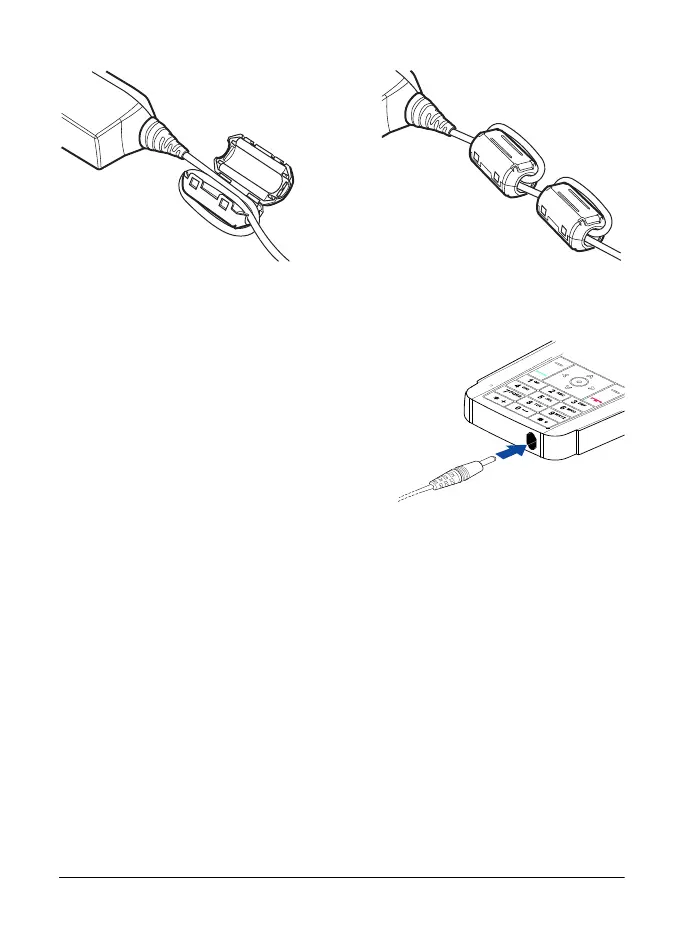
Charge the battery
1. Connect the lead from the charger to the
bottom of your radio.
2. Connect the charger to an AC wall outlet.
The battery indicator bar starts to scroll.
Charging is briefly displayed if the radio
is switched on. You can use the radio
while charging.
If the battery is completely empty, it may
take a few minutes before the charging indication appears on the display,
or any calls can be made.
3. The battery is fully charged when the battery indicator bar stops scrolling,
and Battery full is briefly displayed if the radio is switched on.
If Not charging is displayed, charging has been suspended. Wait for a while,
disconnect the charger, plug it in again, and retry. If charging still fails, contact
your dealer.
Use only CASSIDIAN approved batteries, and recharge your battery only with
CASSIDIAN approved chargers designated for this radio.
Polaris_en_print.book Page 16 Tuesday, October 23, 2012 12:30 PM



 To Next Page