Your radio
PS11366AENAA01 TH1n - User Guide
24/115
This document is the property of Cassidian and should not be copied or circulated without permission.
When you use the earpiece, hold the radio as you would any other telephone,
with the antenna pointed up and over your shoulder. When you use the
loudspeaker, hold the radio approximately 10 cm (4 inches) away from your
mouth, with the antenna pointed up and away from your face and eyes.
To activate or deactivate the loudspeaker, press (2) above the PTT key.
To activate or deactivate both the loudspeaker and the earpiece, press and
hold (2). If you make or receive a phone call while the earpiece is not in
use, the earpiece is activated when the call is connected. Note that your
organisation can define this function in a different way.
Duty key
The key can also be parameterised to function as the duty key. In the
network mode, you can set the duty key to work in one of four ways; see
Duty key setting on page 87. In the direct mode, pressing and holding the duty
key makes a call to the first group on the selected channel.
Q
Fast menu key
The fast menu key below the PTT key is used for accessing the fast menu.
For details, see Fast menu on page 33.
Q
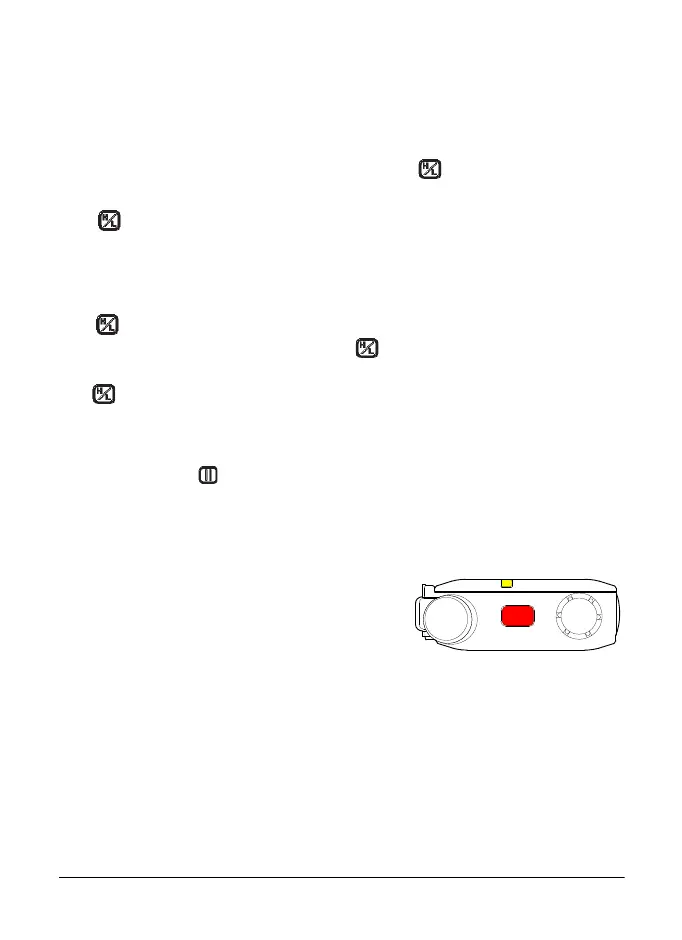
Light indicator
There is a light indicator on top of the radio. A
yellow light indicates that you must wait before
you can speak, a green light indicates that the
radio is transmitting, and a red light indicates
that the call or operation has failed.
The user can change the function in the profiles settings.
The light indicator is not always lit when the radio is transmitting, for example,
when the radio is sending information to the network.
Polaris_en_print.book Page 24 Tuesday, October 23, 2012 12:30 PM


 To Next Page