41Calibrations
Calibrations
Verify Waste Calibration
The waste position requires calibration verication during the initial install, if the EDGE system is moved, and semi-
annually.
WARNING
Never place hands into the vessel chamber area when the EDGE is in use or powered on.
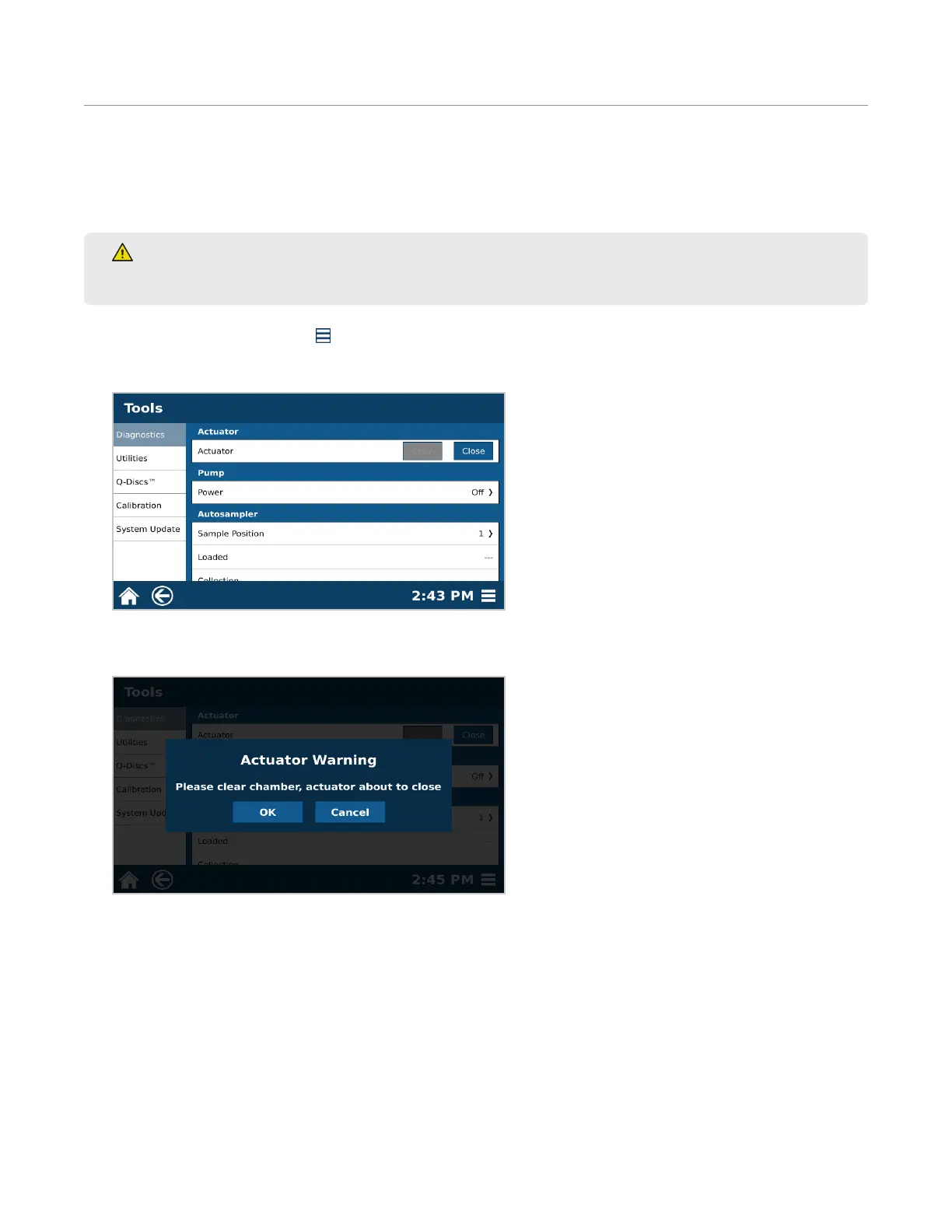
1. Select the System Menu icon in the bottom right corner of the screen.
2. Select Tools.
3. Select the Diagnostics tab and view the “Actuator” section.
4. Select “Close.”
5. A warning will appear. Select “OK” once chamber is clear.
6. Scroll down to the Autosampler section. Select “Waste.” The autosampler dispense needle will travel to the
waste position.



 To Next Page