CENTRALINE I/O MODULES – INSTALLATION & COMMISSIONING INSTRUCTIONS
EN1Z-0973GE51 R0119
56
Troubleshooting
Testing Wiring Connections
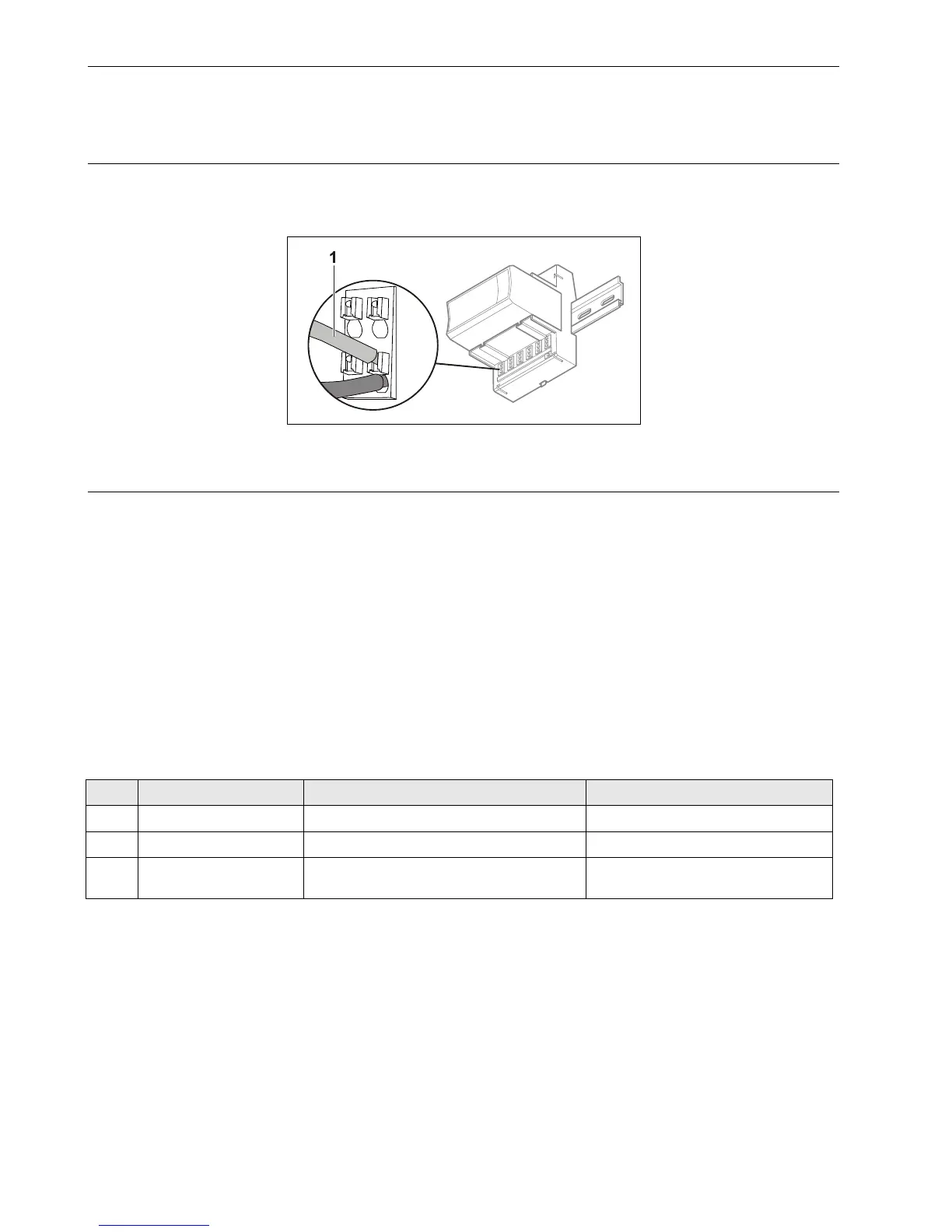
Push-in terminals feature small holes (1 mm in diameter) which can be used to measure the signals.
► Insert a probe (1) as shown on the right.
Fig. 77. Testing wiring connections
CentraLine I/O Module Troubleshooting
► Check if the power supply voltage level is OK and that there is no high voltage (> 24 VAC or > 40 VDC) connected to the
inputs/outputs of the …821A, …822A, …823A I/O modules.
► Replace the problem I/O module with another module of the same kind.
– If the problem persists, this is an indication that the problem is caused by the application or incorrect wiring.
– If the problem is solved, this is an indication that the I/O module was defective.
For troubleshooting purposes, the following features can be used:
Power LED (all CentraLine I/O modules)
Service LED (all CentraLine I/O modules)
Service button (pluggable CentraLine I/O modules, only)
In addition, a module-specific troubleshooting may be necessary.
Power LED of CentraLine I/O Modules
Table 57. Power LED of CentraLine I/O modules
case Power LED Meaning Remedy
1 ON
I/O module is powered
No action necessary
2 OFF
No power
► Check power supply
3 Flashing continuously
If the I/O module’s service LED is likewise
flashing, the I/O module is in the boot mode
► Wait until rebooting (firmware
download) has been completed



 To Next Page