Ports
Quantum Maestro Getting Started Guide|48
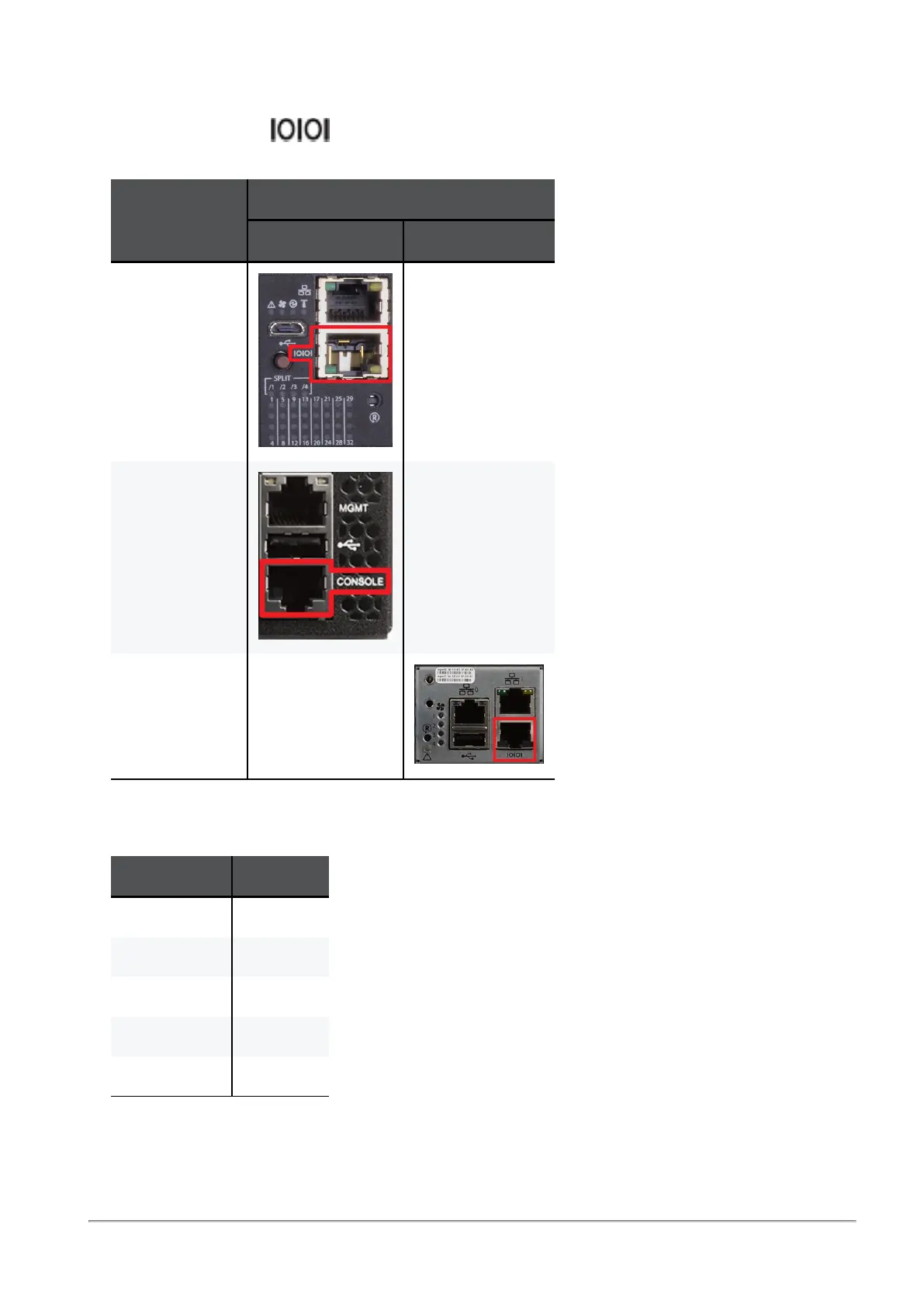
Console Port
The port with the label or CONSOLE is an RJ45 console port that provides access to the Gaia
OS on the Quantum Maestro Orchestrator.
Orchestrator
Model
Location of the RS232 (Console) Port
On the front panel On the rear panel
MHO-175 N / A
MHO-170 N / A
MHO-140 N / A
You use this port for initial configuration and debugging.
Use these settings to connect a PC to the RJ45 console port:
Parameter Setting
Baud Rate 115200
Data bits 8
Stop bits 1
Parity None
Flow Control None









 To Next Page