Mounting the Quantum Maestro Orchestrator MHO-175 in a Rack
Quantum Maestro Getting Started Guide|55
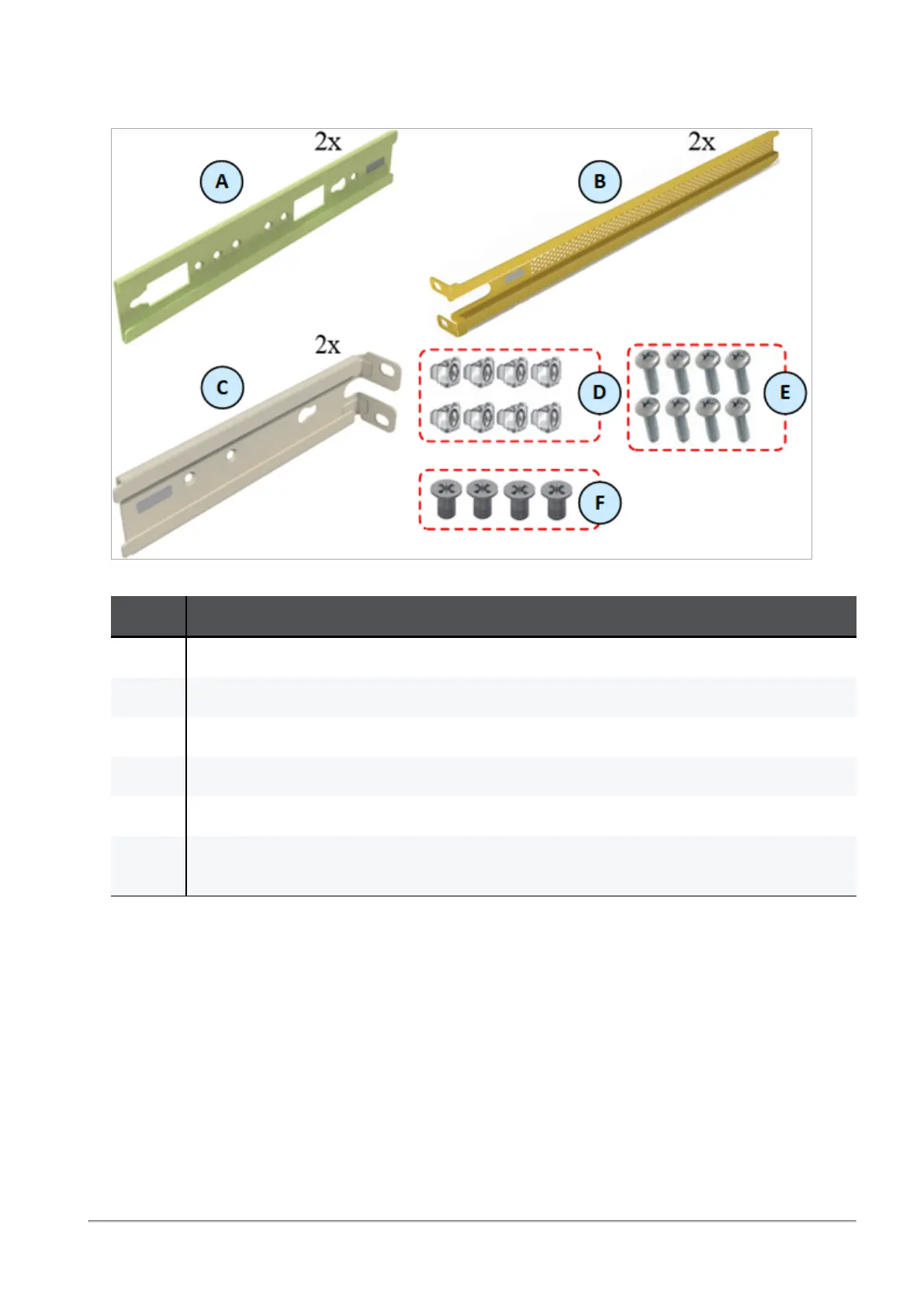
Parts in the static rail kit:
Item Description
A 2 x Rack mount rails
B 2 x Rack mount blades
C 2 x Rack mount rail ears
D 8 x M6 standard cage nuts
E 8 x M6 standard Phillips pan-head screws
F 4 x Phillips flat-head screws with a round patch, Head 100 Degree, Type I, Size 6-32,
Length 1/4 inch
Legend
Notes:
n
You use the Phillips flat head screws (F) to secure the rack mount rails (A) to the Quantum
Maestro Orchestrator.
n
You use the Phillips flat head screws (F) to secure the rack mount rail ears (C) to the Quantum
Maestro Orchestrator.
n
You use the cage nuts (D) and Phillips pan-head screws (E) to secure the rack mount rails (A) to
the rack.
n
You use the cage nuts (D) and Phillips pan-head screws (E) to secure the rack mount rail ears (C)
to the rack.









 To Next Page