Mounting the Quantum Maestro Orchestrator MHO-140 and MHO-170 in a Rack
Quantum Maestro Getting Started Guide|74
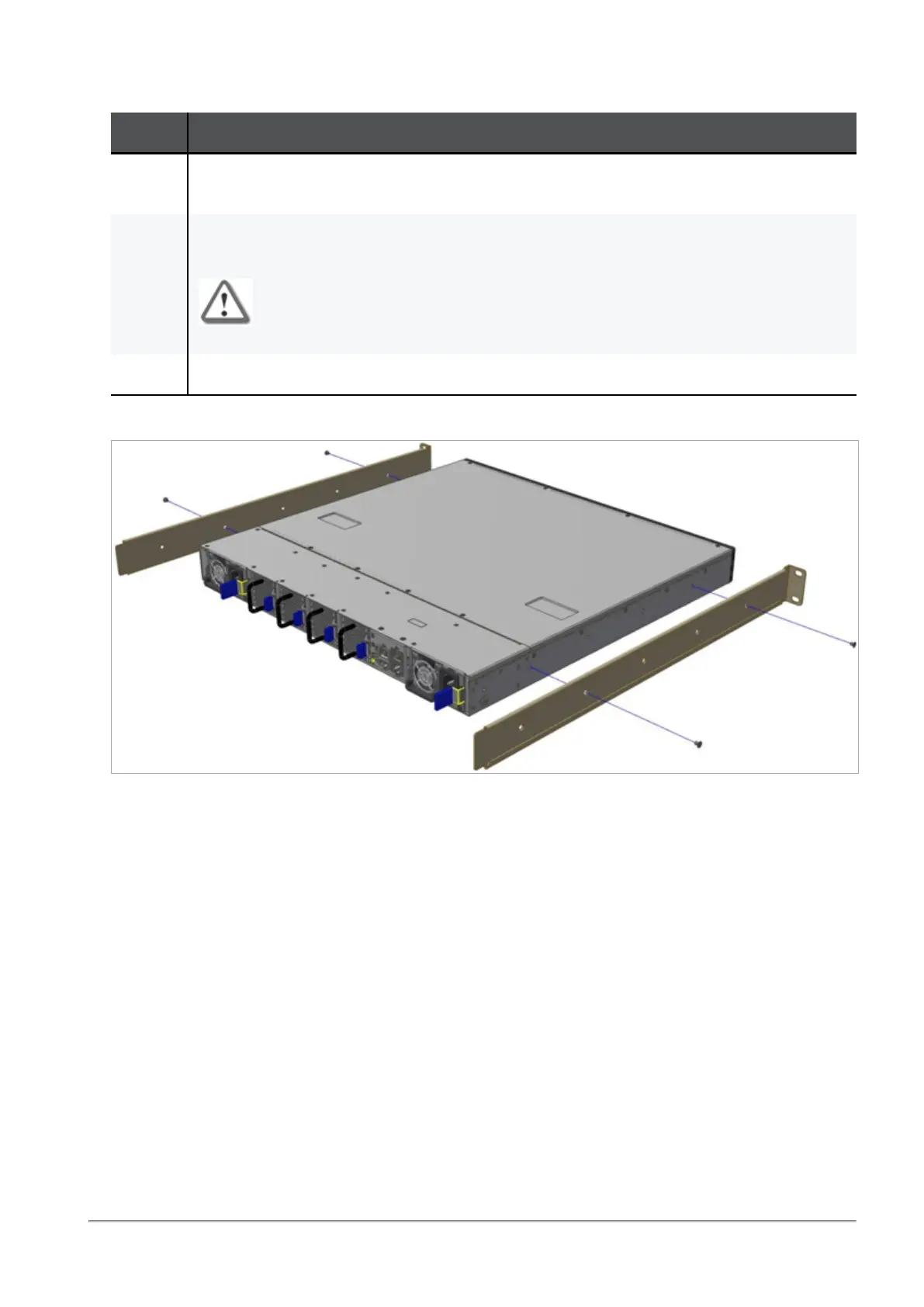
Step 2: Attaching the Rack Mount Rails
Step Instructions
1 Attach the left and right rack mount rails (A) to the left and right sides of the Quantum
Maestro Orchestrator.
2 Use the Phillips flat-head screws (D) to secure each rack mount rail (A) to each side of the
Quantum Maestro Orchestrator.
Important - You must use at least two of these screws on each side.
3 Tighten the screws with a torque of 1.5±0.2 Nm.
Example (the mount rail ears are near the front panel):









 To Next Page