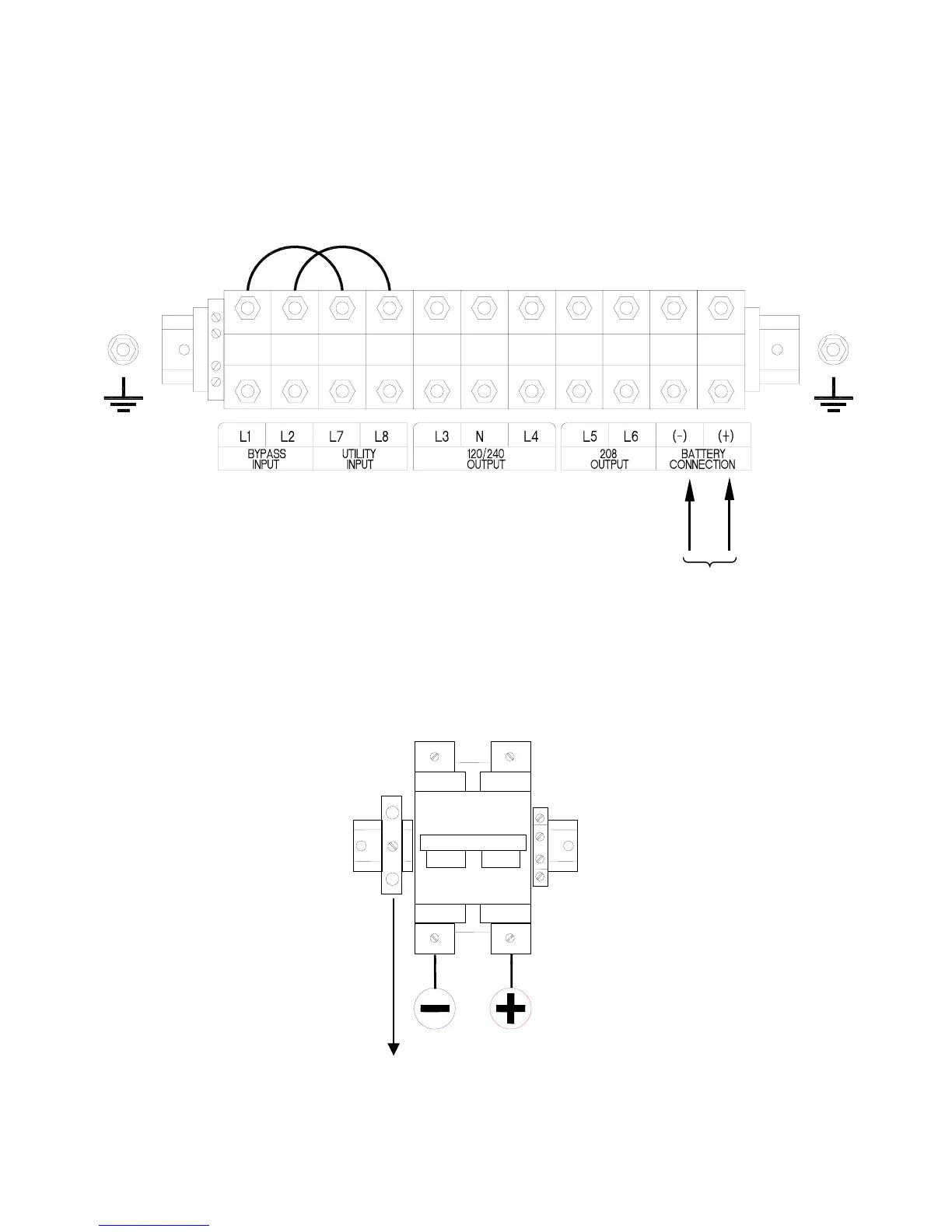
1.7.2 BATTERY CABINET CONNECTIONS
Connect the battery cables to UPS using Black and Red cable provided in flexible conduit.
See Figure T. Attach one end of the flexible conduit to the knockout on the UPS under the
battery connection terminals. The black cable connects to Battery Negative (-) and Red
Cable connects to Battery Positive (+). The green and yellow wire connects to the ground
stud.
L1 L2 L7
L8 L3
NL4
L5 L6
_
+
EXTERNAL
BATTERIES
Figure T: Battery Input Connection Detail (Back of Electronics Module)
Next, attach the other end of the conduit to the battery cabinet and connect the black
cable to Battery Negative (-) and the red cable connects to Battery Positive (+). The green
and yellow wire connects to the ground terminal. See Figure U.
GND NEG POS
Figure U: Battery Cabinet Connection Detail
29



 To Next Page