1-4 Christie ACT User Manual
020-100129-05 Rev. 1 (02-2010)
Section 1: Introduction
Configure the IP Address Using the Serial Port
To configure the IP address over RS232 IN:
1. Connect a serial cable to the RS232 on Christie ACT.
2. Use a terminal program (for example HyperTerminal) to connect to Christie ACT. NOTE: If you cannot
connect to this device and you do not know the IP address, see Section 5.1.4 Manually Resetting RS-232 IN
Port.
3. Log into Christie ACT using the command: (UID "service" "service")
4. Set the IP Address using: (net+eth0 "192.168.1.90")
where '192.168.1.90' is replaced with the IP Address to be set.
5. Set the Subnet Mask using: (net+sub0 "255.255.255.0")
where '255.255.255.0' is replaced with the Subnet Mask to be set.
6. Set the Gateway using:
(net+gate "192.168.0.1")
where '192.168.0.1' is replaced with the Gateway to be set.
1.2.2 Ethernet Settings
At manufacture, the following Ethernet settings were defined for Christie ACT:
Table 1.3 Ethernet Settings
NOTE: Christie ACT listens for incoming TCP/IP ethernet cues on port 6001.
1.3 Christie ACT Overview
Christie ACT incorporates two basic user interface systems a control interface and a web user interface.
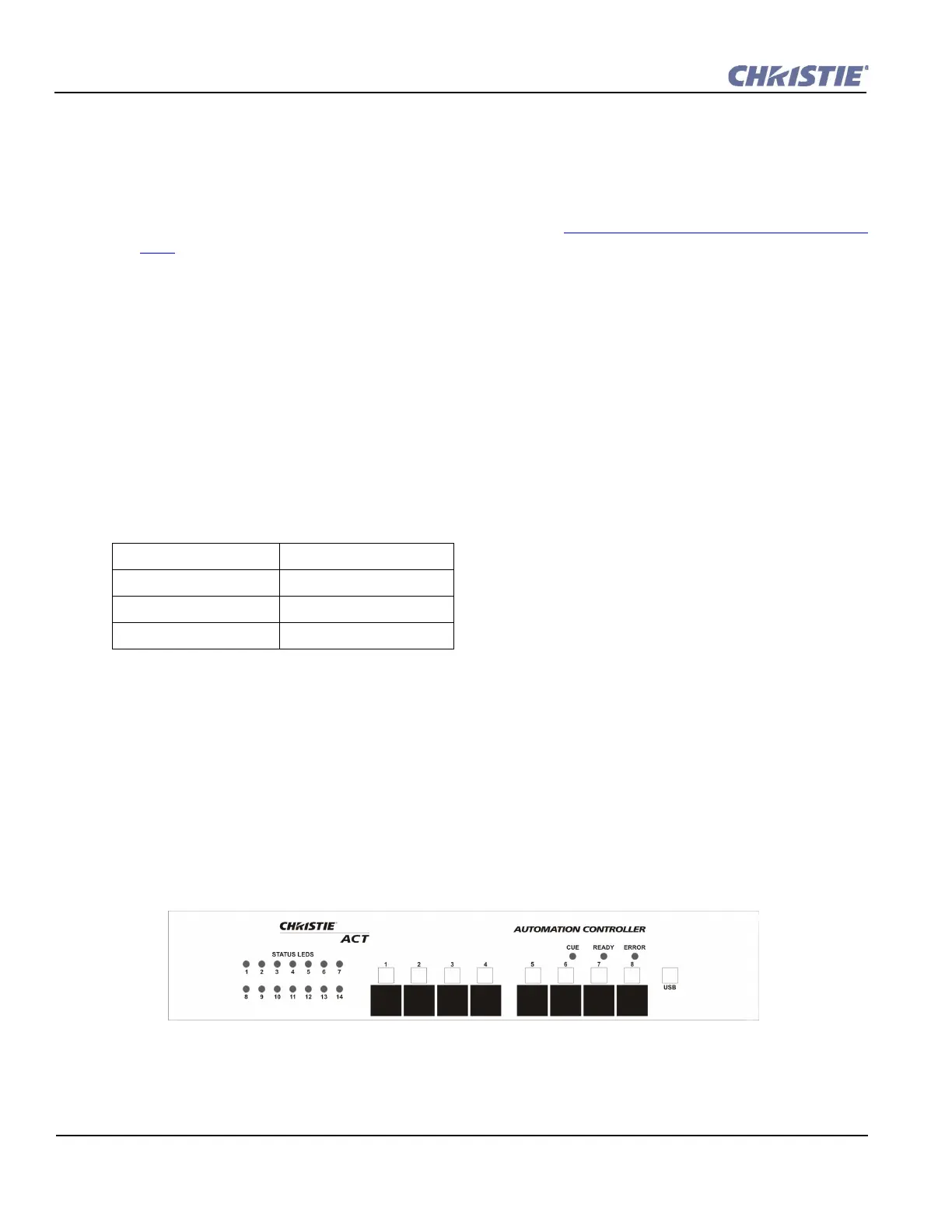
• Control Interface - 8 programmable buttons on the front panel of the unit that trigger a single isolated event
or initiate the start of a programmed sequence.
The web user interface - a web based interface served internally by Christie ACT and displayed in a web
browser over a local area Ethernet network. The web user interface is a full function setup and diagnostic tool
that can be used for setup, configuration of “scripts,” defining button functions, and creating event sequences.
Default Gateway: 192.168.10.1
DNS Server: n/a
Default IP Address: 192.168.1.89
Subnet Mask: 255.255.0.0
Figure 1-1 Christie ACT Front Panel


 To Next Page