Section 3: Operation
Christie ACT User Manual 3-11
020-100129-05 Rev. 1 (02-2010)
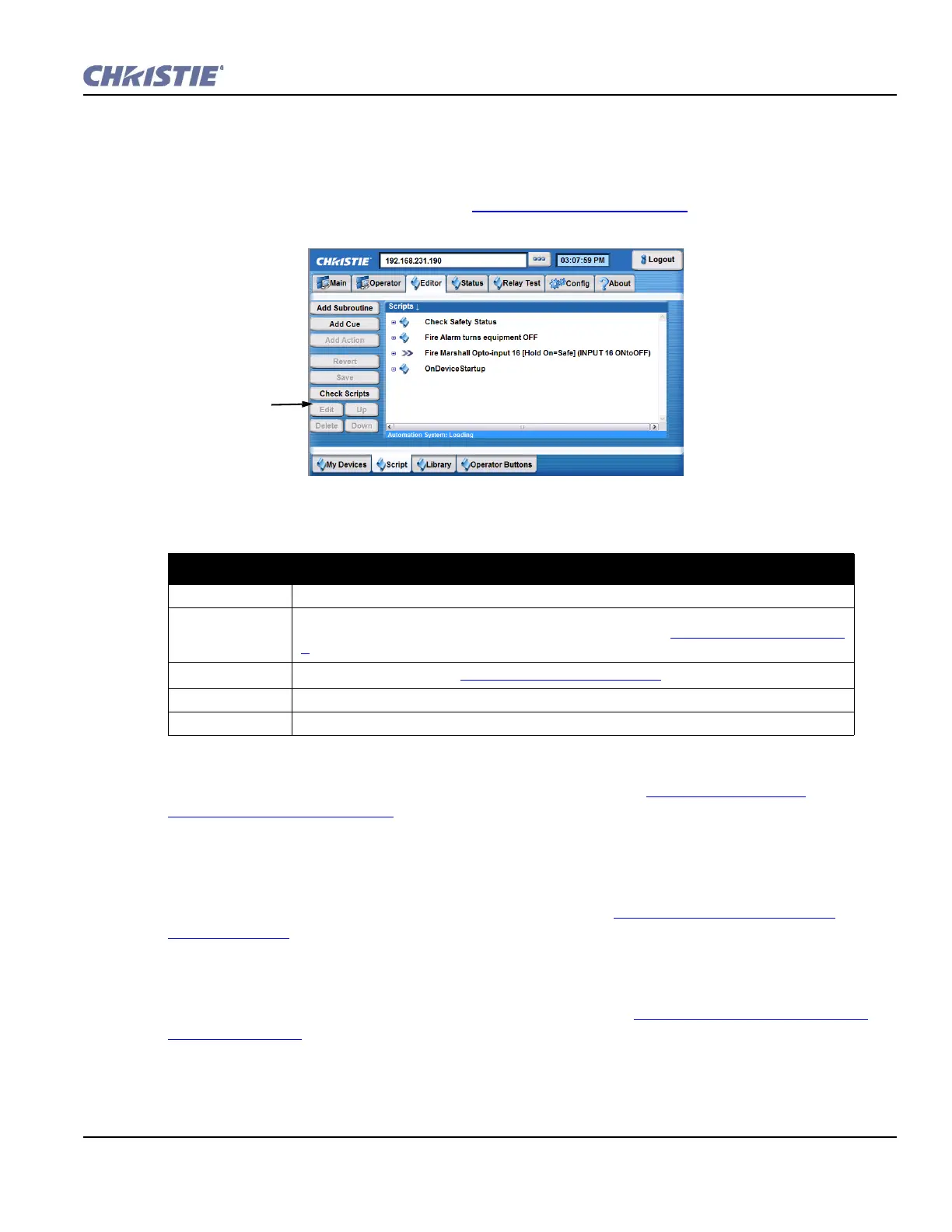
Editor: Script Tab
The Editor: Script tab provides the core functionality to the system. It is where you manage and
configure the scripts that control Christie ACT. A set of pre-configured device cues are available. For
more information on adding scripts, refer to Section 3.9 Using Christie ACT
.
Table 3.3 Summary Editor: Script Tab Options
Subroutines
A subroutine is a collection of actions. For more information, refer to Section 3.9.2 Adding a
Subroutine to a Script or Library
Cues
A cue is an input event which allows Christie ACT to perform associated actions. For example,
pressing button 1 will result in an event taking place. By adding a cue, you are configuring Christie
ACT to respond to an input event. For more information, refer to Section 3.9.5 Adding a Cue to a
Script or Library.
Actions
An action is an output event executed as a response to a cue. For example, sending a GPO pulse or
ethernet command to another device. For more information, refer to Section 3.9.3 Adding an Action to
a Script or Library.
EDITOR: SCRIPT TAB OPTIONS
Add Subroutine Adds a new subroutine.
Add Cue Adds a cue to the current script. Cues include assigning actions to the non-virtual buttons on
Christie ACT, setting the start and end time of a cue, etc. Refer to
Section Cues, on page 3-
9.
Add Action
Adds a new action. Refer to
Section Actions, on page 3-9 for a list of actions.
Revert Reverts a previous event.
Check Scripts Checks the scripts to determine if the references are valid.
Highlight the script in the
Scripts region to enable the
Edit, Delete, Up, and Down
buttons.
Figure 3-12 Editor: Script Tab


 To Next Page