3-14 Christie ACT User Manual
020-100129-05 Rev. 1 (02-2010)
Section 3: Operation
3.7 Configuring Christie ACT
The Config tab consists of five sub tabs (General, Network, Users, Communication, File Management) that
enable advanced operators, administrators, and users to define system operating parameters, change Ethernet
settings, and configure communication settings.
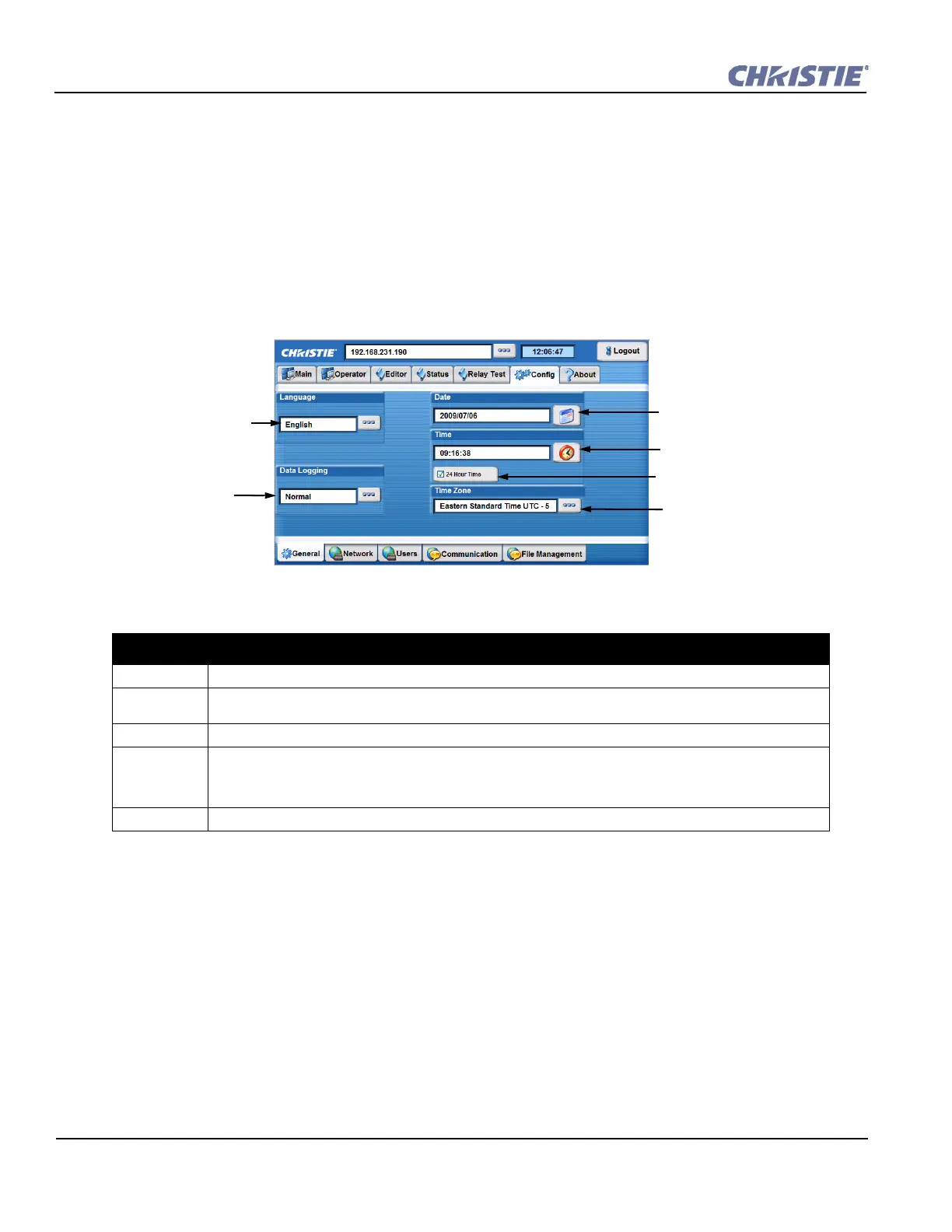
Config: General Tab
The Config: General tab provides access to various system parameters that must be defined according to your
requirements.
Table 3.5 Summary of Config: General Tab
CONFIG: GENERAL TAB OPTIONS
Language From the displayed list, select the desired language. Default is English.
Data Logging Select the level of data logging from the displayed tab. Options are Minimal, Normal, Debug. Default is
Normal.
Date Select the date from the displayed calendar.
Time Enter the hours, minutes and seconds. NOTE: If the 24 Hour Time option is check marked, the Select a
Time window will not display the AM/PM selection option. In 24 Hour Time, click to add a checkmark to
display time in a 24 hour format or AM/PM format (default). This can be toggled without requiring re-con-
figuration.
Time Zone Select your time zone from the list of world time zones.
Select language for Web UI
menu.
Select to open clock settings
and set the time.
Select a time zone.
Enable calendar from which a
date can be chosen.
Select to save adjustment.
Enable to display time in a
24-hour format, disable for
12-hour standard format.
Select the level of data
logging from the drop-
down menu.
Figure 3-16 Config: General Tab


 To Next Page