3-2 Christie ACT User Manual
020-100129-05 Rev. 1 (02-2010)
Section 3: Operation
3.1 Logging into Christie ACT
To login to Christie ACT:
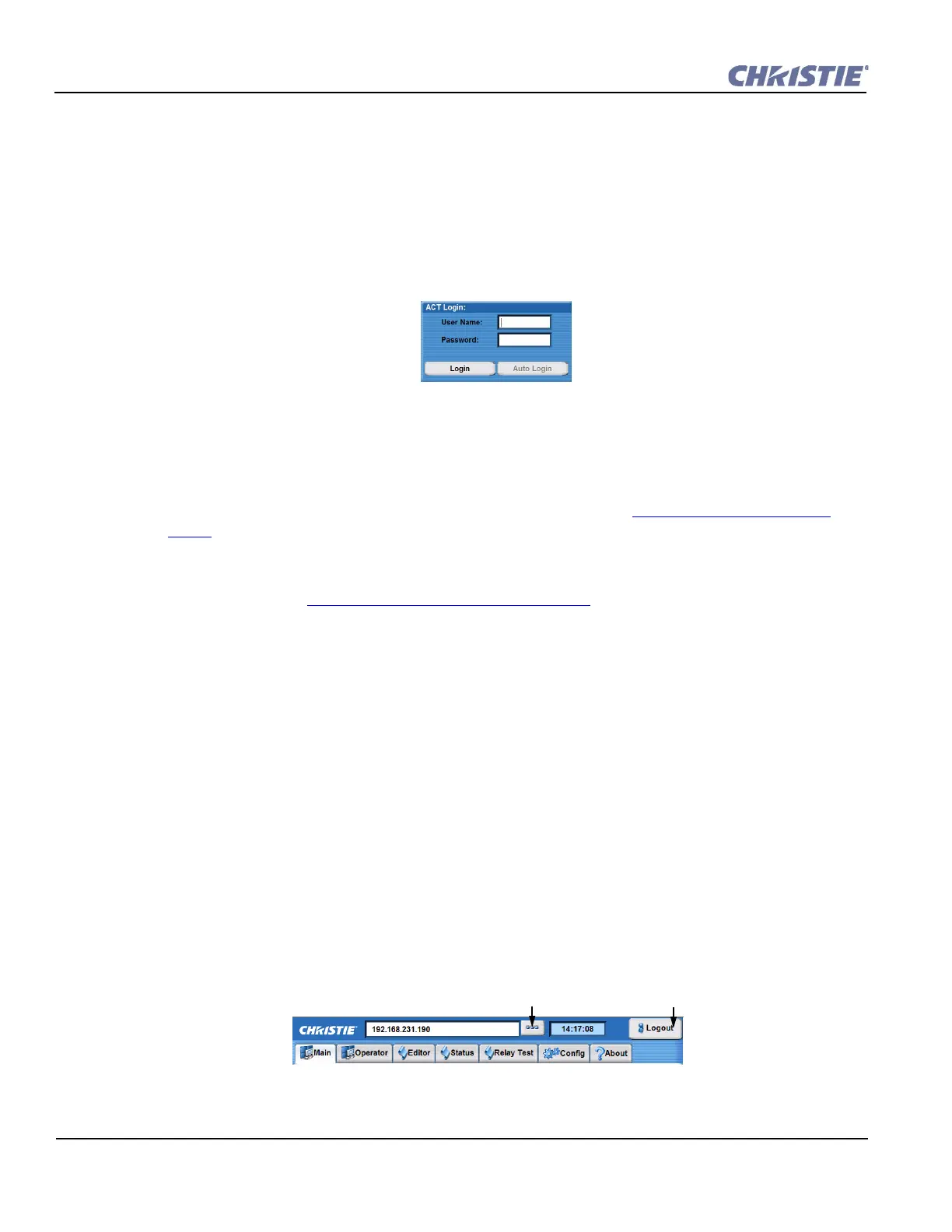
1. Open a web browser and type the IP address assigned to your Christie ACT unit (default http://
192.168.1.89). The Christie ACT Login window appears. NOTE: Internet Explorer V6.0 has
known performance issues and is not recommended to be used as the primary web browser for the
Christie ACT Web UI. It is recommended to use Internet Explorer V7.0 or greater, or Firefox V2.0
or greater.
2. Enter your User Name and Password (both are case sensitive) in the appropriate locations. The
default User Name is service and default Password is service.
3. Click Login.
For information on permission levels and access privileges, refer to Section 3.5 User Access and
Rights.
Auto Login is accessed through the Christie ACT Login window (Figure 3-1). When enabled by the
administrator, it will automatically enter the password when the username is entered. For more
information refer to Section Config: Users Tab, on page 3-16
.
3.2 Navigating the Web User Interface
When navigating Christie ACT in the web browser, DO NOT use the browser’s navigational buttons,
i.e. Back and Forward. Using these buttons will cause you to lose your web connection to Christie
ACT.
3.2.1 Using the Toolbar
Each window in the Christie ACT Web UI has the same main tool bar from which you can:
• Select a specific Christie ACT from within a network and view the assigned IP address.
• View the current time on the device.
• Close the window and logout (exit) from the Web UI.
• See the device name of the selected Christie ACT.
• Navigate through the Christie ACT interface using the tabs.
Figure 3-1 Christie ACT Login Window
Figure 3-2 Common Toolbar
Logout of
Christie ACT.
Click to launch a list of
Christie Devices.


 To Next Page