Section 3: Operation
Christie ACT User Manual 3-13
020-100129-05 Rev. 1 (02-2010)
Editor: Operator Buttons Tab
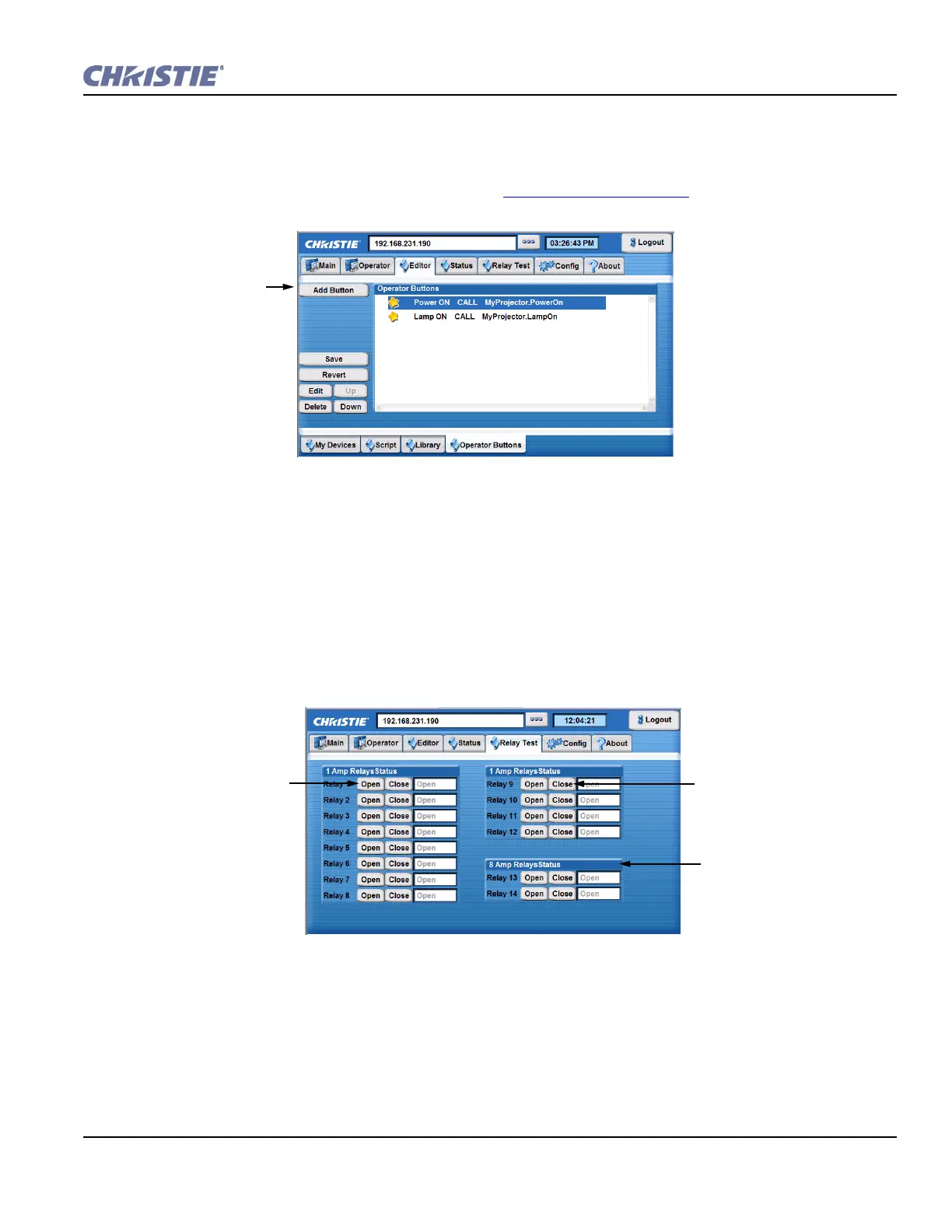
The Editor: Operator Buttons tab allows you to create virtual buttons. Each button is associated with a
subroutine, which essentially allows Christie ACT to support more cues then it can physically. Once a button is
created, it is displayed to the Operator tab. Refer to Section 3.4.2 Operator Tab
.
1. Click Add Button. The Operator Button window opens.
2. Type the name of the new button.
3. Click the subroutine button and select a Subroutine from the list.
3.6.3 Relay Test Tab
The Relay Test tab () allows you to toggle the relay states.
Select to create
a button.
Figure 3-14 Editor: Operator Buttons Virtual Buttons
Click Close to close
the Relay.
Click Open to open the
Relay.
Current status.
Figure 3-15 Relay Test Tab



 To Next Page