Ciara Enterprise/Discovery 945GTP
- 37 -
Installing DIMM Modules
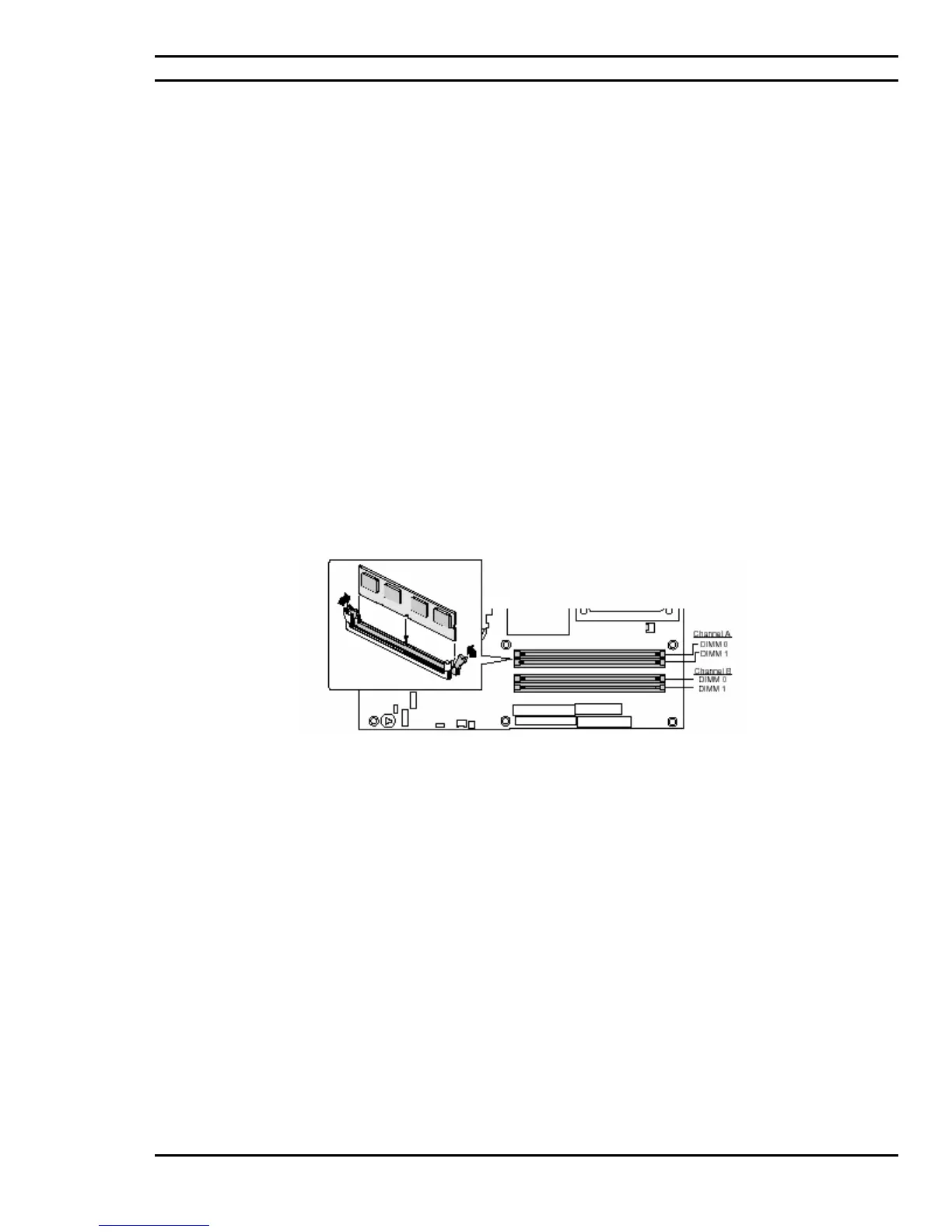
Install a DIMM module into a memory socket on the system main board, as follows:
1. First, make sure the power is turned Off and the power cord is unplugged. Then
remove the case cover.
2. Align the module so that the pin 1 marking on the module corresponds to the DIMM socket
pin 1 marking. The module can only fit in the socket in one way; you cannot insert the
DIMM incorrectly.
3. Slide the module into the socket at a 90-degree angle to the main board. (See figure 4.6)
4. After inserting the DIMM module completely into the socket, push up on the socket latches
securing the DIMM into place.
NOTE: To release the memory module, push both latches down and carefully rock the module away from the main
board. You should then be able to pull the module up and out of the socket.
Figure 4.6: Installing DIMM Memory Modules



 To Next Page