Ciara Enterprise/Discovery 945GTP
- 46 -
7.4: Preparing the chassis for installation
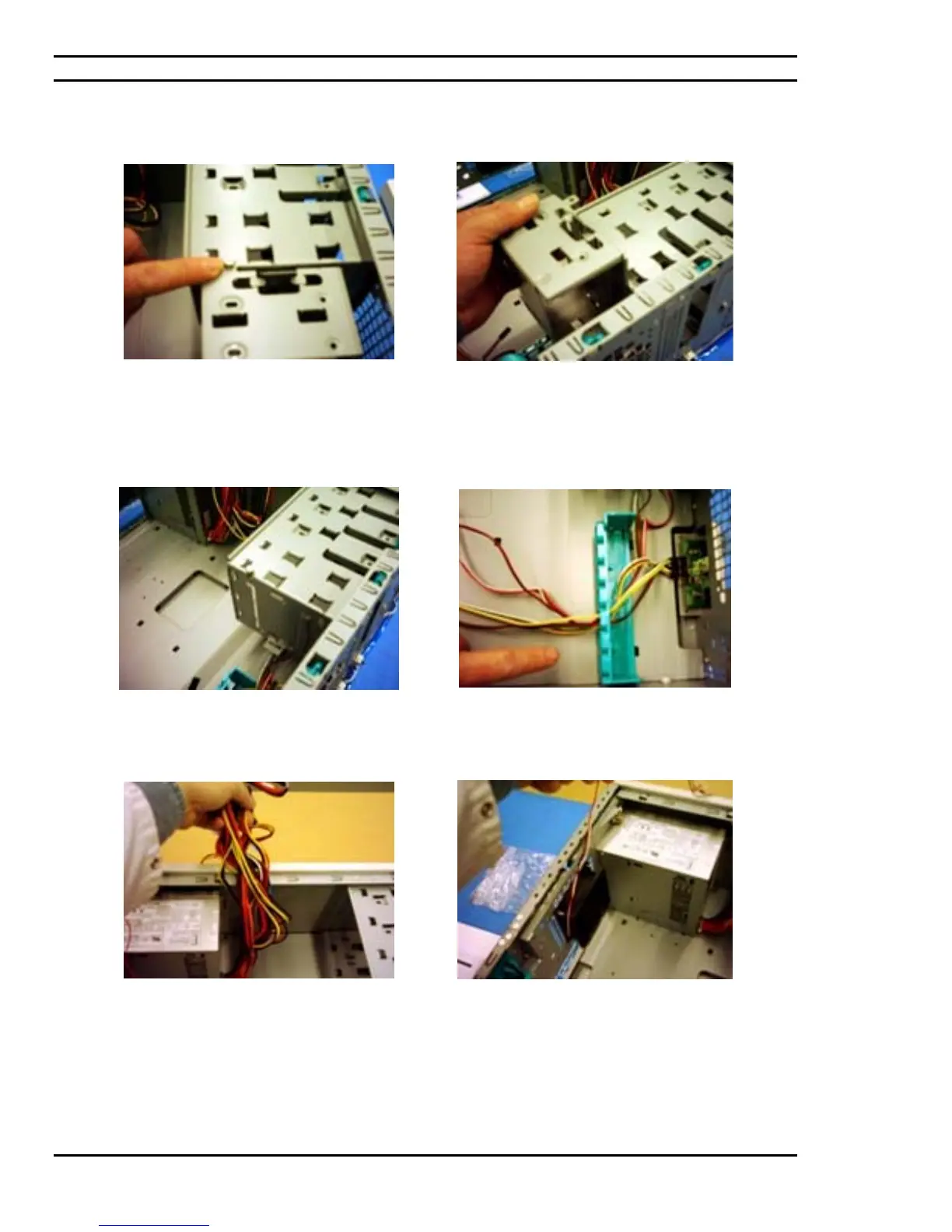
The inside of the chassis contains an area
designated for hard drive installation and more
specifically a hard drive cage. This cage is
installed onto the chassis by means of a
thumbscrew.
Remove the tool-less thumbscrew and proceed in
lifting the hard drive cage from the chassis. The
hard drive cage will be put aside where the hard
drive will later be installed onto it.
The thumbscrew should be replaced onto the
chassis given that the cage will eventually be
placed back in its place.
Front panel cables are passed through a provided
cable channel that is factory installed on the
chassis.
The chassis comes complete with a factory
installed power source or power supply. These
cables are contained and tie-rapped while taking
into consideration the modules that will be
installed and the amount of cabling needed to have
these positioned modules comfortably connected
to a power source.
The chassis fan also comes factory installed on the
chassis for which also requires the determination
of how much cabling is required and where the
power connector for the chassis fan is located on
the motherboard.



 To Next Page