Ciara Enterprise/Discovery 945GTP
- 28 -
3.2: The PCI Express Bus
The PCI Express bus was developed to accelerate communication between the various components of the
motherboard and to accelerate data transfer between add in cards and the system. The PCI Express x1 add in cards
transfer date at the rate of 500 Mb/second, four times faster than the conventional PCI bus. The video cards that
equip this system must be PCI Express x16 type. These cards enable a transfer rate of 8 Gbit/second, two times
faster that its predecessor the AGP 8x video card.
3.3: Disk Drives
Floppy Drives
Your Ciara Enterprise/Discovery 945GTP computer system is configured with a 3.5” floppy disk drive, which has a
1.44 MB capacity. Optionally, a 3.5” diskette drive with a 2.88 MB capacity may be ordered.
Hard Disk Drives
Your new Ciara Enterprise/Discovery 945GTP computer system may be equipped with an EIDE Parallel ATA hard
drive that will transfer data at the speed of 100 megabytes per second. Note that your Ciara Enterprise/Discovery
945GTP supports the use of up to two Enhanced Integral Drive Electronics (EIDE) peripherals. Typically this might
include one hard disk drive and a CD-ROM drive or DVD-ROM drive.
However, you may also choose the Serial ATA technology for your hard drive since the Ciara
Enterprise/Discovery 945GTP system has four Serial ATA controllers supporting one drive each. Serial ATA
hard drives transfer data at the speed of 3 gigabytes per second.
CD-ROM Drives
The Ciara Enterprise/Discovery 945GTP model may be supplied with an EIDE CD-ROM drive. The CD-ROM
drive is a half-height 5-¼ inch wide storage device, capable of holding about 650 Mbytes of data. Optionally, your
system may be equipped with a DVD-ROM drive, a CD-Writer drive, a combo DVD/CDRW drive or a DVD writer.
3.4: Keyboard
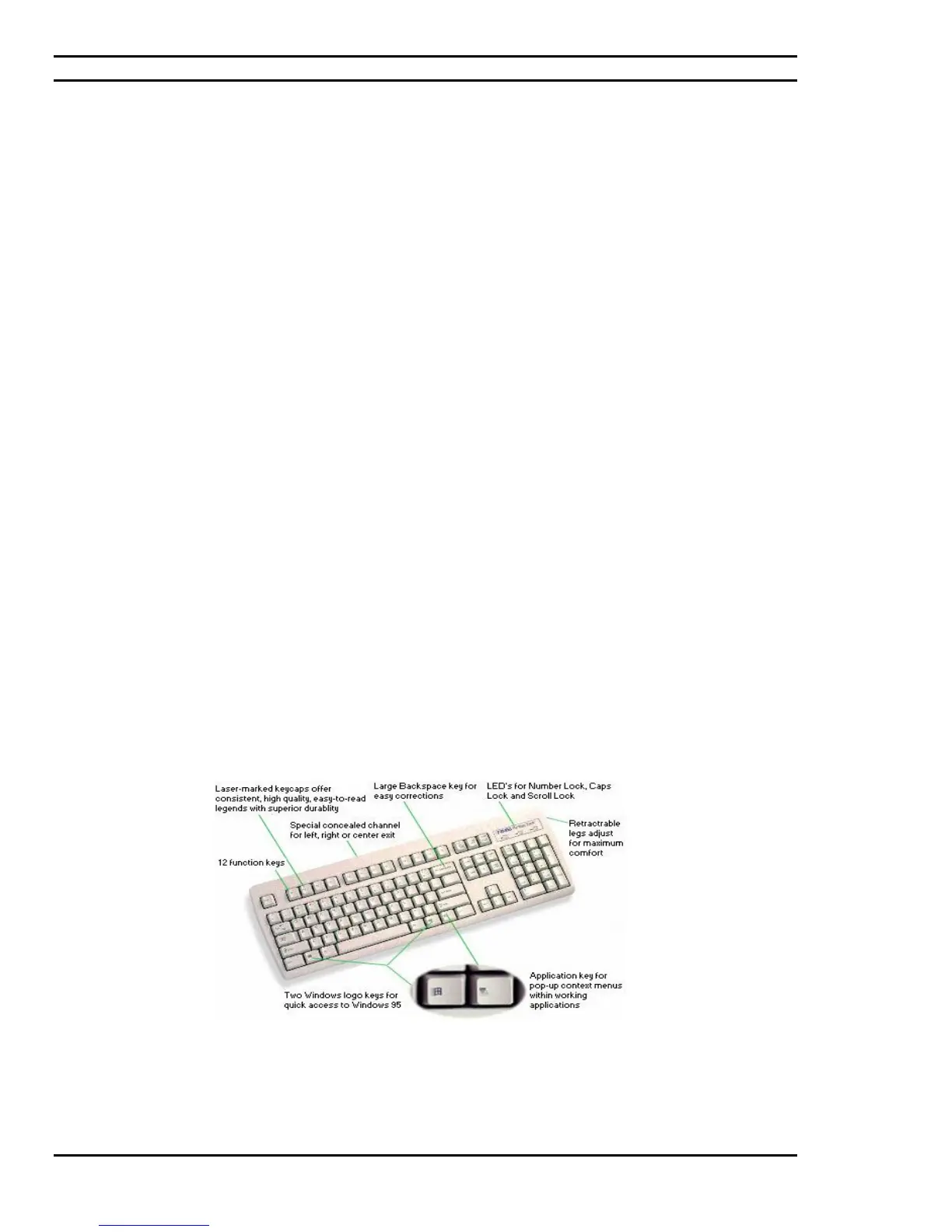
Your keyboard has a set of function keys, cursor keys and a numeric keypad. The figure below shows a typical
keyboard. Under the rear of the keyboard are two small legs that can be pulled out or pushed in to change the
keyboard angles.
Figure 3.3: Typical keyboard layout



 To Next Page