Ciara Enterprise/Discovery 945GTP
- 32 -
4.0: Installing and upgrading your system
4.1: Unpacking Your Computer
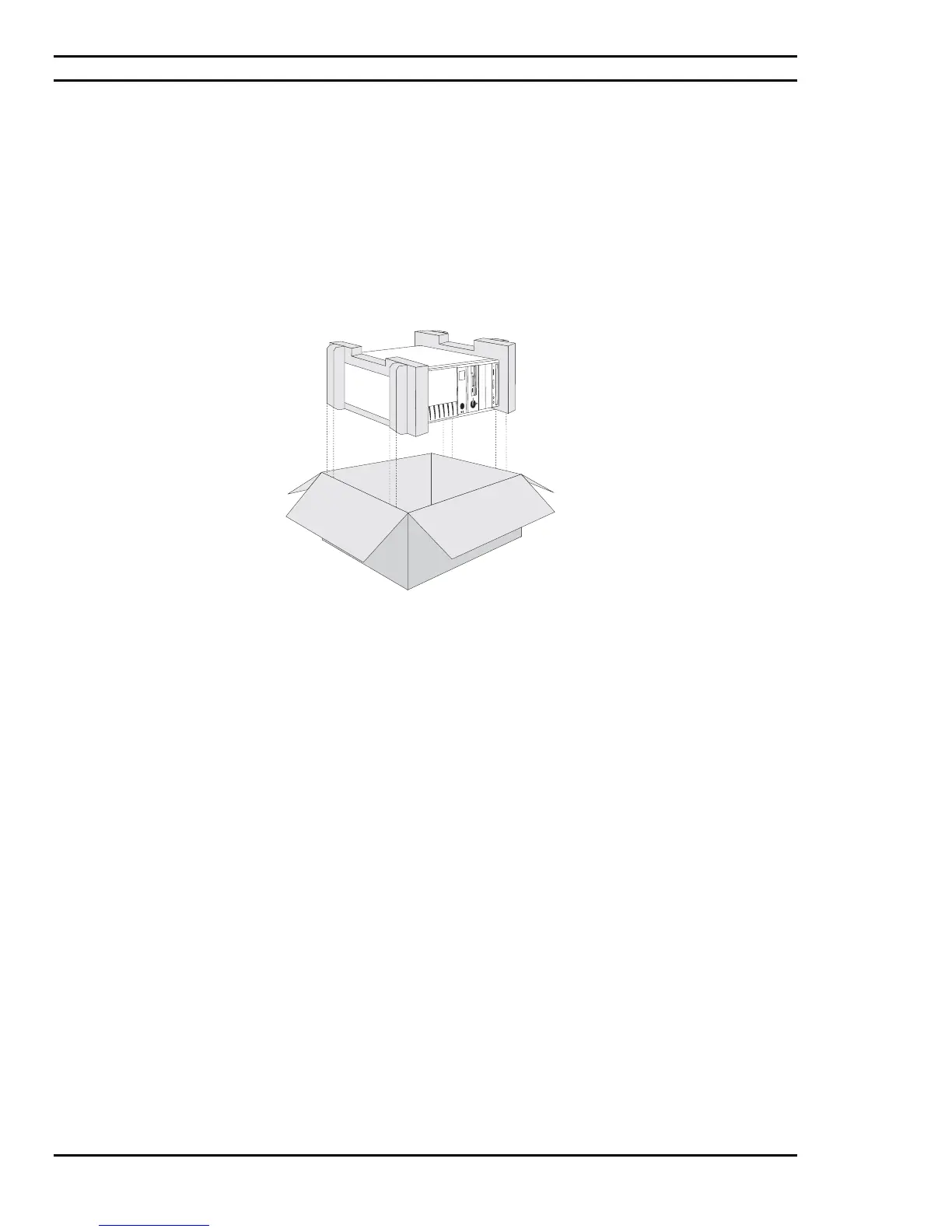
Your PC is packed with moulded foam on each end to keep it in place during transit.
Carefully unpack your computer and be sure to save all cartons and foam for future shipping and transportation.
To repack the PC it may be easier to place the moulded cushioning on the ends of the PC, and then slide the box
over the PC together with the cushioning, rather than lifting the PC.
Figure 4.1: Unpacking the System Unit
4.2: Choosing a Site for the System
All Ciara Technologies Inc. computers operate reliably in a typical office or home environment. Choose a location
that is readily accessible and:
• Is near a grounded, three pronged power outlet
• Is clean and dust free
• Is well-ventilated and lighted and away from sources of heat
• Is isolated from strong electromagnetic fields produced by electrical devices (such as air
conditioners, large fans, large electric motors, radio and TV transmitters, and amateur radio
transmitters).
• Has an appropriate table or desk that will allow you to work without physical discomfort
and strain.
Next, inspect the rear of the Ciara Enterprise/Discovery 945GTP system Unit, to ensure that the power supply
voltage selector has been set for the correct voltage for your area. For example, in Canada and the U.S.A. the
selector should be set to 115 V. In Germany, Italy and the UK, the selector should be set to 230 V. If necessary, as
shown in Figure 4.2, a small screwdriver can be used to accomplish this. If you received your computer directly
from Ciara Technologies Inc. this power switch has already been correctly set.



 To Next Page