6
Cirris® Easy-Touch™ Pro User Manual
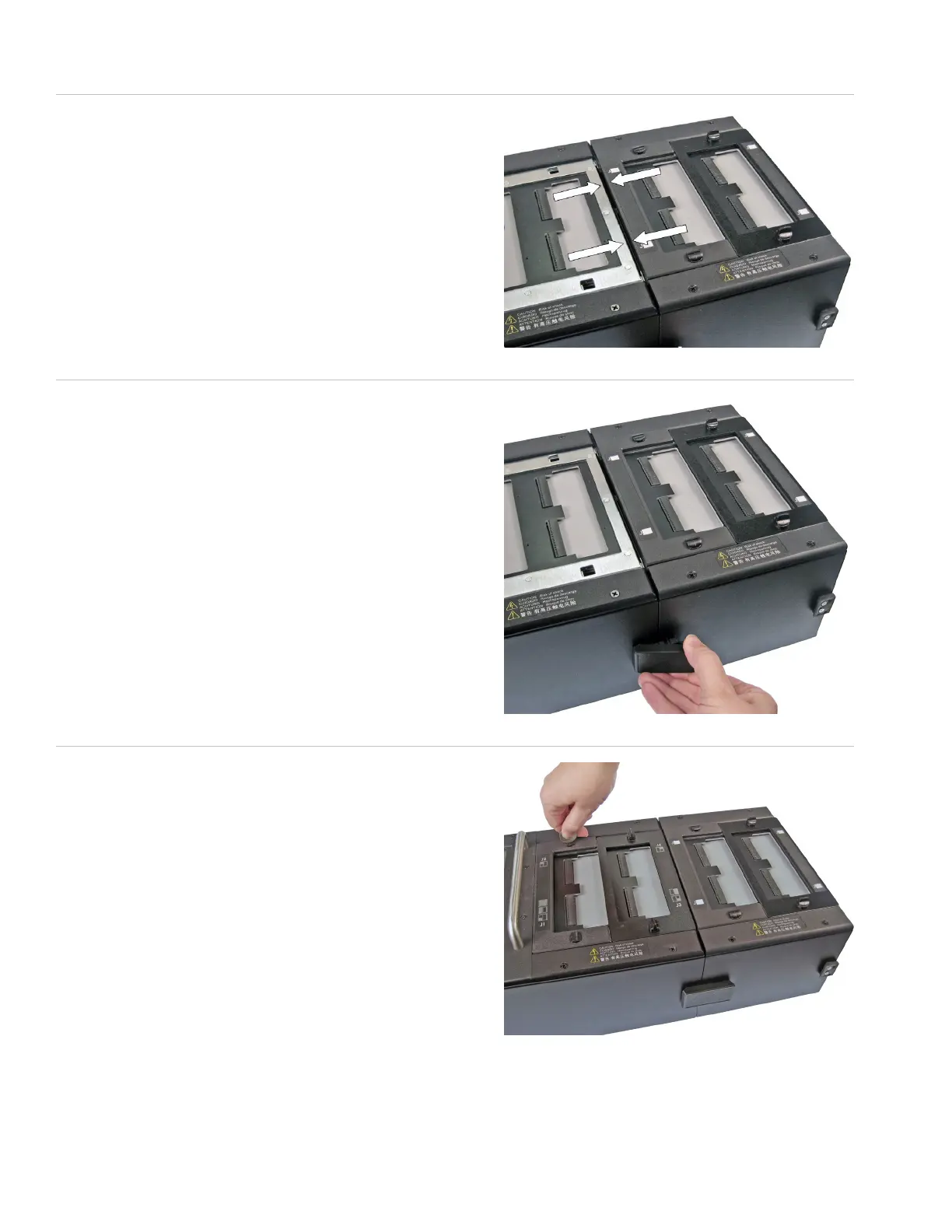
9. Push the two units together (t the posts on the side of the
add-on scanner into the holes on the side of the tester).
10. Attach the scanner add-on to the tester using the side latches
on both sides of the tester.
If you’re attaching more than one scanner add-on, repeat the
procedure attaching the next add-on onto the previous one.
Note: If your system is using all seven expansion scanners, you
will need to purchase a second cable. Contact your account
manager at Cirris for more information and to purchase this
cable.
11. Re-attach the cover plate.



 To Next Page