2
Cirris® Easy-Touch™ Pro User Manual
test points.
● Adapter(s)
○ A single-high adapter supports up to 28 test points and consumes 32 points.
○ A double-high adapter supports up to 64 test points and consumes 64 points.
○ A double-high adapter supports up to 120 test points and consumes 128 points.
1.5 Electrical Assembly
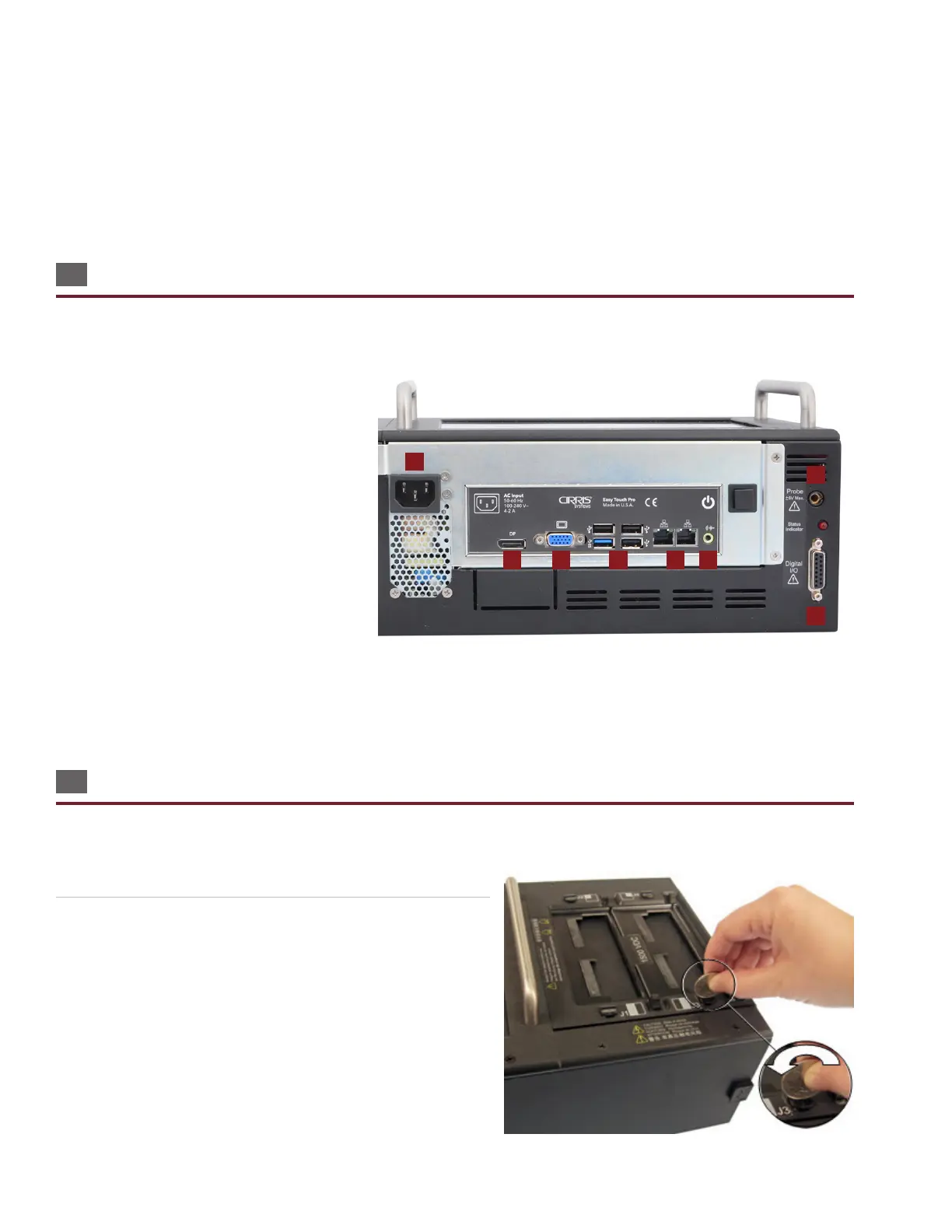
The connector layout on your Easy-Touch Pro back panel may look dierent from the image below, but the connectors will
be the same.
1. AC Input Connector: Connect IEC power
cord (required).
2. Display Port: Connect a display cable
(optional).
3. VGA Connector: Connect video cable
(optional).
4. USB Ports: Connect USB thumb, drive
mouse, printer, head set, etc. (optional).
5. Ethernet Connector: Connect networking
cable (optional).
6. Audio Port: Connect headphones (optional).
7. Probe Port: Connect Probe (optional).
8. Digital I/O Port: Allows machines to send signals to and from the test system. For more information, visit www.cirris.com
and search for digital I/O.
1.6 Installing Add-on Scanners
Each add-on scanner provides an additional 128 test points. You can install up to seven add-on scanners for a total of 1024
test points in a system, however you will need a second cable when using all seven expansion scanners. Contact your ac-
count manager at Cirris to purchase this cable.
1. To unlock the cover plate, use a coin or screwdriver to turn the
four fasteners on the cover plate to the horizontal position.
1
2 3 4 5 6
7
8



 To Next Page