Cirris Easy-Wire™ Software
23
3. Cirris Easy-Wire™ Software
3.1 Creating Default Adapters
Some commonly used adapters in Easy-Wire are set as “Default.” If your adapters have this setting, you can learn a sample
cable or import test programs without being prompted to select each adapter in your test program. You can create and edit
your own adapters and set them as default; however, the adapters that come with Easy-Wire are not editable.
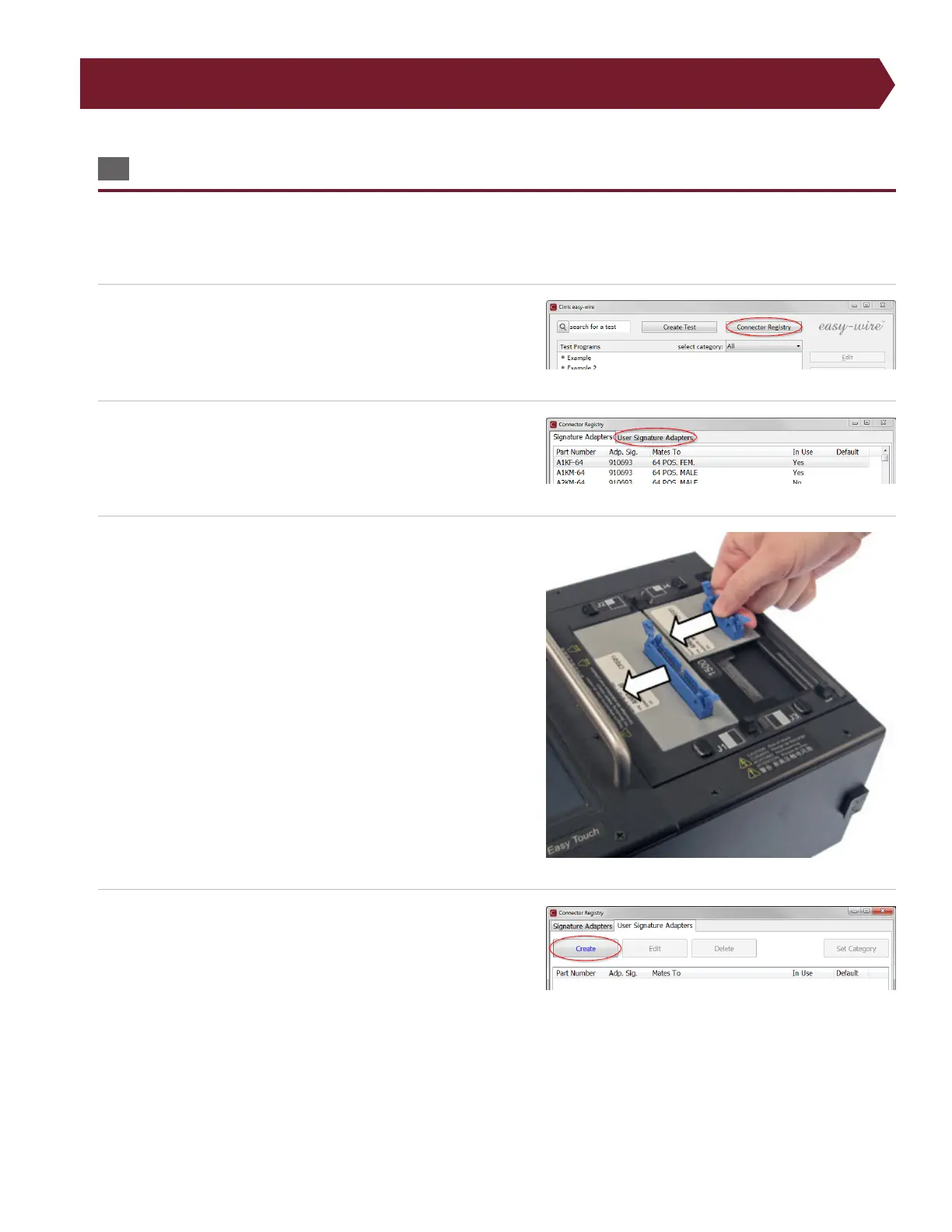
1. In the Easy-Wire main menu, press ‘Connector Type Library.’
2. Press the “User Signature Adapters” tab.
3. Install the adapter you want to add as a default adapter.
4. Press ‘Create.’



 To Next Page