8
Cirris® Easy-Touch™ Pro User Manual
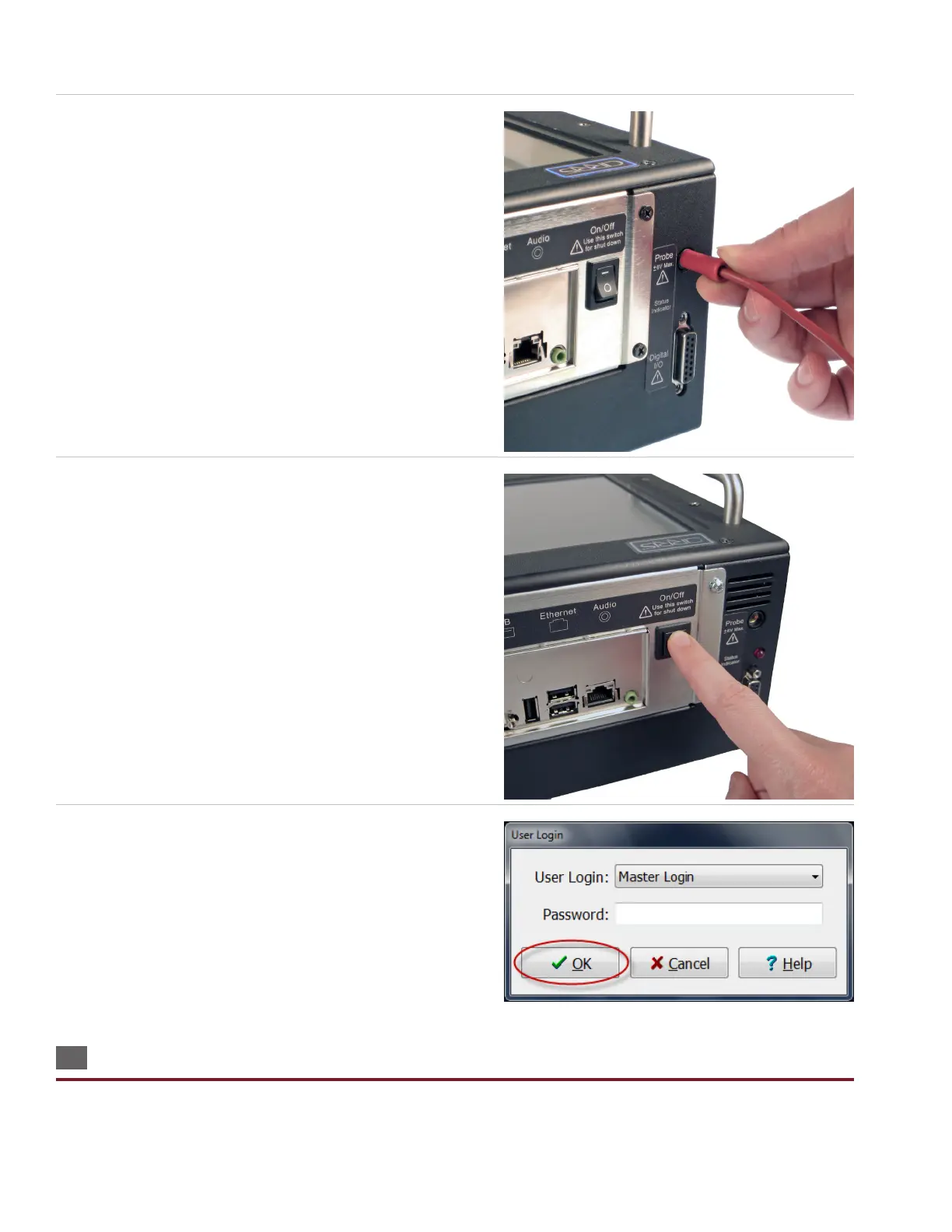
2. Insert the probe if desired.
3. Push in the power button until the tester powers on.
4. When the Easy-Wire “User Login” window opens. Press ‘OK.’
Note: Initially, no password is required for the “Master Login” user.
To learn how to create user logins and passwords, see “Setting Up
Software Security” on page 12.
1.8 Using the Touch Screen
To navigate the Easy-Wire software on your Easy-Touch Pro, you can touch the screen or use a USB keyboard and mouse
plugged into the tester. Within this manual, the commands “touch” or “press” are equivalent to the command “click” if you



 To Next Page