Introduction and Setup
11
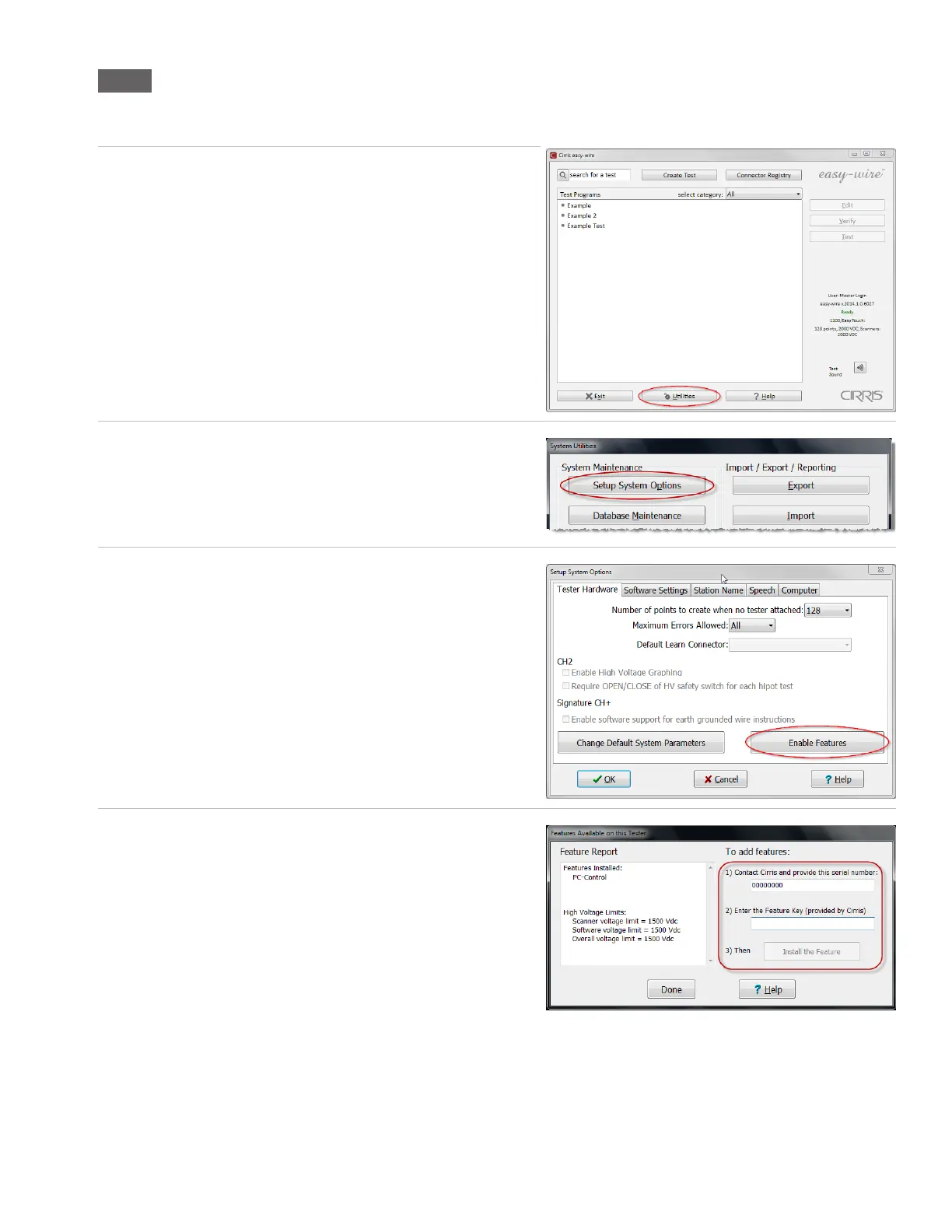
1.10.1 Enabling a Feature
Enabling an optional feature is a one-time operation. Each new feature requires a feature key provided by Cirris. The feature
key is based on the serial number of the tester and the feature being enabled.
1. In the Easy-Wire main menu, press ‘Utilities.’
2. Press ‘Setup System Options.’
3. In the “Tester Hardware” tab, press ‘Enable Features.’
4. The “Features Available on this Tester” window will display both
“Features Installed” and “High Voltage Limits” on the left side
of the screen. Follow instructions 1-3 on the right side of the
screen to enable the feature (as shown).



 To Next Page