Cirris Easy-Wire™ Software
35
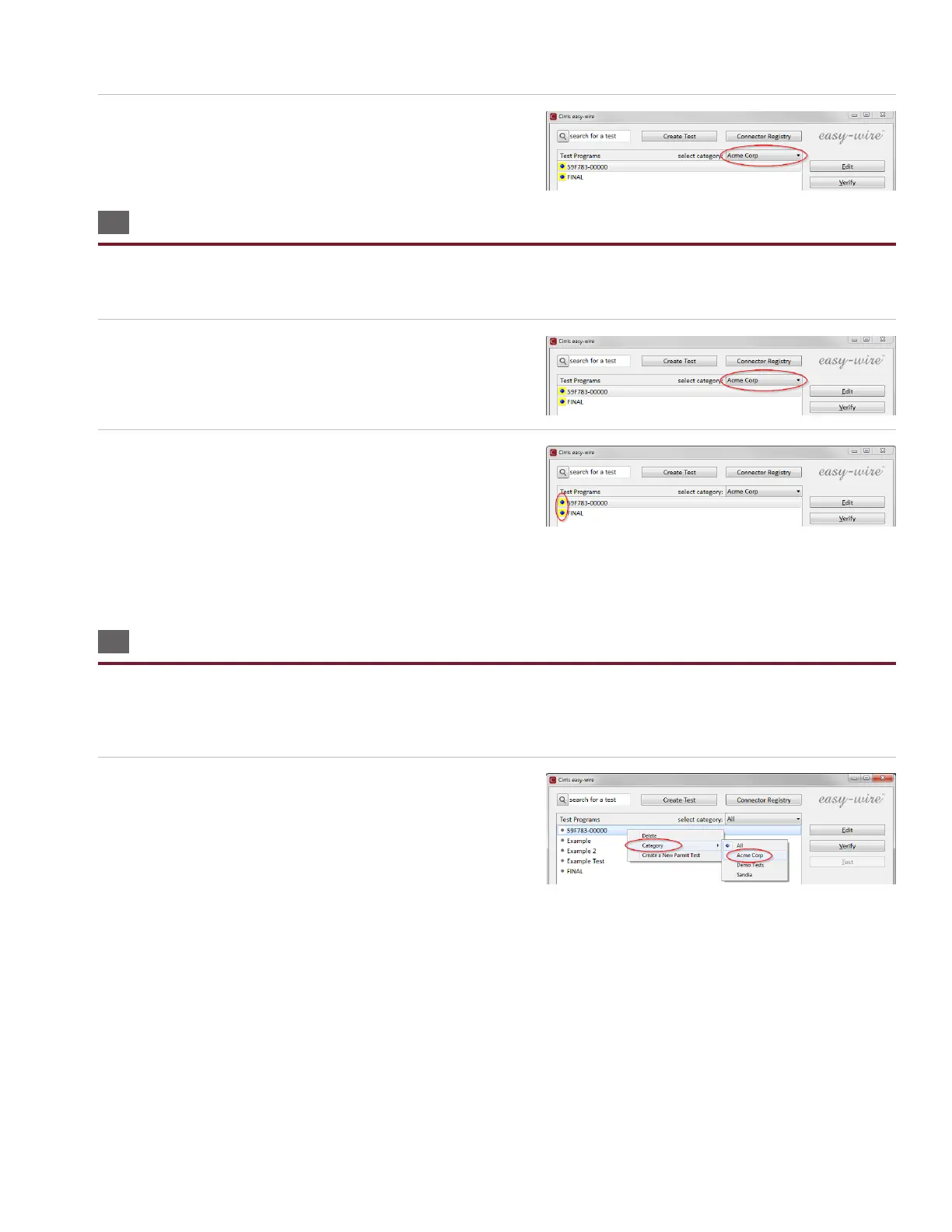
10. In the Easy-Wire main menu, select the category you saved the
wirelists into or select the “All” category to verify that the test
programs you imported are in the Test Program List.
3.8 Verifying Shared Wirelists
If you created a new category for sharing Easy-Touch Pro test programs and Touch 1 or 1100 wirelists, you can verify that the
procedure worked by checking the les in both locations to see if they are the same and by doing the following:
1. In the Easy-Wire main menu, select the category you created or
select the “All” category.
2. A yellow box next to the test program name indicates a shared
test program between the Easy-Wire database and the Touch 1
or 1100 le location.
Note: In the Easy-Wire main menu, you can assign existing test
programs to the category for shared wirelists if you want to use them on your Touch 1 or 1100 tester. See “Moving Test
Programs Between Categories” in the next section.
3.9 Moving Test Programs between Categories
In the Easy-Wire main menu, you can move any test program to an alternate category. If you have shared test programs
between your Touch 1/1100 and Easy-Touch Pro testers, you can move test programs into the shared category to copy them
into the T1/1100 le location. Similarly you can stop sharing test programs by assigning them to another category.
1. Press and hold (right-click) on the test program you want to
move to another category. From the right-click menu, press
‘Category.’ Select the desired category.



 To Next Page