34
Cirris® Easy-Touch™ Pro User Manual
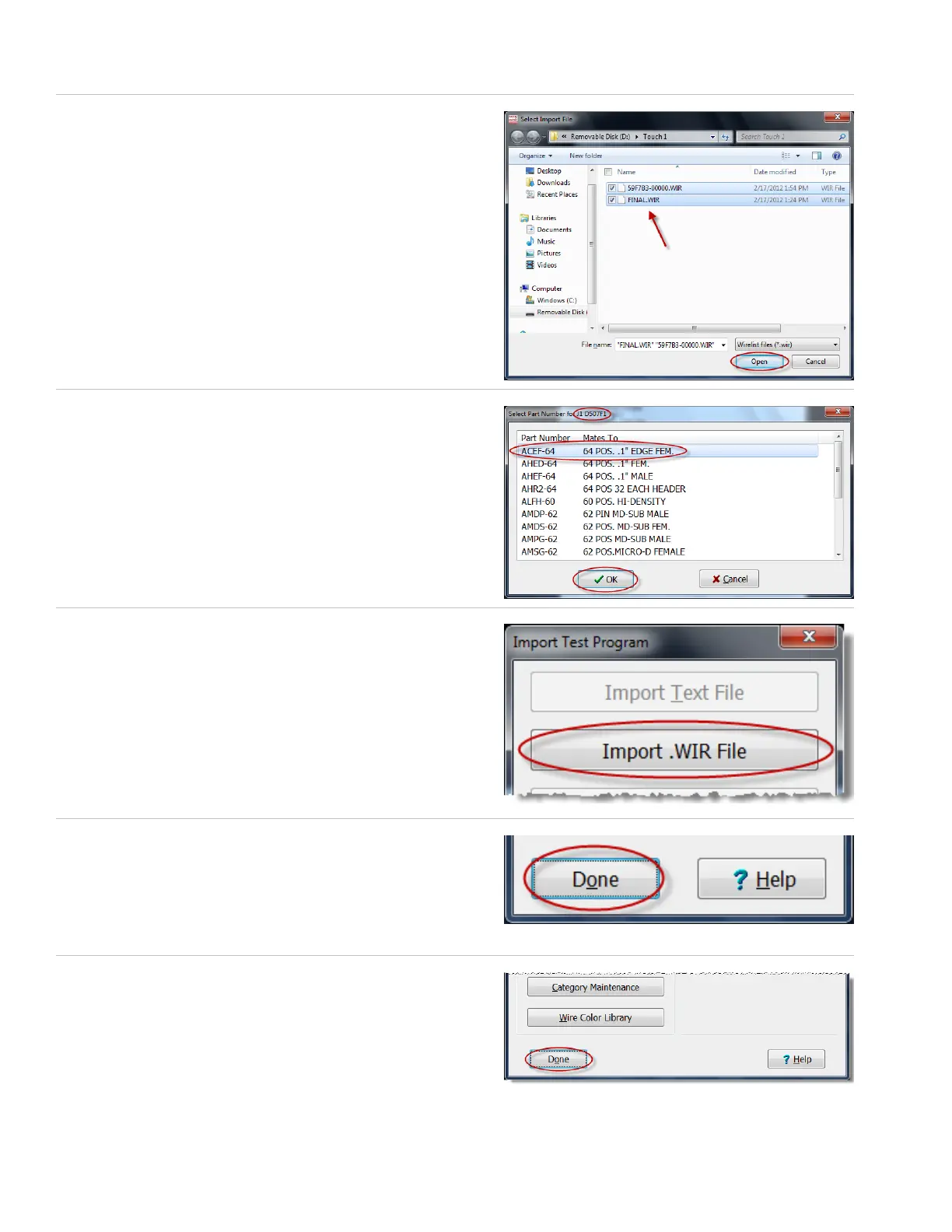
5. Browse to the location on your thumb drive or network drive of
your Touch 1 or 1100 les. Select the le and press ‘Open.’
6. If prompted, select the part number for the rst adapter
position in the test and press ‘OK.’
Note: If you have multiple adapters, you will be prompted to repeat
this step for each adapter in the test.
7. If you have more wirelists to import, press ‘Import .WIR Files’
and repeat steps 1-6, or multi-select the wirelists.
8. When you have imported all of your wirelists, press ‘Done.’
9. Press ‘Done’ to return to the main menu.



 To Next Page