Cirris Easy-Wire™ Software
27
3.4 Testing the Device-Under-Test
After you have learned a sample and veried/edited the test program, you are ready to test the device-under-test (D.U.T.).
1. In the Easy-Wire main menu, select the desired test program and press ‘Test’ (test programs will be listed by their test
program name which may be the cable signature depending on how you saved them).
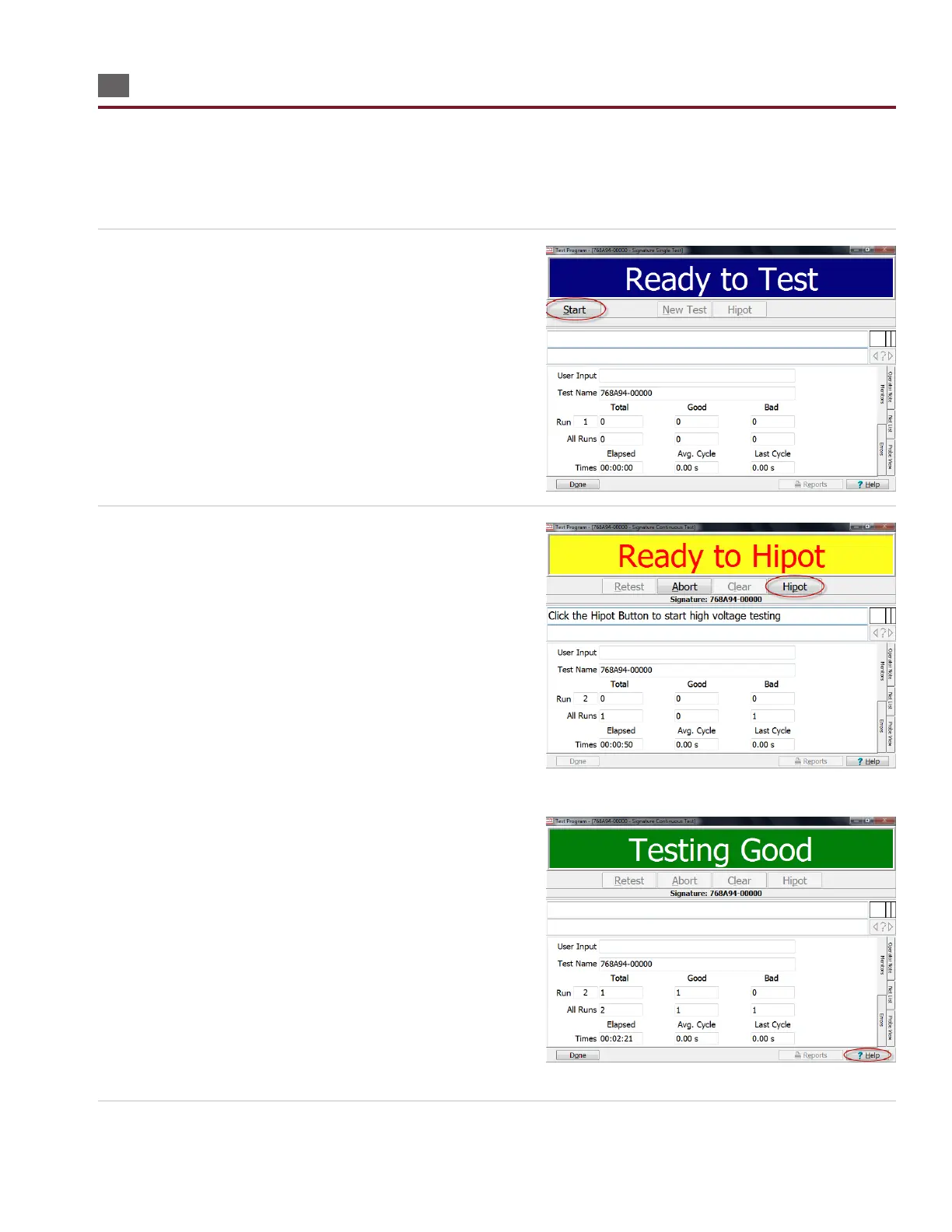
2. If the default test is “Continuous Test” mode, the test will start
automatically. If not, the information bar at the top will display
“Ready to Test.” Press ‘Start.’
3. If the low voltage test fails, the information bar will display
“Bad” and the error(s) will be displayed in the test window
along with the error signature.
If the low voltage test passes and no hipot is set, the
information bar will display “Good.” If hipot is set to automatic
mode, the information bar will display “Hipotting.” If hipot is
set to manual, the information bar will display “Ready to Hipot.”
In this case, press ‘Hipot’ to start the test.
If the information bar displays “Testing Good,” your cable/
harness passed and your test is complete.
For more information, press ‘Help’ at the bottom of the test win-
dow.
4. When you are ready to return to the main menu, press ‘Done.’



 To Next Page