Cirris Easy-Wire™ Software
29
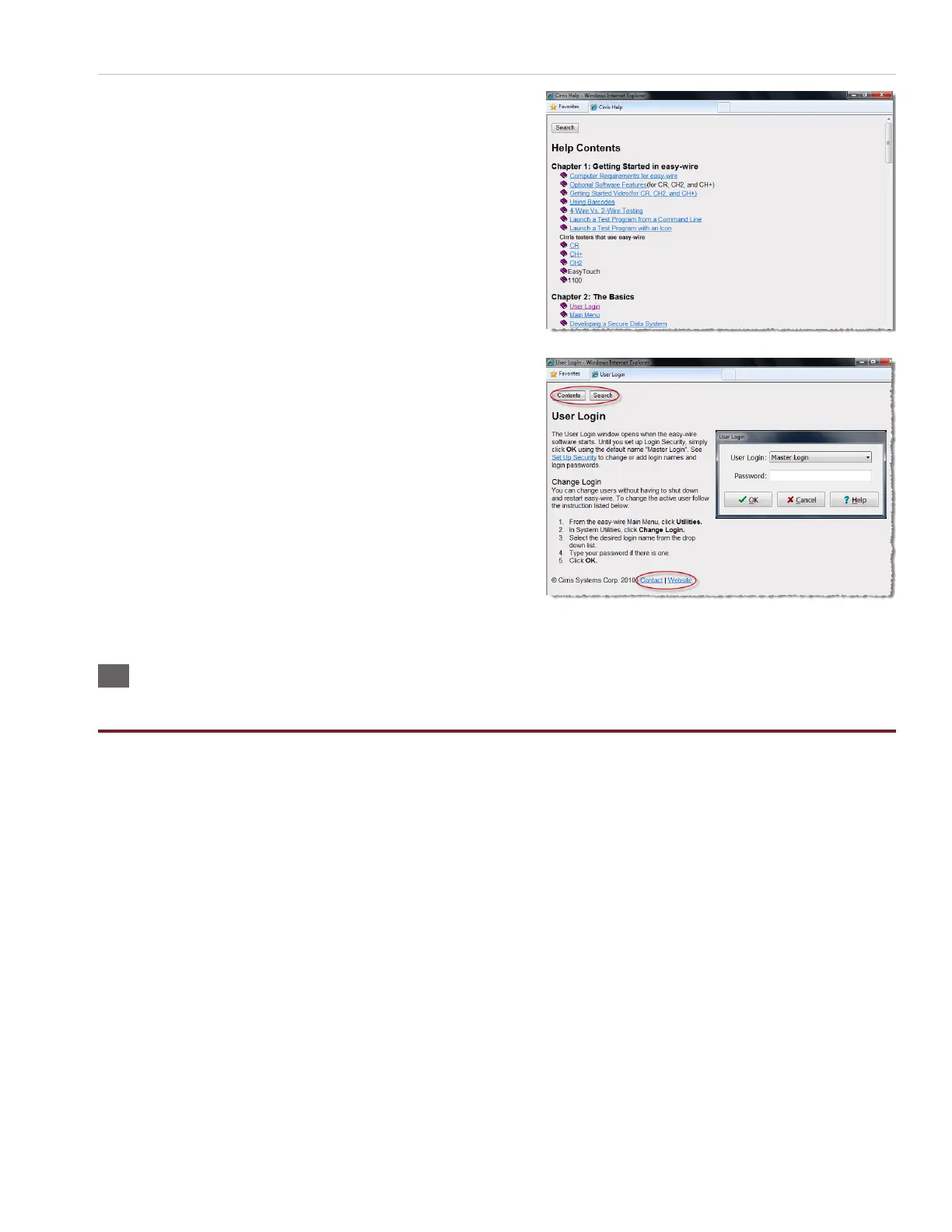
5. Press any link to view the help for that topic.
Note: In every Help page, you can do the following:
○ Press ‘Contents’ to view the Easy-Wire manual by chapter.
○ Press ‘Search’ to nd information using keywords.
○ Press ‘Contact’ to view Cirris contact information for.
○ Press ‘Website’ to view the Cirris website if you are con-
nected to the internet.
3.6 Sharing Wirelists Bestween Touch 1/1100 and Easy-Touch
Pro Testers
You can copy your existing Touch 1 (T1) or Signature 1100 test programs into the Easy-Touch Pro tester. Once copied, you
can assign these les to a specied category and they will automatically be synchronized if your testers are networked. If
not, you can manually synchronize these shared programs using a USB thumb drive (sneaker net).
T1 and 1100 test programs exist as at les with a .wir extension. Easy-Wire test programs reside inside the Easy-Wire
database and are not accessible externally. In order to share the two, Cirris has made it possible to make a “bridge.” To form
this bridge, you must rst create a special Easy-Wire category that points to the directory path where the T1/1100 .wir les
are located. Next, you must import the T1/1100 test programs into the Easy-Wire database and assign them to the catego-
ry. Then, you can edit a test program in either location and the software will automatically update the corresponding test
program in the other location.
Cirris recommends that you create new test programs for this category in the Easy-Wire database so they will be automat-
ically created as .wir les for your T1 or 1100. If you create them on your T1 or 1100, you will have to manually import them
into the Easy-Wire database.
Note: If you have multiple Easy-Touch Pro testers, you can put them on a computer network. However, Cirris recommends
that you purchase the optional Cirris Server Networking Software so that all Easy-Wire data exists in one Easy-Wire
network server database. For more information, see the networking section in the Easy-Touch Pro I.T. Administration
Addendum.



 To Next Page