30
Cirris® Easy-Touch™ Pro User Manual
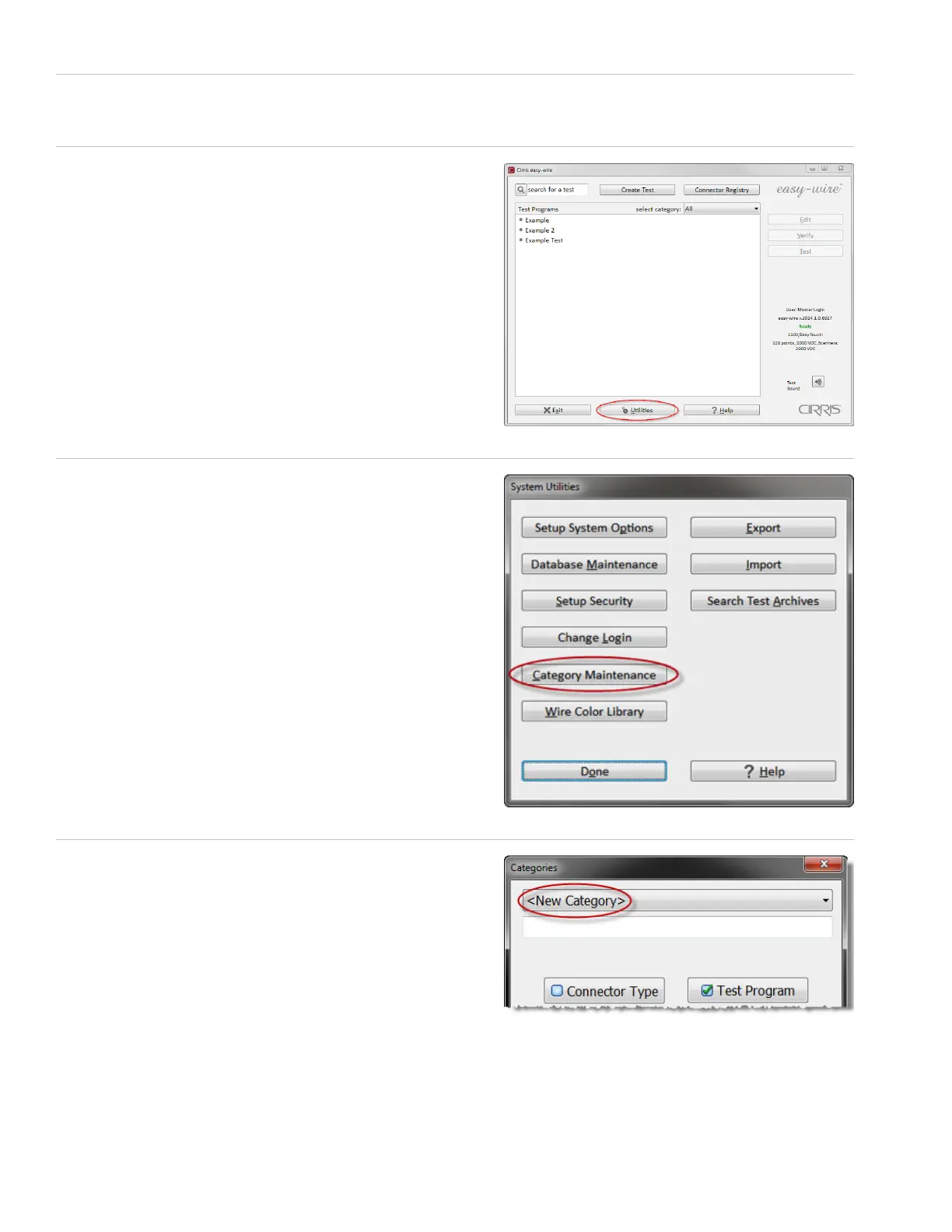
1. Put your Touch 1 or 1100 wirelists in a le location you can access from your Easy-Touch Pro tester, either on a thumb
drive locally or on a network.
2. In the Easy-Wire main menu, press ‘Utilities.’
3. Press ‘Category Maintenance.’
4. In the rst text drop-down box, select ‘<New Category>.’
Note: The pre-dened categories “Demo,” Military,” and “Standard”
cannot see a le location outside of Easy-Wire. You must create a
new category.



 To Next Page