Cirris Easy-Wire™ Software
31
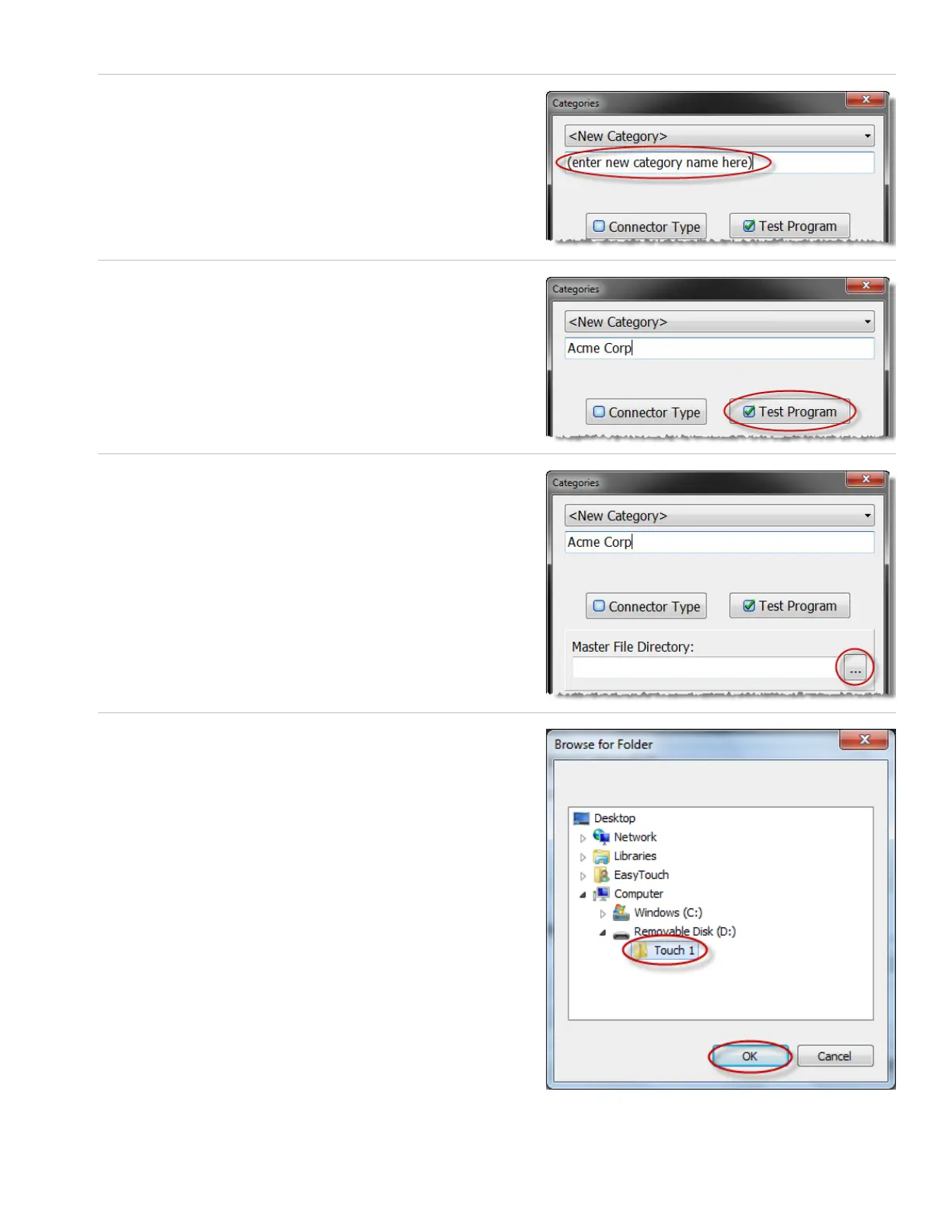
5. In the second text box, enter a name for the new category. You
may want to name the category for specic customers.
6. Ensure that the “Test Program” box is selected.
7. Press the “Master File Directory” browse button.
8. Browse to the le location that contains your Touch 1 or 1100
wirelists. In this example, the Touch 1 les are in drive D in a
folder called “Touch 1.” Select the folder and press ‘OK.’



 To Next Page