Adapters
19
2.4 Installing Adapters
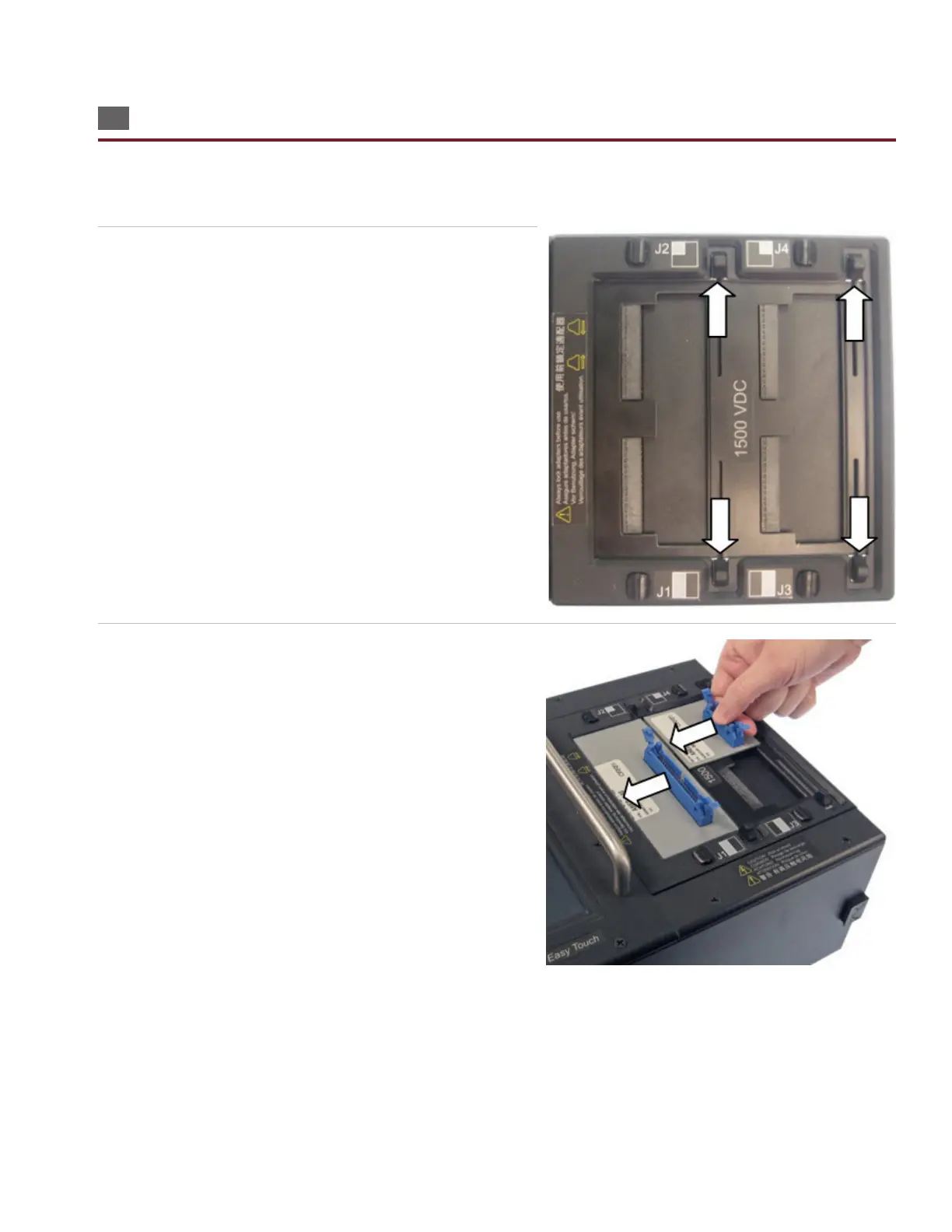
Easy-Touch Pro models sold after March 2012 (1500 V model) are equipped with a slide-lock scanner that allows you to lock
and unlock test adapters (without the need to remove the J3-J4 cover plate, install the adapter, then reattach the cover
plate, as was the case with traditional Cirris testers). Note: The 2000 V model has the traditional cover plates.
1. Make sure the slides are pushed completely outward. If you
have a 2000 V model, remove the cover plate.
2. Fully insert adapters by pushing the adapter against the edge
of the scanner until the adapter fully seats. Be careful not to
bend the pins.
Note: You must install adapters in the J1-J2 positions before
installing them in the J3-J4 positions.



 To Next Page