Cirris Easy-Wire™ Software
33
3.7 Importing Touch 1 or 1100 Wirelists
If you have Cirris Touch 1 or Signature 1100 testers, you can import their wirelists into the Easy-Touch Pro database. To be
compatible, all imported les must have the le extension .WIR. For instructions on how to share wirelists between Touch
1/1100 and Easy-Touch Pro testers, see page 29.
1. If your testers are networked, proceed to step 2 below.
If your testers are not networked, you will need to copy your les to a thumb drive and then plug your thumb drive into
your Easy-Touch Pro tester. If you have a Touch 1, use a oppy drive and a PC to transfer the les. If you have an 1100
with USB ports, you can copy the les directly to the thumb drive. If you have an 1100 with no USB ports, transfer the
les from the tester to a PC using CTLWIN (see the 1100H+ User Manual).
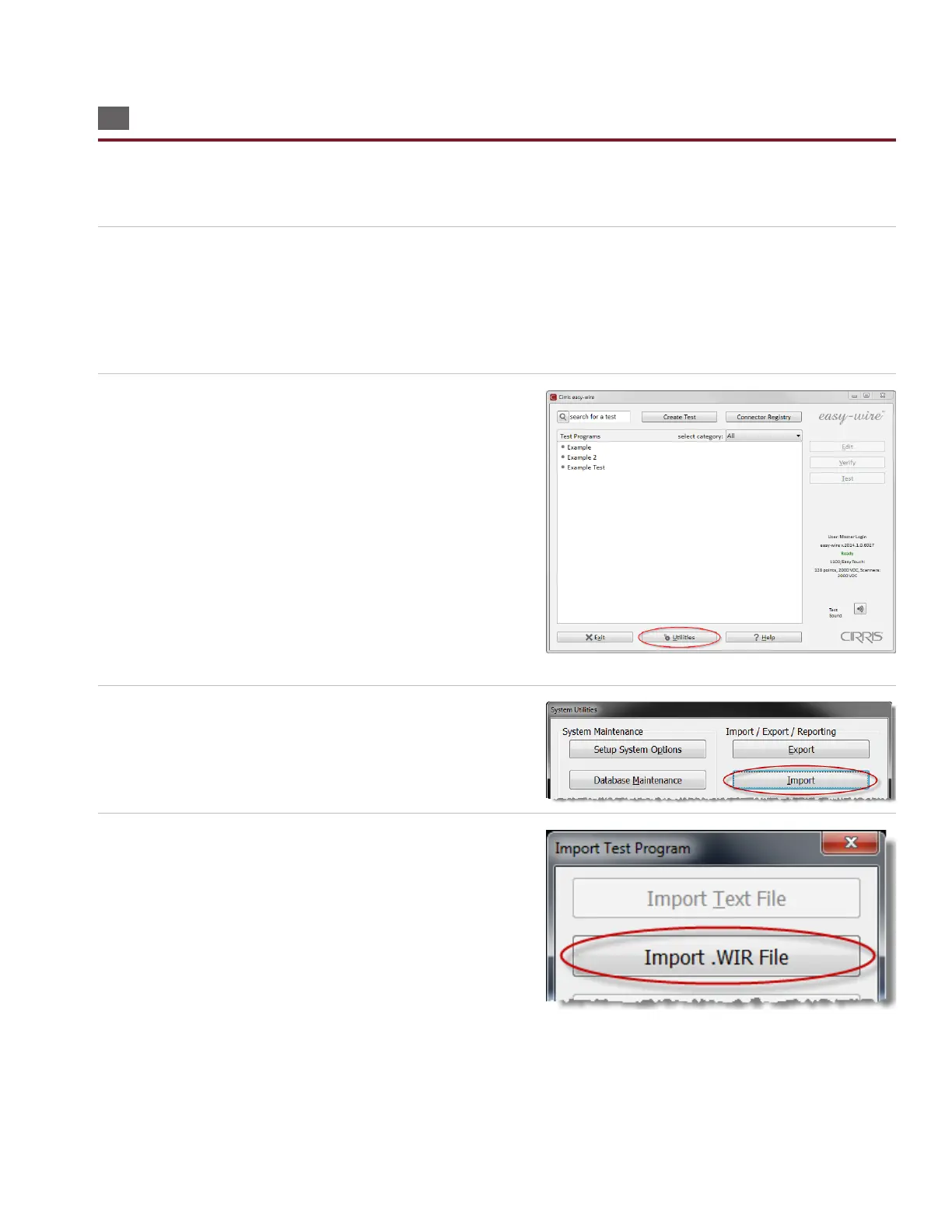
2. In the Easy-Wire main menu, press ‘Utilities.’
3. Press ‘Import.’
4. Press ‘Import .WIR File.’



 To Next Page