32
Cirris® Easy-Touch™ Pro User Manual
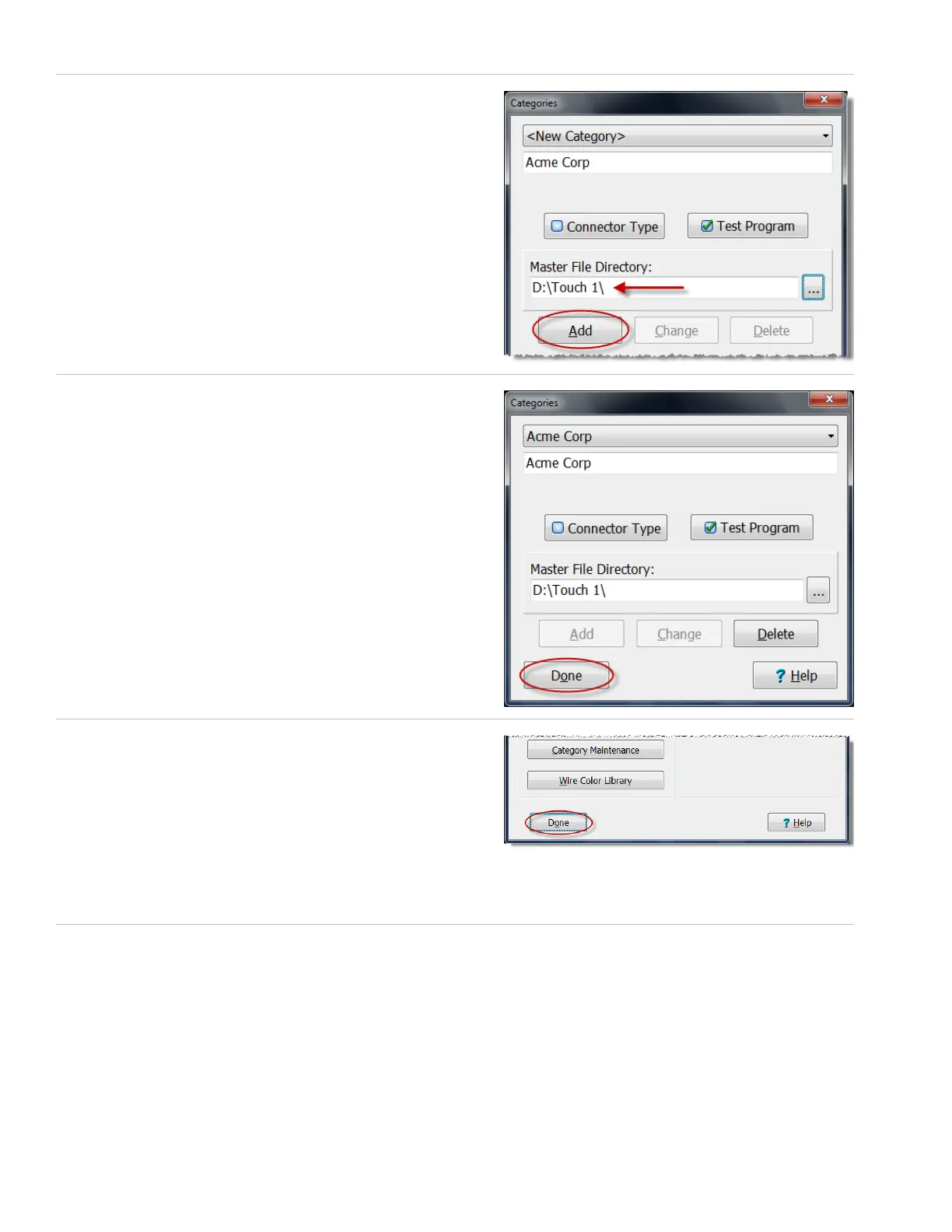
9. Notice that the le location displays as the directory. Press ‘Add.’
10. Press ‘Done.’
11. Press ‘Done’ to return to the main menu.
You are now ready to import the Touch 1 or 1100 wirelists into
the Easy-Touch Pro database.
Important! During the importing process, you will have the option
to select a category for imported test program(s). Ensure that you
select the category you created in step 4. This will allow wirelists to be synchronized in both the Easy-Touch Pro database
and your Touch 1 or 1100 le location.
12. See “Importing Touch 1 or 1100 Wirelists” on the next page.



 To Next Page